


3 ways to link TikTok Shop account to unlock sales potential
To make the most of TikTok Shop, the first thing you need to do is link your TikTok Shop account. This process is incredibly quick—just a few simple steps allow you to connect your TikTok Shop account with your personal TikTok, TikTok Ads, and bank account. This article shares three ways to link TikTok Shop and answers common questions related to account linking.
6 Steps to Link TikTok Shop with Your Personal Account
After successfully registering a TikTok Shop account, sellers need to link it with their personal account as it provides several business advantages.
Why Should You Link Your TikTok Shop Account with Your Personal TikTok?
Here are four key reasons to link TikTok Shop with your personal account:
-
Increase Customer Reach – You can attach product links directly to videos on your personal account. This makes it easier for customers to purchase products without leaving the video, increasing conversion rates from viewers to buyers.
-
Build Personal Branding – When you link your TikTok Shop account, your personal account’s name and profile picture will appear on the TikTok Shop storefront. This boosts brand recognition and builds credibility, making customers feel more secure when shopping from your store.
-
Self-Affiliate Marketing – You can use your TikTok account to create TikTok ads for your own store and products. This turns your TikTok channel into a source of passive income, a cost-effective marketing tool, and a powerful driver of sales—all while minimizing TikTok Affiliate program expenses.
-
Utilize Sales Support Tools – TikTok Shop’s sales tools, such as TikTok Shop Ads, live-stream selling, and discount vouchers, will be integrated into your TikTok Shop account, helping you grow revenue quickly.
See more products: Buy advertising accounts
8 Steps to Link a Personal Account with TikTok Shop
To link your account, follow these eight steps:
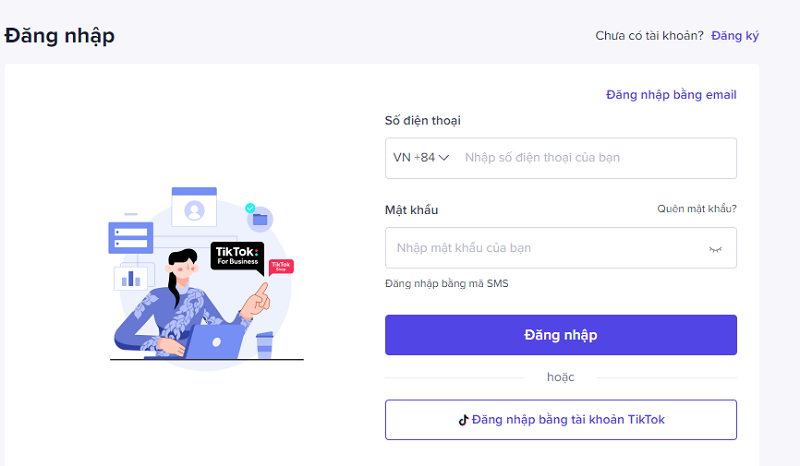
Step 1: Go to the TikTok Shop Seller website.
Step 2: Enter your TikTok Shop account details to log in.
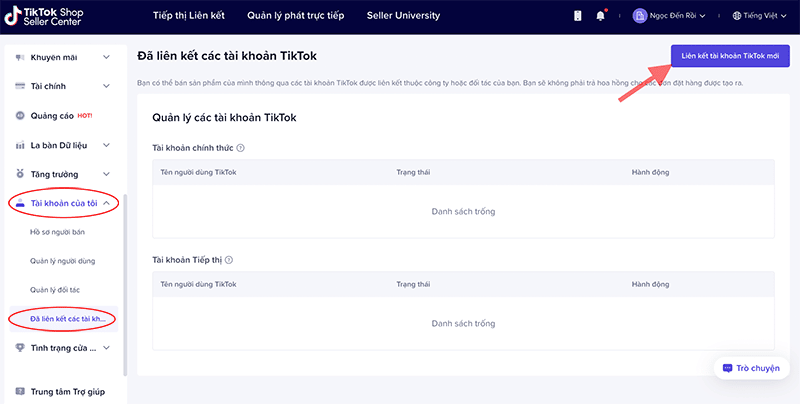
Step 3:
-
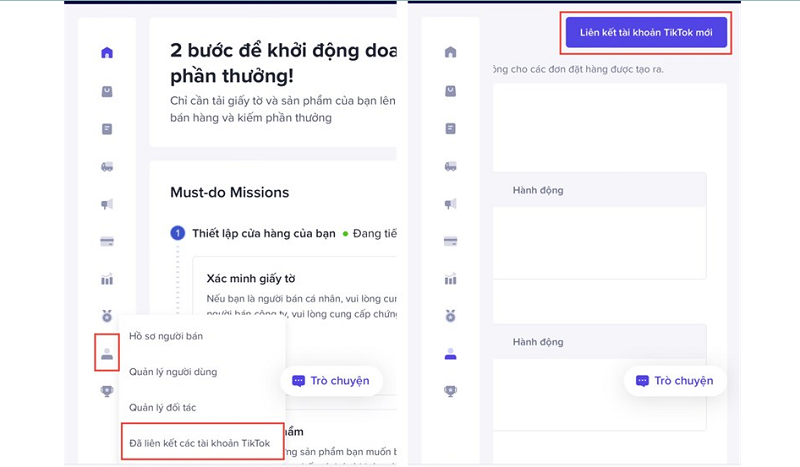
In the top-left corner, select “My Account”.
-
From the drop-down list, click “Linked Accounts”.
-
Select “Link a New TikTok Account” in the top right corner.
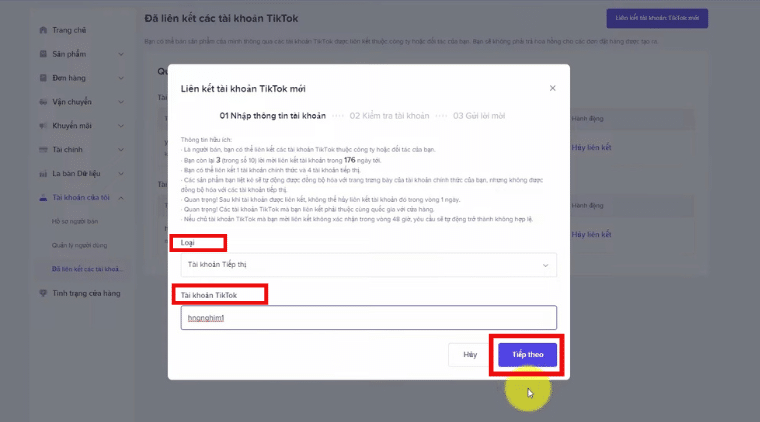
Step 4:
-
Under “Type”, select “Marketing Account”.
-
In the “TikTok Account” field, enter your personal TikTok ID.
-
Click “Next”.
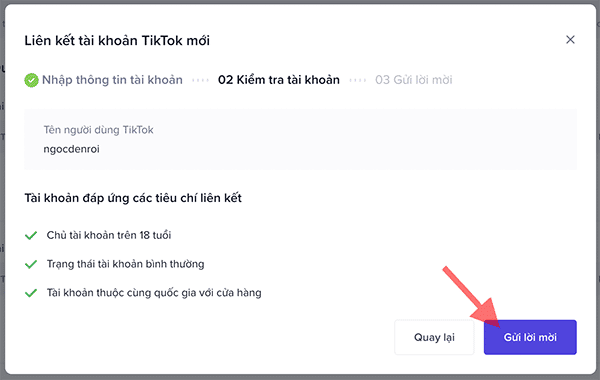
Step 5:
-
Review the account details to ensure you are linking the correct personal account.
-
Once confirmed, click “Send Invitation”.
-
Click “OK” to complete the invitation process.
Step 6:
-
Log into the personal TikTok account you linked.
-
Go to “Inbox” and check for a “Monetization: New Request” notification.
-
Click “Accept Request” to complete the linking process.
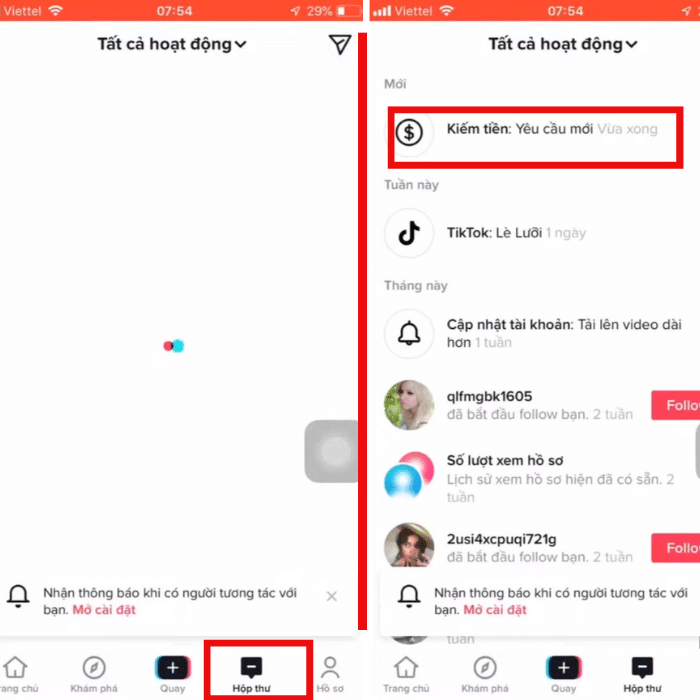
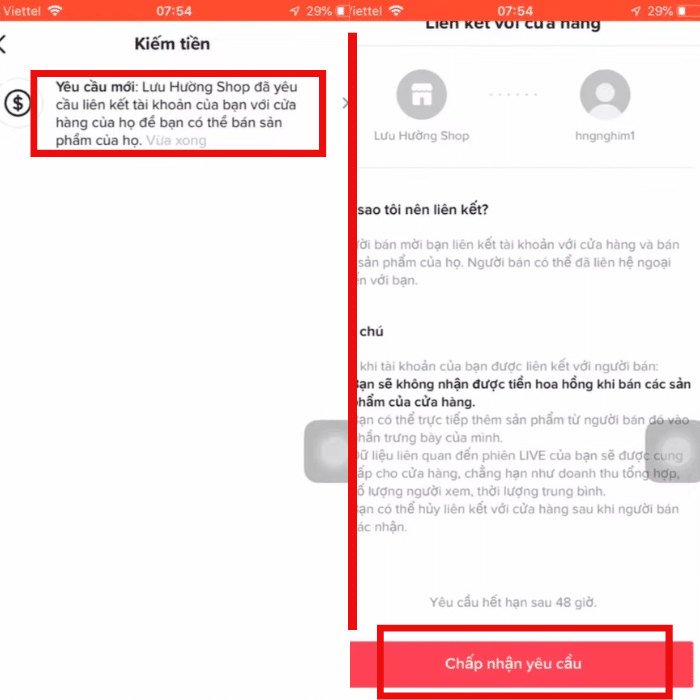
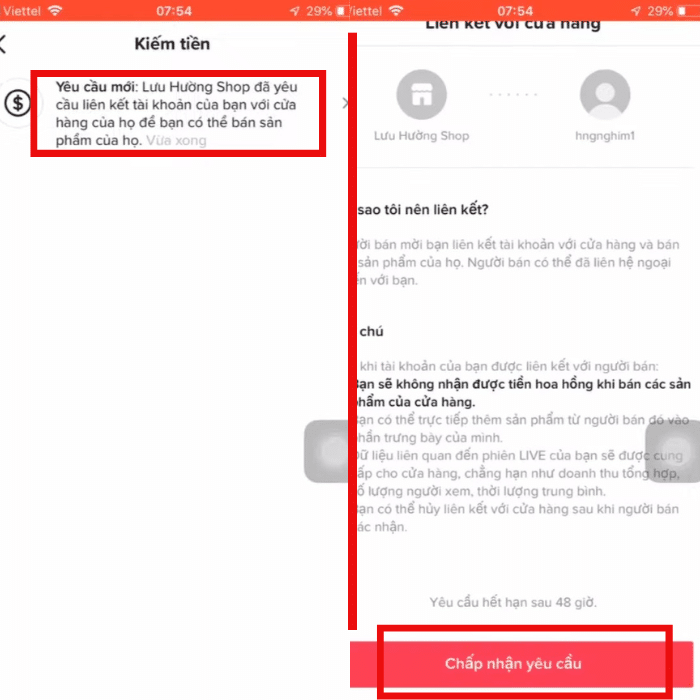
Note: Your account is successfully linked when the TikTok Shop cart icon appears on your personal profile page.
7 Steps to Link TikTok Shop with TikTok Ads
Today, TikTok sellers consider TikTok Ads an effective tool for increasing brand awareness, reaching the right target audience, and achieving business goals.
However, many sellers are still unaware of how to maximize ad efficiency by linking their TikTok Shop account with their TikTok Ads account. Therefore, we will guide you through the simple steps to connect these two accounts:
Step 1: Go to the TikTok Business Center website.
Step 2: Log into your TikTok Business account.
Step 3: Click on “Shop”.
See more products: Buy advertising accounts
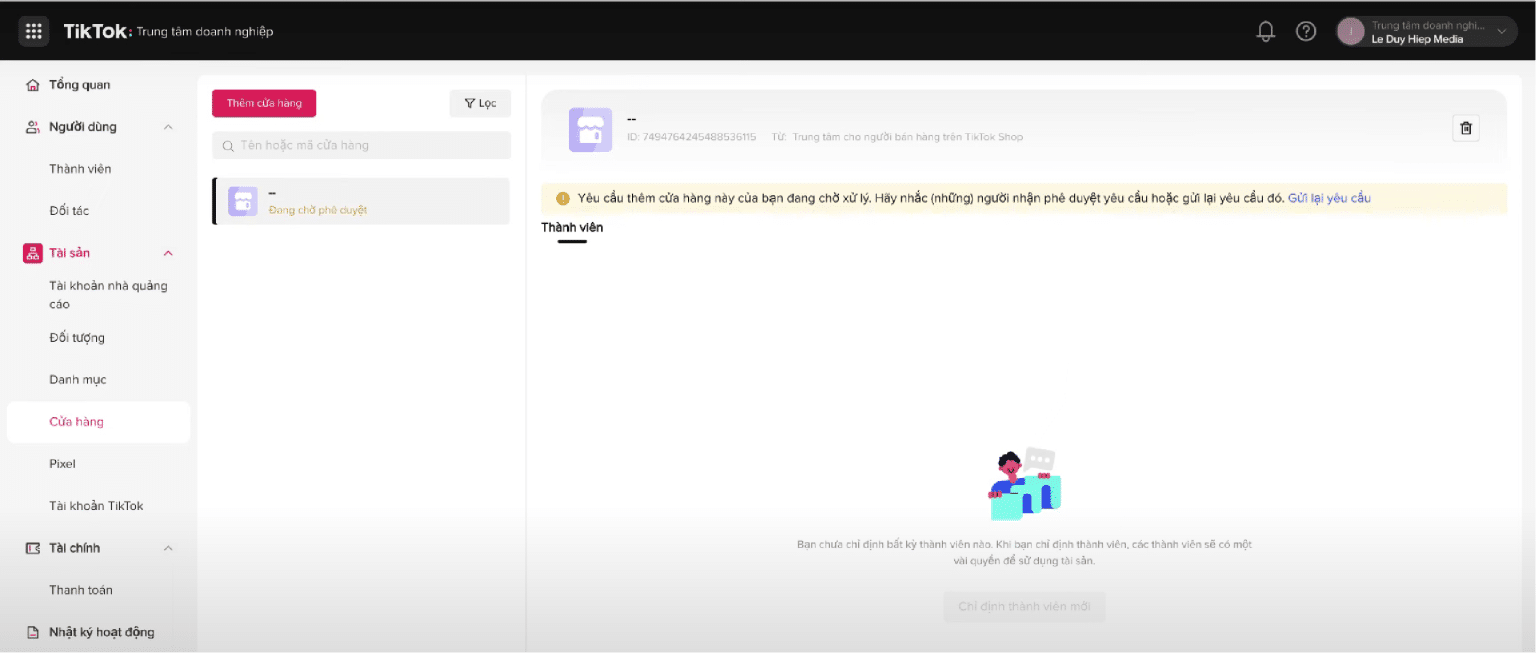
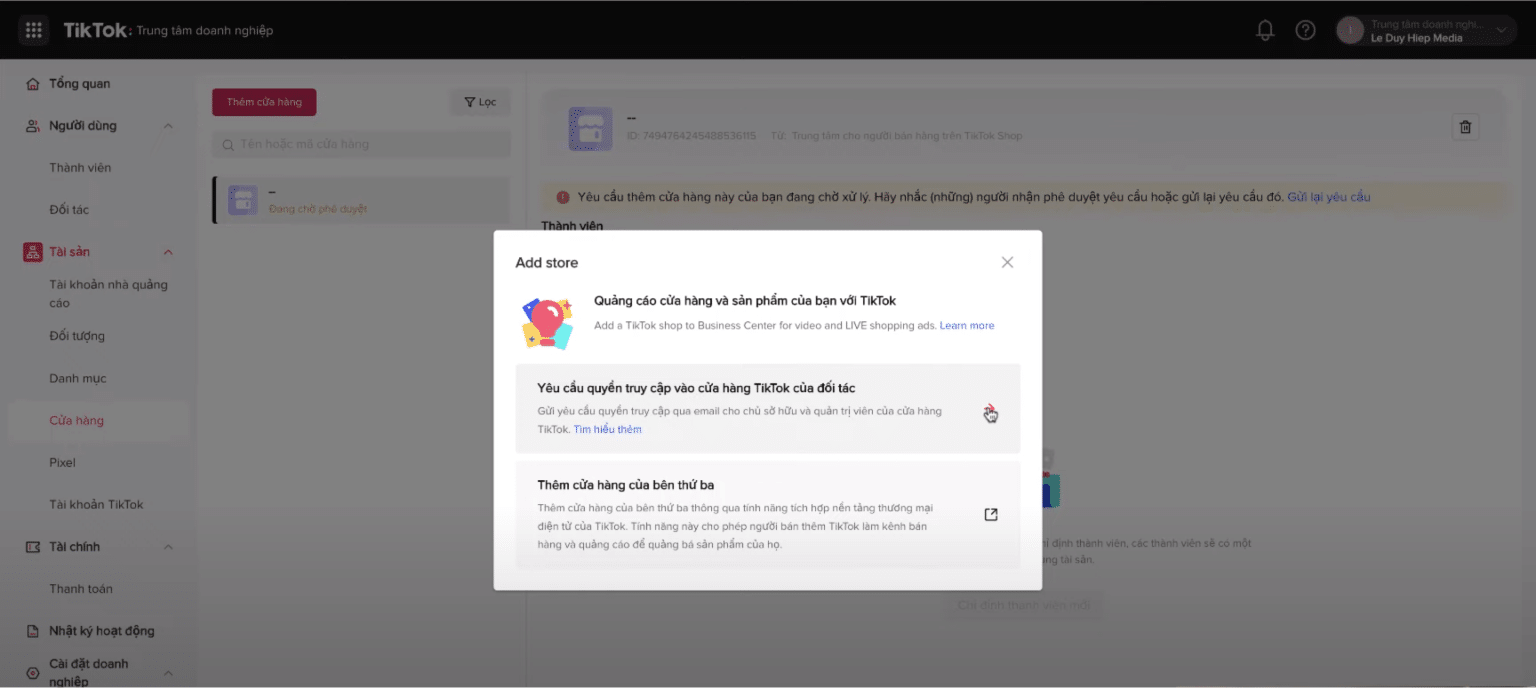
Step 4: Click “Add Shop” and select “Request Access to a Partner’s TikTok Shop”.
Step 5: Get the Shop Code
-
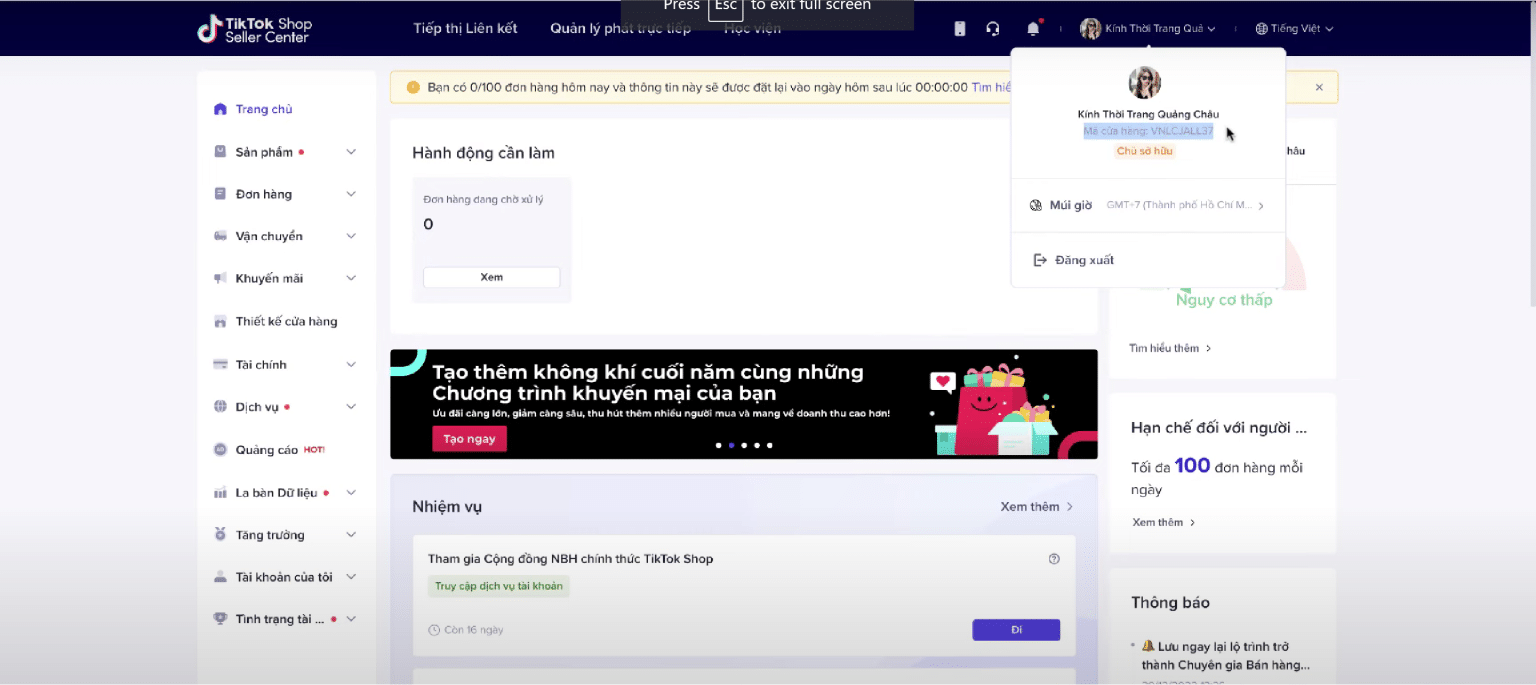
Go to TikTok Shop Seller Center.
-
Click on your account to retrieve the Shop Code.
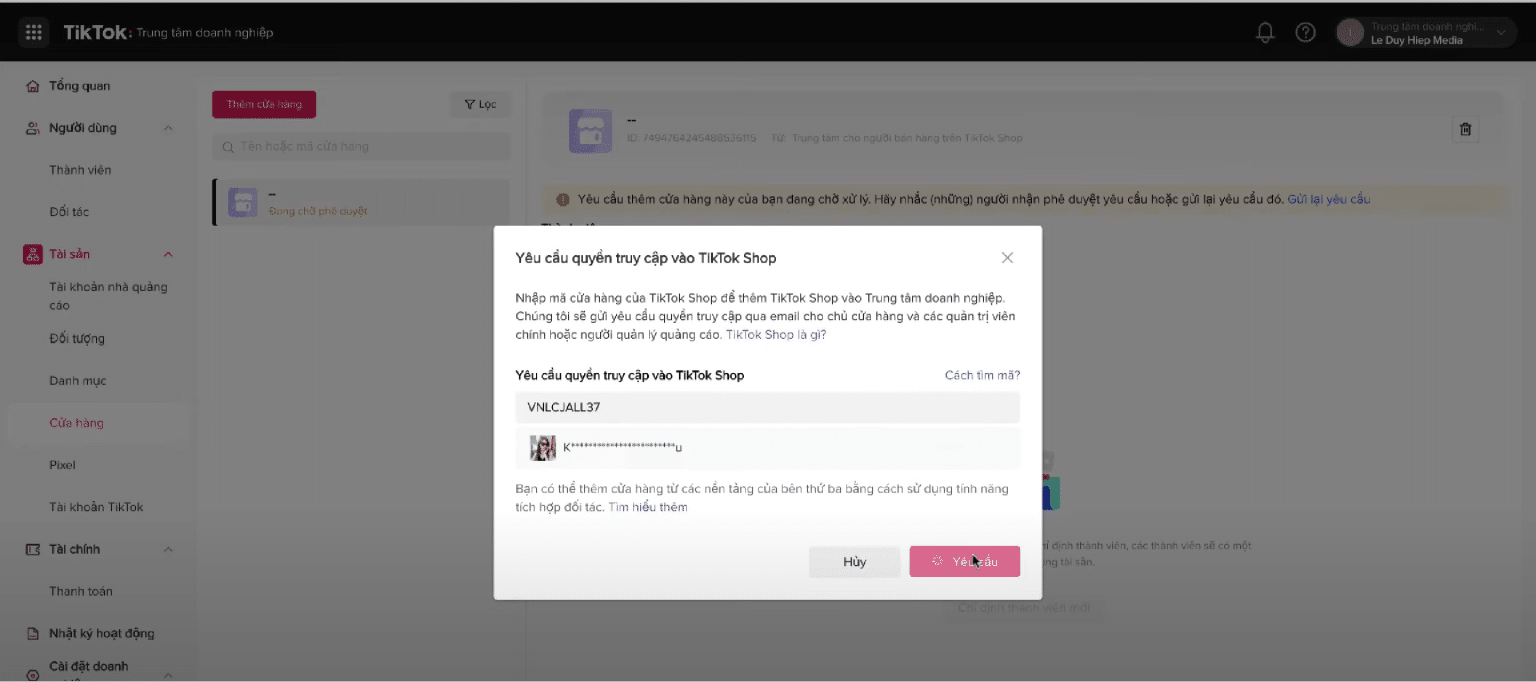
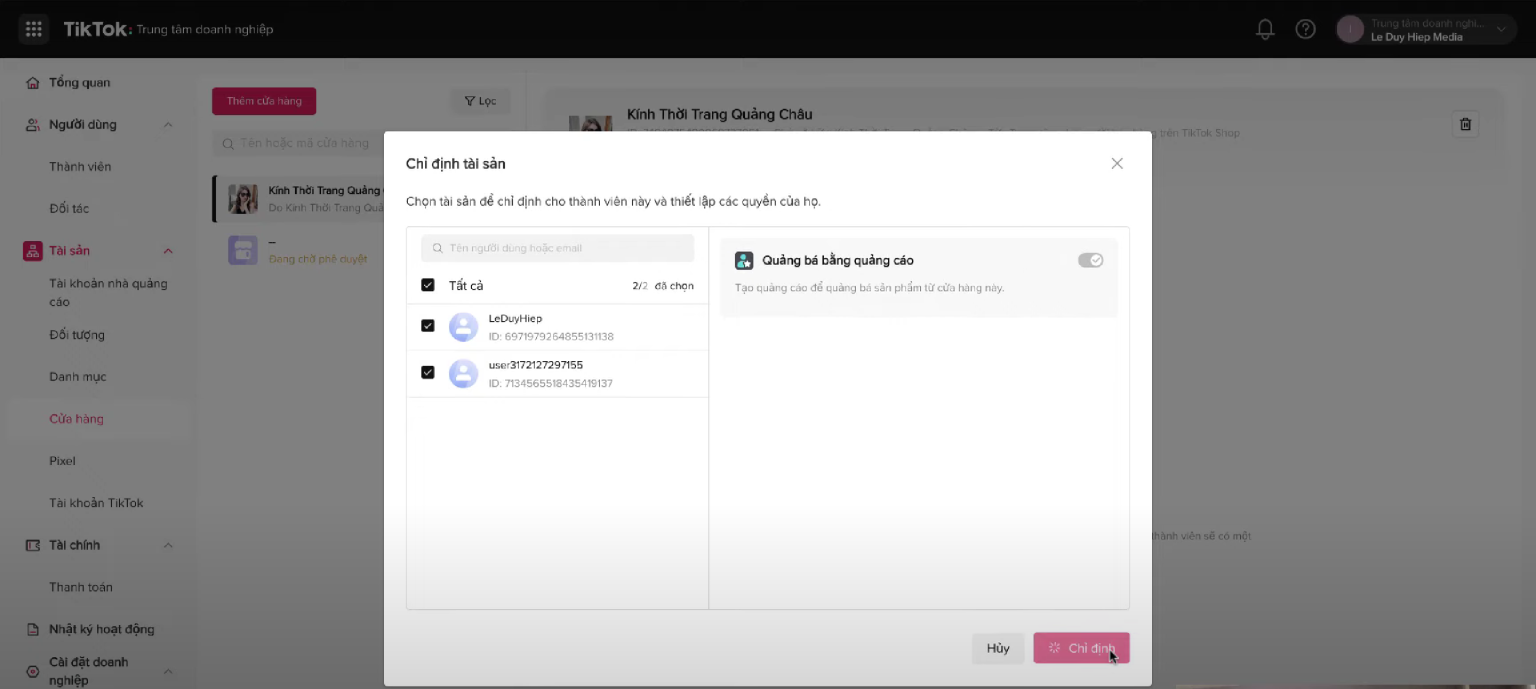
Step 6: Enter the Shop Code in the “Request Access to TikTok Shop” field and click “Request”, then select “OK”.
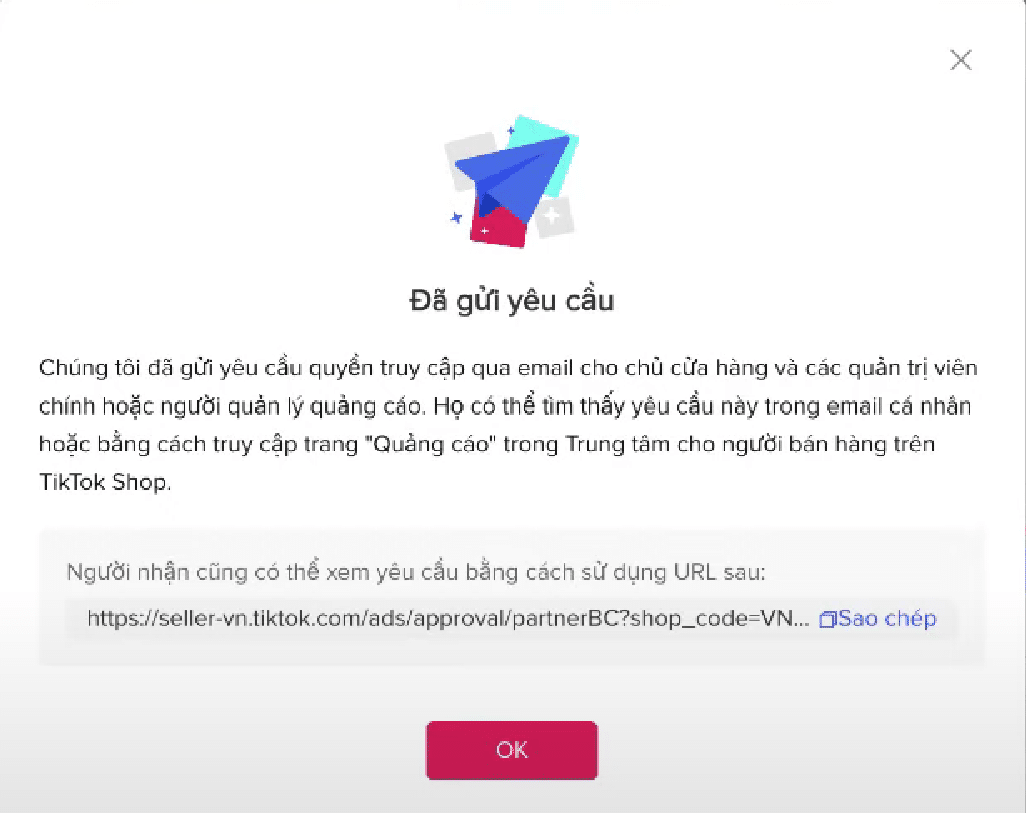
Step 7: Once the linking process is complete, assign Admin Members and enable “Promote with Ads”. Finally, click “Assign”.
6 Steps to Link TikTok Shop with a Bank Account
For a seamless payment process on TikTok Shop, linking your TikTok Shop account with a bank account is essential. However, many sellers face difficulties in this process. Follow these six simple steps to link your bank account to TikTok Shop:
- Step 1: Go to the TikTok Shop Seller website.
- Step 2: Navigate to the Seller Profile section and select “Payments”.
- Step 3: Click “Link Settlement Account”.
- Step 4: Enter your password and the verification code sent to your phone.
- Step 5: Select “Add Withdrawal Method” and enter your bank account or e-wallet details.
- Step 6: Click “Complete”. TikTok will take approximately 1-2 days to verify and confirm the successful link.
Once your bank account is successfully linked to your TikTok Shop account, you can easily withdraw money from TikTok Shop to an e-wallet or personal bank account using two methods:
-
Automatic Withdrawal
-
Manual Withdrawal
Buybm365 Answers Frequently Asked Questions About Linking TikTok Shop Accounts
#1. What are the requirements for linking a TikTok Shop account with a personal account?
The process of linking a personal account with TikTok Shop is very simple. However, to ensure approval by TikTok on the first attempt, you need to meet the following conditions:
-
Be at least 18 years old.
-
The personal account must have over 10,000 followers.
-
The TikTok Shop account and the personal account must be from the same country.
-
The personal account must not violate TikTok’s policies or be in a restricted status.
-
The invitation to link the accounts must be accepted within 48 hours.
-
Within one day after successfully linking the accounts, you cannot cancel the link.
See more products: Buy advertising accounts
#2. Can a TikTok Ads Agency account be linked to a TikTok Shop account?
A TikTok Ads Agency account is an ad account provided by media companies or TikTok-authorized agencies. With this type of account, you can access all features, including linking to TikTok Shop.
Additionally, when using a TikTok Agency account, you can take advantage of 11 ad formats that are not available for personal TikTok ad accounts.
If a personal TikTok ad account gets disabled, the remaining budget in the account will not be refunded. However, with our Agency account service, we can transfer your remaining ad budget to a new ad account, offering exclusive benefits to our Vietnamese customers.
#3. How many personal accounts can be linked to one TikTok Shop account?
Each TikTok Shop account in Vietnam can link up to five personal TikTok accounts, including one main account and four additional accounts for advertising and marketing purposes.
However, one personal TikTok account can only be linked to one TikTok Shop account at a time.
#4. Does linking a TikTok Shop account cost money?
Linking TikTok Shop to a personal account, bank account, or TikTok Ads account is completely free.
Conclusion
We hope that with the information we’ve shared, you can easily link your TikTok Shop account to other accounts and achieve the best business results.
If you need the most reputable payment method and advertising account provider, you can message the fanpage buybm365.com-Ads to receive advice from HT Media. In addition, you can follow the articles. Latest articles related to our Digital Marketing.





