


Why Facebook videos don’t play automatically? How to enable autoplay videos on Facebook
Watching videos on Facebook has become a habit for most users on the platform. However, sometimes we encounter a rather annoying issue – videos do not automatically play when opening a page, and we need to click on the video to watch it. So, why do videos on Facebook not auto-play? Let’s explore the causes and how to enable auto-play for Facebook videos in this article!
What is Auto-play Video on Facebook?
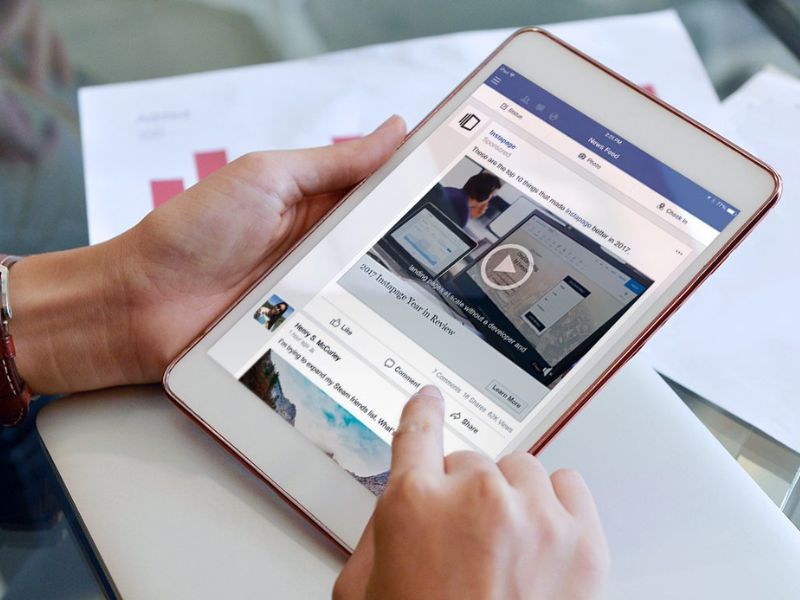
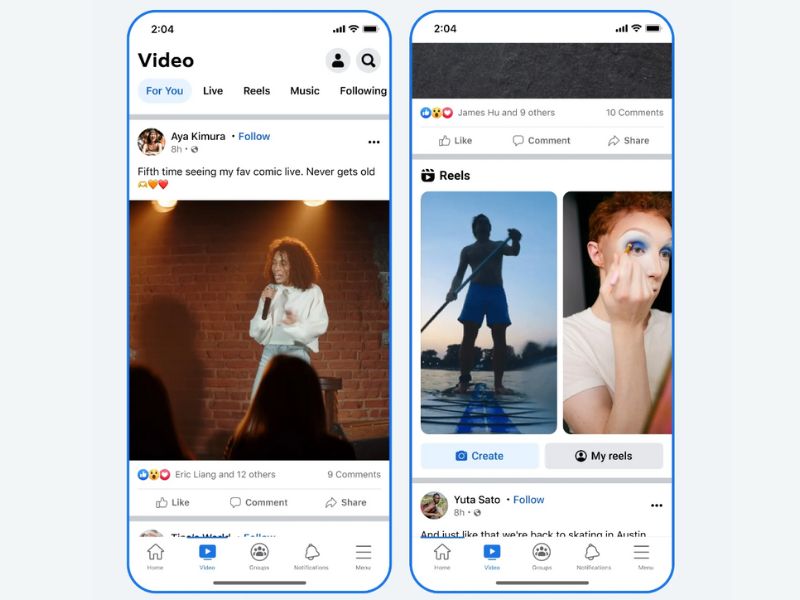
Auto-play videos on Facebook is a feature that allows videos to automatically play when you scroll through them in the News Feed or when you access a group (Group).
This new feature on Facebook enables videos to automatically play both sound and visuals, even if you don’t click the play button. This way, you can watch multiple videos continuously without wasting time clicking on them.
Why Don’t Videos on Facebook Auto-play?
Sometimes, videos on Facebook don’t auto-play, but why is this happening? There are several reasons for this issue, but here are some common causes you may encounter:
-
Poor Internet Connection: If you’re using mobile data and have run out of your data allowance or your Wi-Fi connection is unstable, it may prevent videos from auto-playing.
-
Battery Saving Mode Activated: The battery-saving mode on your phone is one of the reasons videos may not auto-play on Facebook. Many devices disable the auto-play feature when in power-saving mode to conserve energy.
-
Facebook App Error: A malfunction in the Facebook app, such as using an outdated version, can also prevent videos from auto-playing.
-
Auto-play Feature Disabled: The most common reason videos on Facebook don’t auto-play is that the auto-play feature has been turned off.
Based on these causes, you should check and adjust the settings on your phone to fix the problem promptly. This will allow you to enjoy a continuous and uninterrupted video-watching experience on Facebook.
How to Fix Auto-play Videos Not Playing on Facebook
If you’re facing the issue of videos not auto-playing on Facebook, you can apply some solutions below. Each solution corresponds to a specific cause.
1. Check Your Internet Connection
If your Wi-Fi or 3G/4G connection is faulty or you’ve run out of data, the easiest fix is to reconnect to Wi-Fi or recharge your mobile data. You need to make sure you have enough data and a stable internet connection to allow videos to play smoothly.
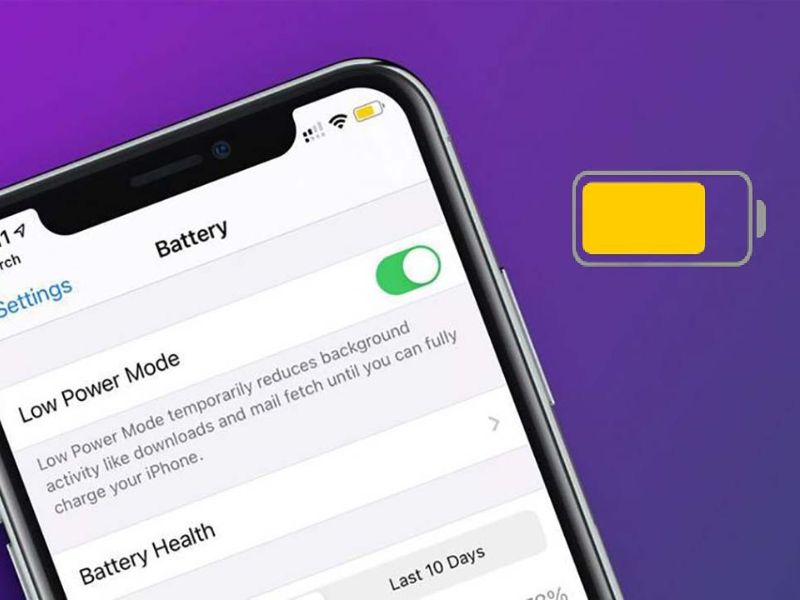
2. Turn Off Battery Saving Mode
Battery-saving mode is a feature available on most smartphones. This feature allows users to reduce the device’s performance by limiting background processes and turning off power-hungry features like synchronization, Bluetooth, etc., to extend battery life.
Therefore, battery-saving mode may be causing the issue with auto-playing videos. To fix this, switch the battery-saving mode off and ensure your phone has enough charge while watching videos.
3. Update the Facebook App
As mentioned, auto-play issues could also be caused by a Facebook app error, such as not updating to the latest version. In this case, restart the Facebook app or go to the App Store (for iOS) or Google Play (for Android) to update the app to the latest version.
4. Enable Auto-play Feature
If you’ve tried the above methods and the video still doesn’t auto-play, the issue is likely that the auto-play feature is turned off. In this case, you need to enable the auto-play video feature on Facebook.
Here’s how to enable auto-play for Facebook videos on your phone:
Step 1: Open the Facebook app on your phone and select Menu.
Step 2: In the menu, select Settings & Privacy, then tap Settings.
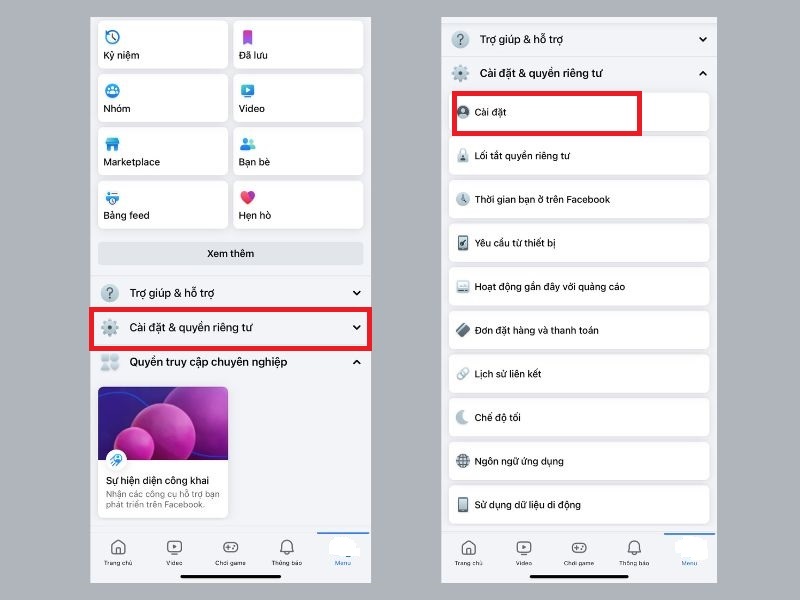
Step 3: In the Settings section, choose Media.
Step 4: Now, you will see the Auto-play option. Select either Auto-play on Mobile Data and Wi-Fi or Only on Wi-Fi. After that, return to the Home page to check if the video now auto-plays.
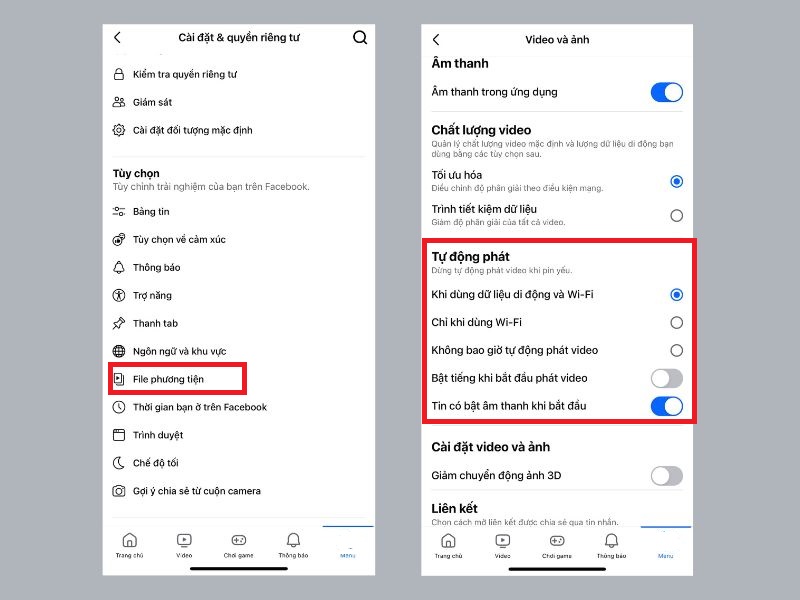
With just four simple steps, you can enable auto-play for Facebook videos on your phone.
On a computer, auto-playing videos on Facebook is the default feature. If you’re using Facebook on a computer and the video doesn’t auto-play, check the settings for this feature in the Facebook app.
Frequently Asked Questions About Facebook Videos
1. Why does the video still not auto-play even after I’ve enabled the auto-play option?
If you’ve enabled the auto-play option and the video still doesn’t play, you can try the following simple solution: log out of your account, update Facebook, or reinstall the app. Then, log back in and check again. Also, make sure your internet connection is stable and that battery-saving mode is not on.
2. Why does the video auto-play the video but not the sound?
First, check if the phone’s volume is on silent mode. If it isn’t, restart the phone and check again to see if the issue persists.
If you need the most reputable payment method and advertising account provider, you can message the fanpage buybm365.com-Ads to receive advice from HT Media. In addition, you can follow the articles. Latest articles related to our Digital Marketing.





