


What is Look a Like Facebook? How to create similar audiences on Facebook Ads
Lookalike Audience is a unique solution that helps connect your brand with new customers who closely resemble your existing customer base, thereby boosting sales. This solution, developed by Facebook, has proven to be more effective than many other customer acquisition methods. Let’s dive deeper into what Facebook Lookalike Audience is and how to create it in Facebook Ads!
What is Facebook Lookalike Audience?
A Lookalike Audience on Facebook is a tool that helps you reach potential customers—people who share similar characteristics with your target audience. It is one of the most popular methods used by advertisers on Facebook to increase reach and expand their customer base.
In terms of how it works, Meta’s algorithm analyzes your existing audience and identifies key characteristics such as behavior, interests, etc., to find similar people who exhibit the same traits. These individuals are known as Lookalike Audiences.
You can combine a Lookalike Audience with other ad targeting parameters, such as age, gender, and location.
Why is Facebook Lookalike Audience Important?
Lookalike Audiences are more likely to engage with your content, which makes this targeting method especially valuable. Below are some benefits of using Lookalike Audiences on Facebook:
1. Reach the Right Potential Customers
With Lookalike Audiences, you can reach new people outside of your current customer list. However, these aren’t just random users—they’re specifically chosen because they share characteristics with your target customers. That means they’re more likely to be interested in your ads.
2. Expand Your Customer Base
With traditional Facebook advertising, you target based on interests, behaviors, demographics, etc. But expanding your audience this way can be challenging and often leads to audience overlap.
 See more products: Buy advertising accounts
With Lookalike Audiences, you don’t have to worry as much about how to define your target. In addition to typical targeting criteria like interests and demographics, Lookalike Audiences are also created based on:
-
User behavior on Facebook and its services, including activity in groups
-
Pages they’ve liked, videos they’ve watched, and interactions with ads
-
Activity on websites that use Facebook Pixel
3. Avoid Audience Overlap
When targeting by age, interests, or demographics, campaigns often end up overlapping audiences, reducing their effectiveness. Lookalike Audiences, however, do not overlap with each other or with the original source audience they’re based on.
4. Get More Value from Your Ad Spend
Testing is essential in social media advertising, but no one wants to overspend to find the most effective ad. With Lookalike Audiences, you can test multiple audiences at once without having to create multiple campaigns.
5. Save Time
Facebook Lookalike Audiences help you quickly identify people who are likely to be interested in your ads without doing additional legwork. If you already have a source audience, you can use it to easily generate similar customer groups.
6. Grow Your Business Network
Lookalike Audiences are especially useful if you want to expand into a new region or even another country. Even if you don’t have any data on customers in the new market, you can still leverage your existing market data to find people with similar traits in the new area.
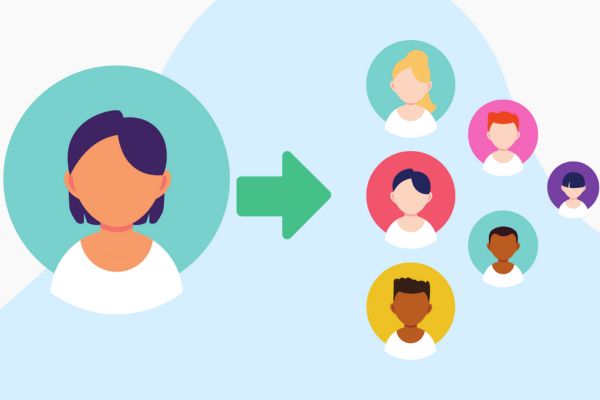
In short, if you can identify shared characteristics and fully understand your customers, you can effectively reach the right people. This approach reduces advertising costs and improves your return on investment.
How to Create a Facebook Lookalike Audience
To create a Lookalike Audience on Facebook, you must first build a Custom Audience. Facebook uses this custom audience as the foundation to generate a personalized lookalike audience for you.
1. Create a Custom Audience
Here are the basic steps to create a Custom Audience:
Step 1: Go to Facebook Business Manager and select Audiences.
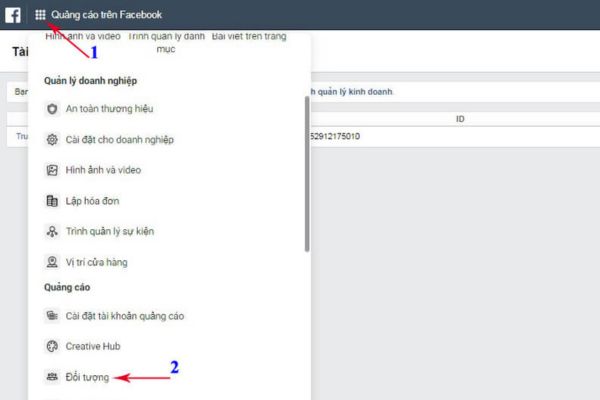
Step 2: Click on Create Audience and choose Custom Audience.
Step 3: Select the source of your custom audience—you can use your own data or data from Facebook. This source must include at least 100 people. Facebook allows you to create custom audiences from several types of sources, such as:
-
Video: People who have watched or interacted with your video ads.
-
Instagram business profile: Users who engaged with ads on your Instagram business profile.
-
Events: People who have shown interest in or interacted with your events on Facebook.
-
Facebook Page: People who like, follow, or have interacted with your posts or ads.
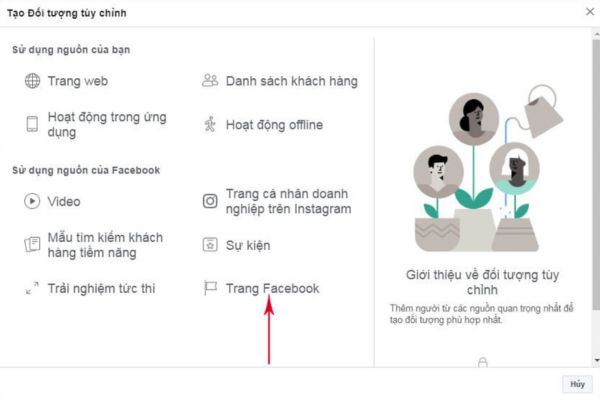
Example: If you choose “Facebook Page” as the platform, configure the audience as follows:
-
Select your Fanpage.
-
Choose People who have engaged with any post or ad.
-
Set the timeframe (number of days).
-
Name your audience for easy identification and management.
-
Click Create Audience.
Click Done, and your custom audience is now ready.
2. Create a Facebook Lookalike Audience
Once you’ve created a custom audience, you can use it to set up a Lookalike Audience. Follow these steps:
Step 1: As with creating a custom audience, go to Business Manager > Audiences.
Step 2: Click the dropdown menu next to Create Audience and select Lookalike Audience.
Step 3: Choose a source audience for your new lookalike. Since you already created a custom audience, you can now use it. Click Other Sources and select your previously created custom audience.
Popular lookalike audience sources include email list lookalikes, video viewer lookalikes, value-based audiences, and website visitor lookalikes with high purchase intent.
Step 4: Choose your Location(s). You can target one or multiple countries or even regions like the European Economic Area or iTunes App Store Countries. You can also save frequently used locations for future campaigns.
Step 5: Choose the Audience Size. This percentage is based on the number of Facebook users in your selected locations. You can create up to six lookalike audiences at once, each with a different size (up to 10%).
Step 6: Click Create Audience. Your new lookalike audience is now ready to be used in your Facebook ad campaigns.
Tips to Optimize Facebook Lookalike Audiences
Once you’ve created a Lookalike Audience, it’s important to optimize it for maximum performance. Here are 5 tips to make the most of your Facebook Lookalike targeting:
1. Choose a High-Quality Source
To maximize effectiveness, start with a high-quality source audience. For example, if you use your entire email subscriber list but those users don’t open emails or make purchases, the results will be poor. Instead, use only active subscribers or top-performing customers.
Focus on your best customers so that your lookalike audience delivers the best possible outcome.
 See more products: Buy advertising accounts
2. Optimize Bidding with A/B Testing
You can create multiple lookalike audiences with varying similarity to your source audience. This is a strategic way to identify the most profitable audience for your brand.
Start by conducting A/B testing, targeting the same ad to different lookalike groups with an initial bid. Then analyze performance using metrics like return per conversion or customer lifetime value.
Once you’ve identified the best-performing group, adjust your bidding strategy—bid higher for high-value audiences and lower for less effective ones. This approach ensures your ad budget is spent more efficiently while still targeting your ideal customers.
3. Combine Lookalike Audiences with Other Parameters
By adding extra filters like age, gender, or interests, you can further refine your lookalike targeting. This enhances the effectiveness of your Facebook ad campaigns and helps ensure you’re reaching the most relevant users.
4. Be Creative with Your Source Audience
One effective way to optimize Facebook Lookalike Audiences is by being creative with your source audience. Here are some ideas:
-
Video audience: If you’re running a video-based campaign, create an audience from users who have previously interacted with your videos.
-
Recent website visitors: A broad audience includes everyone who visited your site, but for conversion-focused campaigns, you should target those who visited in the past 30 days or those who added items to their cart.
-
Email audience: Subscribers to your business/brand newsletters. Use this list to grow your email subscribers or to support an upcoming campaign.
5. Super Lookalike Audience
To expand your reach while maintaining the quality of your target audience, combine several high-quality, low-percentage lookalike audiences into a single “super lookalike audience.”
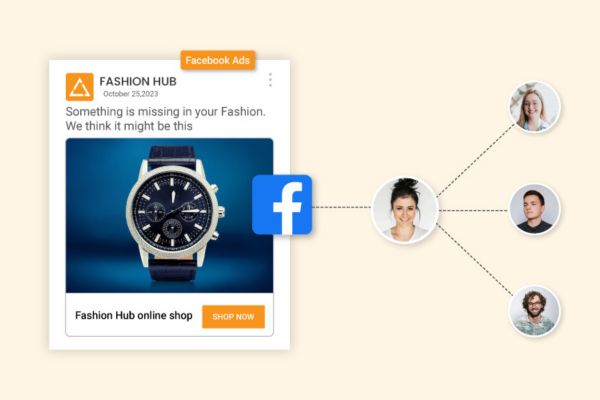
If you’ve already created multiple custom audiences, you can identify which ones are performing best. Then, create low-percentage lookalikes (up to 3%) for each of those high-performing sources.
Next, integrate all of these lookalikes into a single ad set. You can combine 3 to 25 lookalike audiences into your super lookalike.
Let the super lookalike run for a while and monitor performance. From there, scale up the best-performing segments and layer in additional optimization strategies.
Frequently Asked Questions About Facebook Lookalike Audiences
1. What’s the difference between Custom Audiences and Lookalike Audiences?
-
Custom Audiences are based on people who already have a relationship with your business.
-
Lookalike Audiences are new people who share similar characteristics with your custom audience but are not yet familiar with your brand.
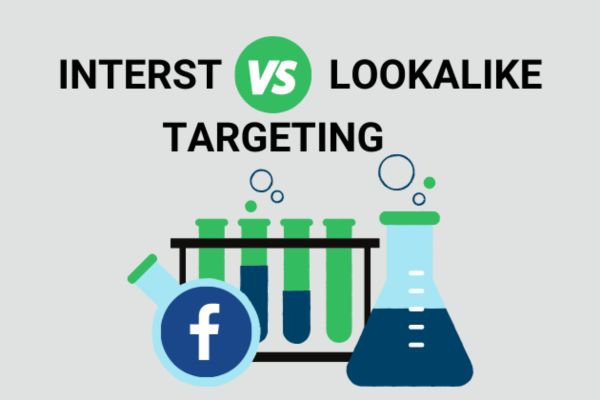
2. What’s the difference between Interest-Based Targeting and Lookalike Audiences?
-
Interest-Based Targeting targets users based on their interests or behaviors. It’s ideal for advertisers who are new and lack customer data.
-
Lookalike Audiences are based on the shared traits of your existing customers. Facebook’s algorithm analyzes these traits to find your ideal prospects. It’s more effective when you already have a customer base.
3. How many people do I need for a Lookalike Audience?
You need at least 100 people from the same country in your source audience. If your source data includes users from multiple countries, you must have at least 100 users from one specific country to use it as a lookalike source. Facebook recommends a source audience size of 1,000–5,000 people for best results.
4. How long does it take to create a Lookalike Audience?
It takes about 6 to 24 hours for Facebook to generate a Lookalike Audience. Once created, the audience will appear as Ready in the Availability column. As long as your ads target that lookalike, Facebook will automatically refresh the audience every 3 to 7 days.
5. What is the best % size for a Lookalike Audience?
The ideal % size depends on your target location. For example, a 1% audience in the U.S. can reach around 2.4 million people. Higher percentages increase reach but reduce similarity to your original source.
As with any ad strategy, testing is essential. Try different percentages in different locations to identify the most effective setup.
Conclusion
This guide has explained what Facebook Lookalike Audiences are and how to create and optimize them. Lookalike Audiences leverage Facebook’s algorithm to identify common traits among your current customers and use that data to find new, similar customers. This makes them a powerful tool for expanding your reach and improving ad targeting.
If you need the most reputable payment method and advertising account provider, you can message the fanpage buybm365.com-Ads to receive advice from HT Media. In addition, you can follow the articles. Latest articles related to our Digital Marketing.





