


What is Google Maps SEO? How to put your address on the map
Google Maps is one of the most popular address-searching applications used by many people today. It helps users locate and find each other easily if their device has an internet connection.
Because of this, SEO for Google Maps is also a method that helps businesses optimize their address and boost keywords on the map.
However, many people do not know what Google Maps SEO is or how to get their address on the map.
To answer these questions, let’s explore the details in the following article!
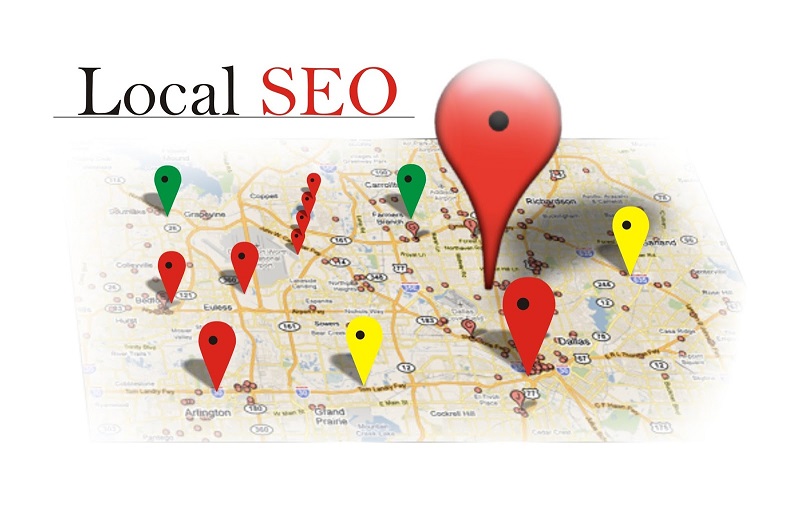
See more products: Buy advertising accounts
What is Google Maps SEO?
Google Maps SEO is a method that helps users find a business address on the map.
It allows many customers to discover the business through its location on the map, enabling them to access the business website more frequently.
Google Maps SEO is a form of optimization that allows a business’s address to appear on Google Maps, making it easier for users to find that address.
The keyword is chosen by the business, and by searching for any keyword, relevant search results will appear on Google Maps.
The more frequently the keyword is searched, the more effective Google Maps SEO is for your business.
How to Add Your Address to the Map
Google Maps SEO offers many benefits to businesses, which is why many companies focus on investing in this aspect. However, many people still don’t know how to add their address to the map. So, to create a new address on the map, you need to follow these basic steps:
Step 1: Search for the “Google Map” website on Google and find the three horizontal lines icon in the top left corner. Scroll down and select “Missing Place.”
Step 2: When you find the missing place box, enter all the required information according to the instructions. Make sure the information is accurate and clear, as this will help with SEO ranking on Google Maps.
Step 3: Double-check the information and click “Submit.” However, entering text alone is not enough; Google will also help you pinpoint the exact location on the map. You need to click on your location on the map.
Step 4: After adding the location, Google Maps will automatically send a notification via Gmail if the location is accurate. It may take some time for your address to appear on the map.
Benefits of Google Maps SEO
Once you understand what Google Maps SEO is and how to create a new location, you will also see the benefits it brings, such as:
-
Increased visibility of your business brand to consumers.
-
More people will learn about the brand, leading to a quick increase in website visits.
-
Establishing credibility on Google Maps helps businesses optimize, further develop Google Maps SEO, and create suitable content marketing strategies.
-
It makes it easier for customers to find your business and visit your website more frequently.
Applying Google Maps SEO for Businesses
If businesses successfully optimize Google Maps SEO, it helps more people discover the company’s website. These advantages are why businesses choose to implement Google Maps SEO. Below are some steps for implementation:
Step 1: Install the Google Maps application
Access the “Google Maps” app on Google. Note that verification via email will be required, so make sure to log in first. Find the three horizontal lines icon in the top left corner and select “Add a missing place.”
Enter the necessary details about the business. The more complete the information, the more accurate the map will be for users. Some required information includes: business name, specific address, contact phone number, operating hours, closing hours, etc
Step 2: Review the information and click Submit
After entering all the necessary information, click “Verify Business” and then click “Submit.” However, after submitting, you need to go back to the “My Business” section and verify additional details, such as:
-
Business name (choose a simple, easy-to-remember name)
-
Address (include street name, house number; the more detailed, the easier it is for customers to find)
-
Country (usually Vietnam, or select the appropriate country for your business)
-
Phone number, zip code (make sure the phone number and zip code are accurate)
-
Business category (clearly define your business category)
-
Operating hours (add this so customers know your business hours)
-
Introduction, website link (write a brief introduction and provide the company’s website link)
Once all information is completed, you will receive a verification code for your local business. This will make your business easier to find on the map and enhance its credibility.
Optimizing Images for Google Maps SEO
See more products: Buy advertising accounts
Choosing Images for Google Maps SEO
If your business is using old or blurry images, it will seem unprofessional to customers. Therefore, when selecting images, use the latest images with a clear display of your business logo. High-quality images will help improve Google Maps SEO rankings.
Notes on Image Format and Descriptions
Make sure to use “jpg” instead of “png” when uploading images to Google Maps.
The images you upload should have descriptive filenames, as this helps customers or users easily identify what your business offers.
This article has provided a detailed explanation of what Google Maps SEO is, its benefits, and how to easily add a new address to the map. We hope it has provided you with useful information. Thank you for reading!
If you need the most reputable payment method and advertising account provider, you can message the fanpage buybm365.com-Ads to receive advice from HT Media. In addition, you can follow the articles. Latest articles related to our Digital Marketing.





