


What is Google Lighthouse? Instructions on how to use it to optimize page loading speed
Google Lighthouse is an open-source tool developed by Google that helps assess and improve the quality of websites. It can run on any webpage and provides detailed reports along with suggestions for improvement. Check out our article below to learn more about Google Lighthouse.
What is Google Lighthouse?
Google Lighthouse is an open-source tool developed by Google to evaluate and enhance website quality. It can analyze and generate detailed reports on performance, accessibility, Progressive Web App (PWA) capabilities, best practices, and SEO of a website. This tool can run on any public webpage or pages requiring authentication and provides specific improvement suggestions. You can use tools like Imagify (for image optimization) or WP Rocket (for website speed optimization) to improve your Google Lighthouse results.
Key Metrics in Google Lighthouse
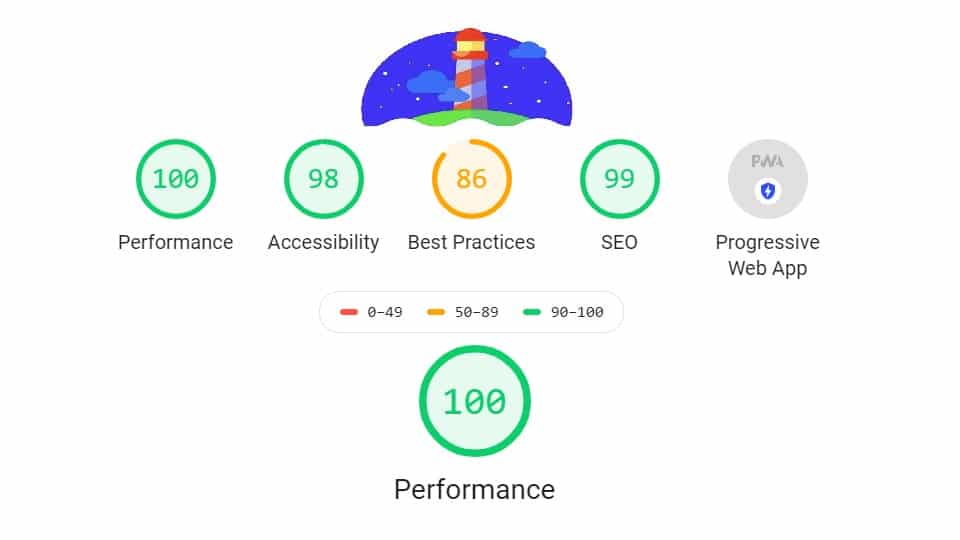
Google Lighthouse provides important metrics to evaluate the quality of a website through the following aspects:
See more products: Buy advertising accounts
Performance
Website performance is measured through metrics such as page load speed, server response time, and user interactivity. Lighthouse provides scores and suggestions to improve areas like load time reduction, image optimization, and efficient use of caching.
Accessibility
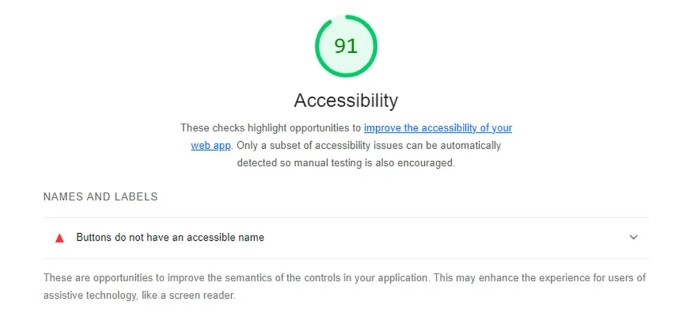
Lighthouse checks the accessibility of the website for users with disabilities, ensuring the site is usable for everyone. It evaluates aspects like color contrast, text readability, and keyboard navigation, and provides scores and recommendations for improvement.
Best Practices
Lighthouse assesses adherence to web development best practices, ensuring your site is built to the highest standards. It checks for factors like security, browser compatibility, and efficient resource usage, providing scores and suggestions for improvements.
Search Engine Optimization (SEO)
Lighthouse evaluates elements that affect your website’s search engine optimization, helping it be more discoverable by search engines like Google. It reviews items such as page titles, meta descriptions, keyword usage, and URL structure, and provides SEO scores and improvement tips.
Progressive Web App (PWA)
Lighthouse assesses how well your website functions as a Progressive Web App. It checks for PWA standards such as offline capabilities, fast load times, and installability on mobile devices. Lighthouse offers scores and recommendations to help your site meet PWA criteria.
Detailed Guide to Using Google Lighthouse
Here’s a simple guide for beginners to use Google Lighthouse effectively:
Run Lighthouse using Chrome DevTools:
-
Open Google Chrome and enter the URL of the website you want to test in the address bar. Press Enter to access the site.

See more products: Buy advertising accounts
How to Use Google Lighthouse:
- Press Ctrl + Shift + J (Windows/Linux) or Cmd + Option + J (Mac) to open Chrome DevTools. You can also press F12 to open the tools panel.
- In Chrome DevTools, go to the Lighthouse tab. If it’s not visible, click the right-arrow icon to find it in the hidden tabs list.
- In the Lighthouse tab, you’ll see a list of audit categories: Performance, Accessibility, Best Practices, SEO, and Progressive Web App. Select the categories you want Lighthouse to analyze by checking the corresponding boxes.
- After selecting the desired categories, click the Generate Report button to start the audit. Lighthouse will analyze your website and generate a detailed report.
Run Lighthouse using the Chrome Extension:
-
Open Google Chrome.
-
Search for “Lighthouse Chrome Extension” on Google.
-
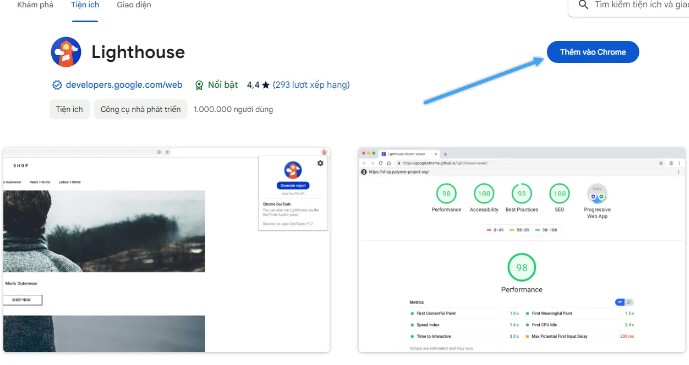
Select the Lighthouse extension from the Chrome Web Store and click “Add to Chrome” to install it.
-
Visit the website you want to test.
-
Click the Lighthouse icon in the top right corner of the browser to activate the extension.
-
Choose the audit categories (Performance, Accessibility, Best Practices, SEO, Progressive Web App).
-
Click the “Generate Report” button to begin the analysis.
-
Wait about a minute for Lighthouse to complete the audit and display the detailed report.
Conclusion
Google Lighthouse is a powerful tool that helps you comprehensively evaluate and improve your website’s quality. By using the Lighthouse extension in Google Chrome, you can easily test and optimize your site in just a few simple steps. This tool provides in-depth analysis and helpful suggestions for improving your site’s performance, accessibility, and SEO.
If you need the most reputable payment method and advertising account provider, you can message the fanpage buybm365.com-Ads to receive advice from HT Media. In addition, you can follow the articles. Latest articles related to our Digital Marketing.





