


What is Google Lens? 6 most outstanding features of Google Lens
Google Lens is one of the top most useful applications, equipped with modern features such as: scanning and translating text, accurately identifying objects and animals, scanning barcodes, and offering many other utilities. With this app, users can save time and avoid overloading their phone’s memory due to the need for multiple separate apps.
What is Google Lens?
See more products: Buy advertising accounts
Basic Information about Google Lens
-
Platform: Android 6.0 and up, iOS 12 and up
-
Size: Android: varies by device, iOS: 228.7MB
-
App Type: Tools
-
Developer: Google LLC
6 Outstanding Features of Google Lens
1. Scan and Translate Text
Are you learning a foreign language but don’t understand a certain passage? Did you buy a product from a foreign brand but can’t read the language? How can you know what it means?
It’s simple — you just need a phone with an internet connection. Snap a picture of the text, and Google Lens will instantly translate it into the language you choose. The results are highly accurate and reliable!

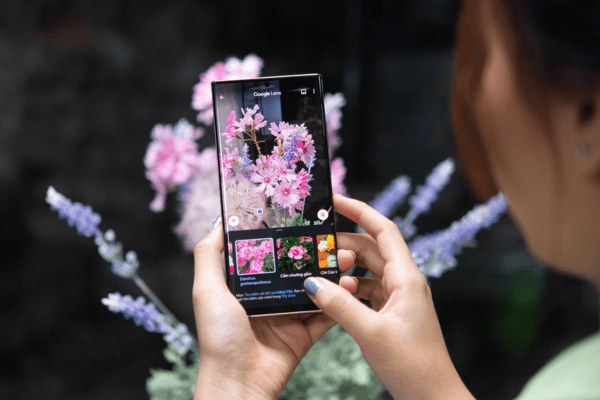
2. Identify Animals and Plants
Have you seen a beautiful, unusual plant on the street but don’t know what it is? Want to learn more but no one around you can help? Or maybe you’ve spotted an unfamiliar animal or plant?
Just take out your phone and snap a picture — Google Lens will quickly and accurately provide you with detailed information. In just seconds, you’ll see everything you want to know: its name, how to care for it, origin, and more — right on your screen.
3. Discover Nearby Places
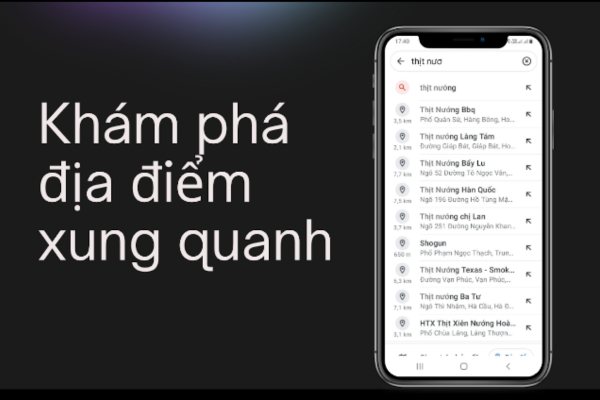
No matter where you are, Google Lens helps you find nearby spots like coffee shops, restaurants, and entertainment venues. The app will show you the exact address and guide you there. Planning outings or meetings has never been this easy.
Just open your phone, launch Google Lens, and search for nearby places. In just one second, a long list of destinations will appear, ready for you to explore. At that point, all you need is time and money to enjoy everything that interests you.
Everything becomes simpler and easier than ever before!
4. Find Items You Like
You may stumble upon an item or a cosmetic product that looks really appealing, but you don’t know where to buy it or how much it costs.
All you need to do is take a photo of it, and Google Lens will show you images of similar items. You can select one of the images to conveniently explore more about the product. Information about the item you’re searching for, as well as similar products, will be displayed for you.
5. Food Recommendations
You’re at a restaurant but unsure what to order — and haven’t had a chance to try any of the dishes yet?
Just take a photo of the dish on the menu, and Google Lens will provide you with reviews of that dish at the restaurant. This helps you choose a suitable meal for an enjoyable dining experience. Picking a dish that suits your taste is no longer a challenge, right?
Besides food, you can also look up information about fruits, snacks, and treats you see in supermarkets or stores. This feature is especially helpful for introverts!
6. Scan Barcodes
See more products: Buy advertising accounts
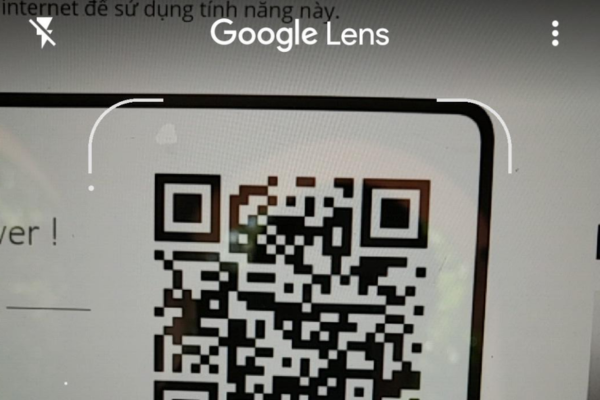
When purchasing a product, have you ever wondered about its origin or more detailed information? But the packaging only shows basic details, with nothing specific?
Now, you can scan any barcode while shopping, and Google Lens will provide corresponding product information. This allows you to verify the product’s origin and authenticity, helping you avoid counterfeit goods. You might even find packaging dates, warehouse info, and the product’s shipping history!
With a smartphone and internet connection in hand, looking up information using Google Lens becomes incredibly simple and convenient, right? This tool is being widely adopted thanks to its popularity and usefulness. If you haven’t tried it yet, give it a go — you’re bound to have an exciting and insightful experience!
If you need the most reputable payment method and advertising account provider, you can message the fanpage buybm365.com-Ads to receive advice from HT Media. In addition, you can follow the articles. Latest articles related to our Digital Marketing.





