


What is Google AMP? How to test Google AMP for your website
If you’re looking for ways to optimize your website’s performance on mobile devices, AMP is one of the technologies worth exploring. In this article, we’ll help you better understand what AMP is, what Google AMP stands for, how it works, and the benefits it brings to SEO.
1. What is Google AMP?
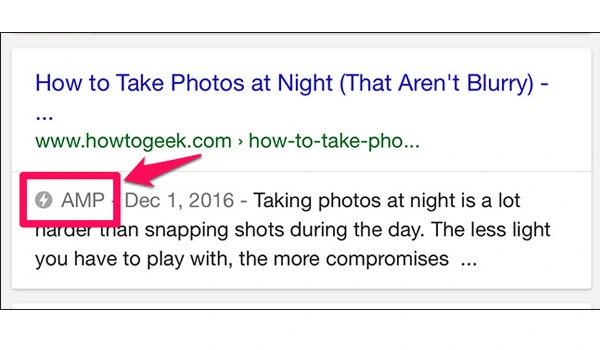
Google AMP, short for Accelerated Mobile Pages, refers to web pages optimized for faster loading on mobile devices. In simpler terms, using AMP allows your website to load almost instantly. This is a key factor in improving user experience and significantly increasing your chances of reaching more customers.
Example: When you search for something on Google, the SERPs (Search Engine Results Pages) will display a list of websites with relevant results. If you click on a website that supports AMP, the content—including images, menus, videos, and more—will be displayed instantly in a fully loaded and responsive format.
See more products: Buy advertising accounts
2. How does AMP work?
You might wonder how AMP can deliver such a fast experience. The answer is: all content on AMP-supported pages is cached by Google.
When a user visits the site, the information they receive is pulled directly from Google’s cache. This eliminates waiting time for server responses, allowing the page to load immediately.
3. Pros and Cons of Google AMP
3.1 Pros of Google AMP
-
Increases SEO rankings for your website on SERPs.
-
Optimizes user experience on mobile devices.
-
Reduces bounce rates, increases time on site, and improves organic traffic.
-
Speeds up your website loading time by 15% to 80% compared to non-AMP pages.
-
Increases conversion rates and revenue potential.
-
Helps optimize CSS used in your web pages.

3.2 Cons of Google AMP
-
Affects ad display speed. AMP complicates ad placement, which may not be ideal for websites that rely heavily on ad revenue.
-
AMP does not fully support Analytics tools, making data measurement and analysis more time-consuming.
Overall, AMP is great for SEO and enhancing user experience. That’s why many websites have adopted AMP in their digital growth strategies.
4. Key Technical Features of Google AMP
Google AMP relies on three core techniques:
4.1 Lazy Loading Image
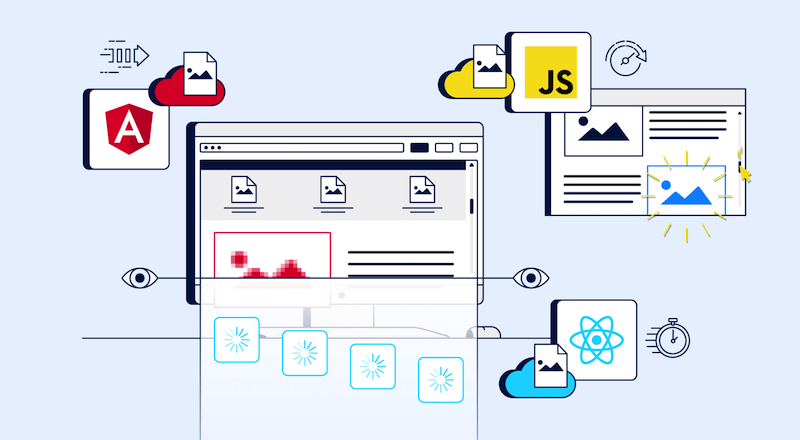
This technique is widely used across modern websites. AMP’s lazy loading prioritizes loading lighter content first—usually text—while larger content like images and videos is loaded progressively.
This improves page load speed and positively impacts the overall user experience.
See more products: Buy advertising accounts
4.2 Asynchronous JavaScript Loading (Async)
A technique now commonly used by professional web development agencies. With async loading, scripts that are ready are processed first, while others are allowed to continue loading in the background.
This gives users the impression that the site is responsive and functioning normally, avoiding the perception that the website is “dead” or unresponsive.
4.3 CDN for Fast JavaScript Delivery
Content Delivery Networks (CDNs) are placed in various geographic regions. When a user visits your website, content is delivered from the nearest server, enabling faster load times and better responsiveness.
5. How to Check Google AMP
To check whether your web page is AMP-compatible, you can follow these methods:
Method 1: Validity Check
This is a simple way to test if your AMP page is valid. Follow these steps:
Step 1: Go to the website: https://search.google.com/test/amp
Step 2: Paste the URL of the webpage you want to test
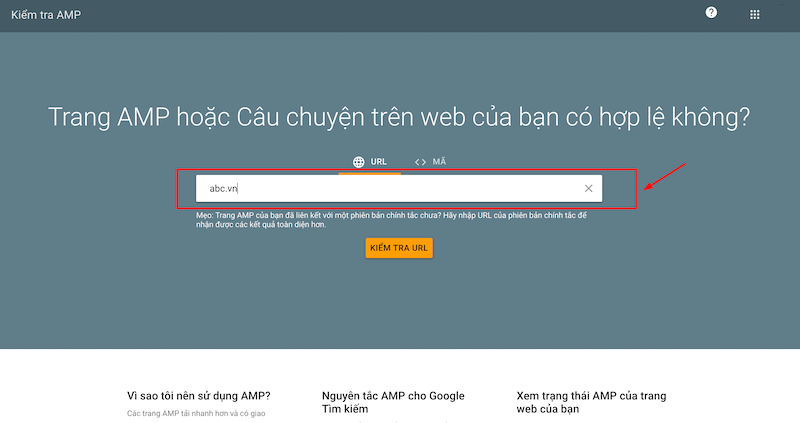
Step 3: Click “Test URL” and wait for the result
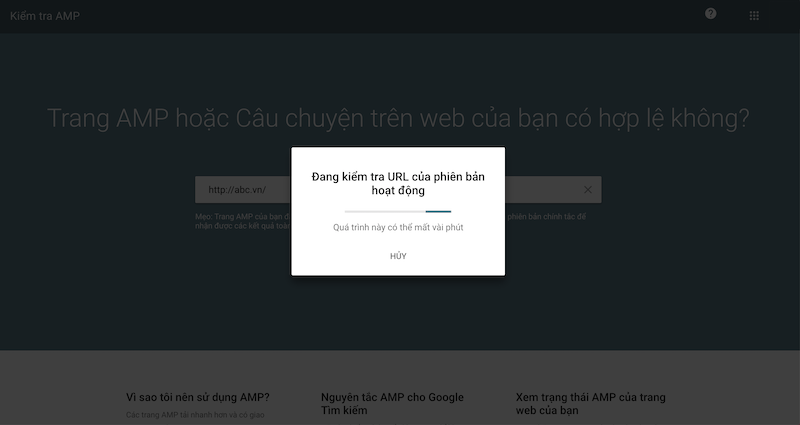
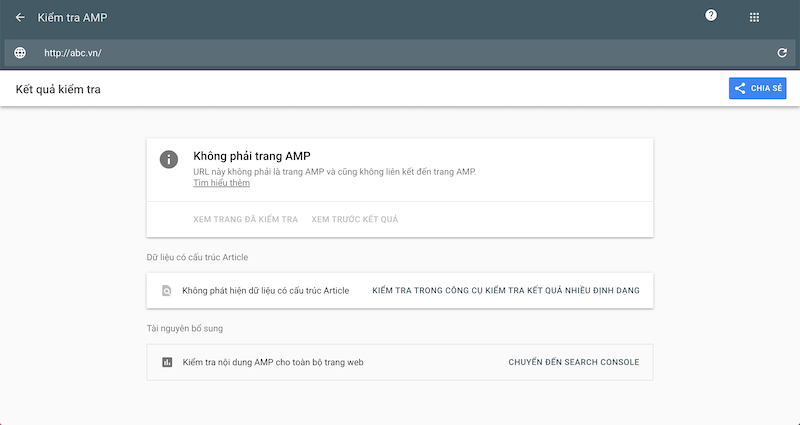
Wait a few moments. If the result shows “Valid AMP”, your page is AMP-compliant. If not, you’ll see a message like: “Not an AMP page: This URL is not an AMP page and does not link to an AMP page.”
Method 2: Check Page Load Speed
To test your page’s loading speed, you can use the following tools:
-
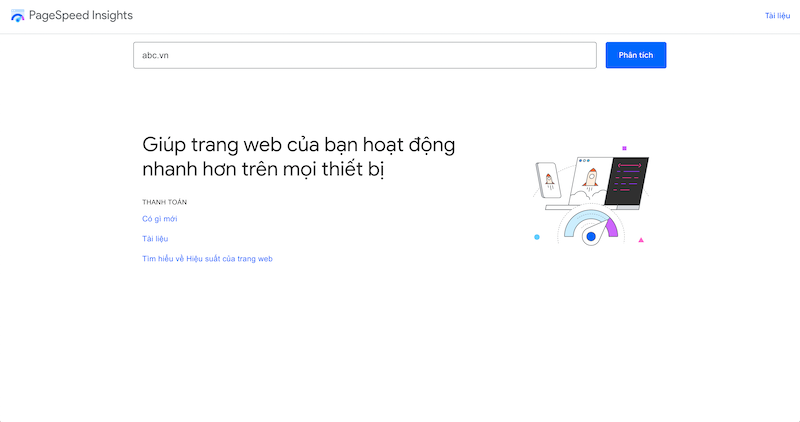
PageSpeed Insights: This tool by Google provides all the basic information about your page’s loading speed. Simply paste your URL into the search box and wait for the results.
-
Dotcom Tools: This tool not only checks your page load speed but also provides insights from 24 different global locations. This allows you to make more informed decisions to improve site speed.
-
Dareboost: Dareboost allows you to check page load speed in two scenarios: with ads and without ads. It also offers metrics from 13 locations to help you enhance your website’s performance.
See also: What is website speed testing? 12 trusted tools to check website speed
Above is everything you need to know about Google AMP, including what it is, its pros and cons, and the simplest ways to check AMP validity and performance.
If you need the most reputable payment method and advertising account provider, you can message the fanpage buybm365.com-Ads to receive advice from HT Media. In addition, you can follow the articles. Latest articles related to our Digital Marketing.





