


What is DMCA? What You Need to Know About DMCA
DMCA or Digital Millennium Copyright Act provides a means to protect your creative content from unauthorized copying and use.
The DMCA is a program designed to protect websites from copied content. This is especially important for those working in content creation and research.
Installing DMCA protection on your website and reporting copied content is also very simple. Let’s explore what DMCA is and how to register it to protect your website.
I. What is DMCA?
The Digital Millennium Copyright Act (DMCA) is a United States law created to protect digital copyrights.
It helps safeguard digital products’ copyrights on the Internet. You can use it to officially report plagiarized content online. Below, we’ll provide detailed instructions on how to install DMCA on your website and file copyright infringement reports.
1. How Does DMCA Protect Copyright?
You need to add DMCA-provided code to your website to protect the copyrights of digital products such as websites, apps, and software. Adding this code indicates that your content is protected under the Digital Millennium Copyright Act.
Once your site is protected, you can report any website that has copied your content. After submitting a DMCA report, all you need to do is wait for a notification to be sent to the infringing site’s owner for resolution.
If the site owner does not respond or acknowledge the infringement, DMCA will directly contact the OSP/ISP to assist in resolving the violation.
See more products: Buy advertising accounts
2. What Does DMCA Protect?
DMCA protects copyright for the following types of content:
-
Written content
-
Personal photos, selfies, or custom-designed images
-
Videos created by individuals
-
Self-developed applications
-
Graphics designed by individuals
-
Custom-written software
-
Personal or business profiles
You can immediately file a DMCA report if you find your content being misused on other websites.
3. DMCA Registration Fees for Websites

Currently, there are two ways to register your website with the DMCA: free or paid. Free registration is quick and still provides protection. However, the paid version offers more features, including:
-
DMCA protection for up to 10 websites
-
One-year coverage with 10 takedown requests
-
A variety of DMCA badge styles
-
Support in detecting websites copying your content
-
Violation data analysis support
-
Official DMCA notices sent on your behalf
-
Copyright ownership verification for all your site content
4. How to Check If Your Website Has a DMCA Takedown Notice
The easiest way to know if your site has received a DMCA notice is to set up Google Search Console. You will receive email alerts whenever a DMCA report is filed against your site.
You can also conduct a comprehensive check using https://www.lumendatabase.org/ by searching your domain.
If your website has been subjected to a DMCA takedown, refer to our guide on how to appeal DMCA notices to restore your content quickly.
II. Why Your Website Should Register with DMCA
No one forces you to register for DMCA, but it serves as a “shield” to protect your site from competitors who may steal your content. Here’s why you should consider using DMCA:
1. Protect Your Content
DMCA is more than just a badge — it’s a statement of your intellectual property rights. By integrating the DMCA badge, you’re actively protecting your valuable assets from copyright infringement.
2. Penalize Content Thieves
DMCA is an effective tool for protecting intellectual property rights quickly and efficiently. With just a few steps, you can request the removal of infringing content from the internet.
3. Build a Healthy Online Community
Implementing DMCA is not only about protection but also an invitation to collaborate in maintaining a trustworthy and safe online environment for everyone.
III. How to Register Your Website with DMCA
Here’s how to register your website for DMCA protection:
1. Visit the DMCA Website
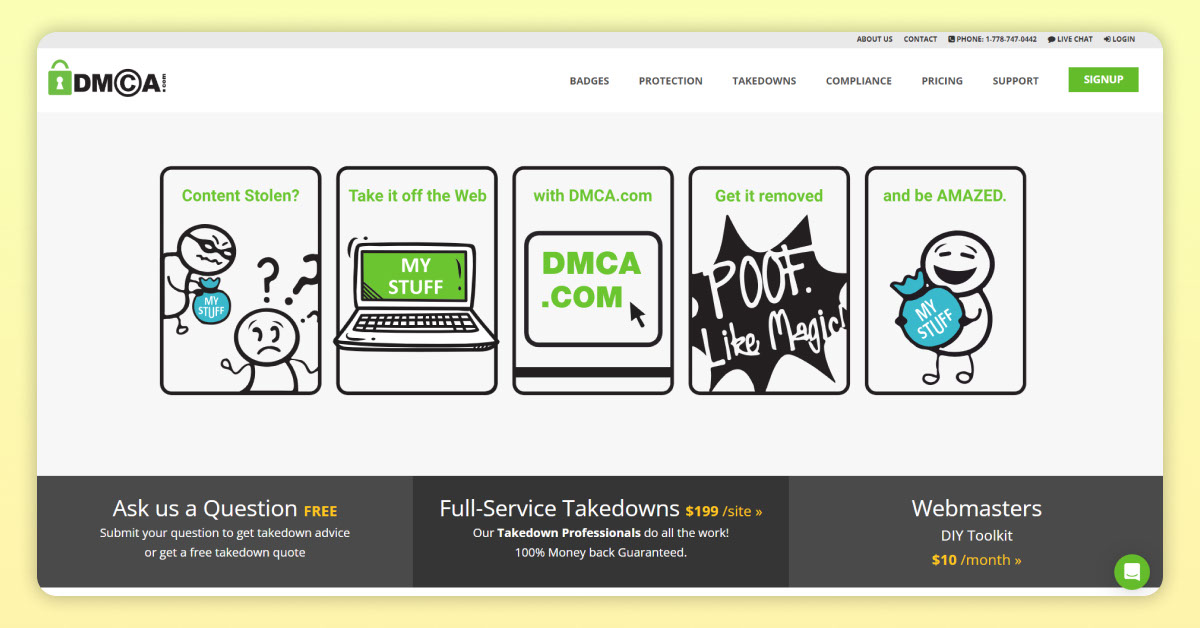
Go to the official website of the Digital Millennium Copyright Act at: https://www.dmca.com/
2. Choose a Registration Type
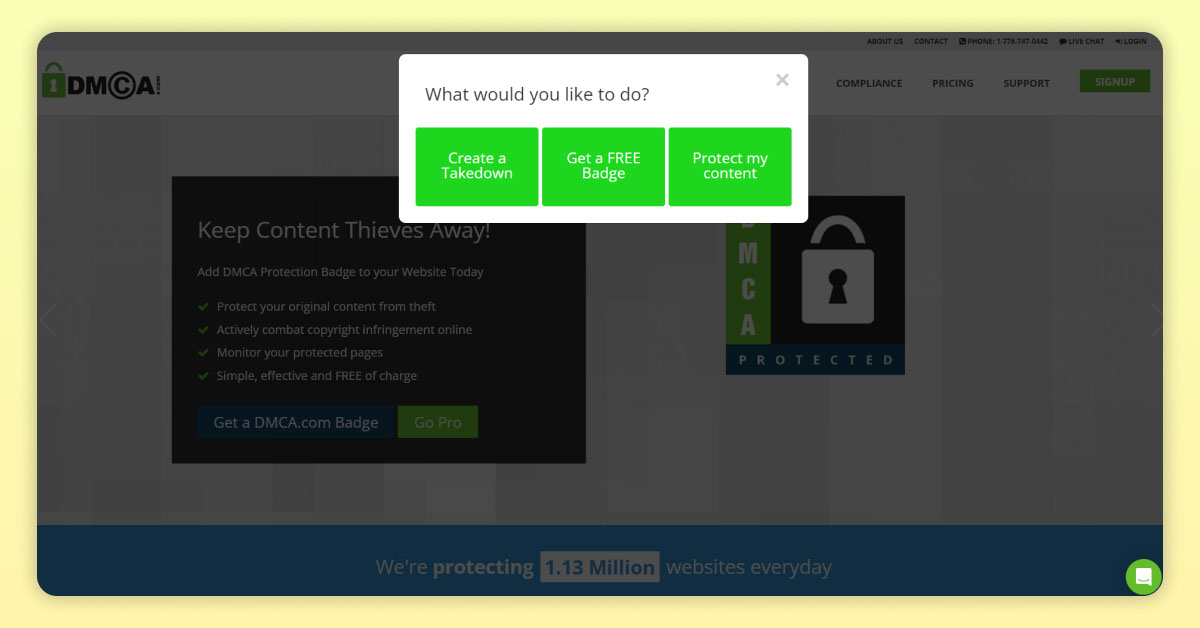
After clicking the “Register” button, the DMCA site will ask why you’re registering. Choose “Free Badge Protection”, which gives you a logo and a DMCA code to insert in your website footer.
3. Fill in Registration Information
Enter your registration details accurately and completely.
4. Add the DMCA Code to Your Website
After registration, DMCA will provide you with a DMCA PROTECTED logo of your choice. Select your preferred logo and copy the provided code.
Paste the code into the footer section of your website. Then check the footer to make sure the DMCA logo has been successfully installed.
See more products: Buy advertising accounts
IV. How to Report Copyright Infringement Content via DMCA (Paid Option)
After registering a DMCA account for your website, you can begin reporting copyright-infringing content. However, this method requires a fee.
1. Access Your DMCA Account
First, log in by visiting the official DMCA website.
2. Go to the DMCA Takedown Form
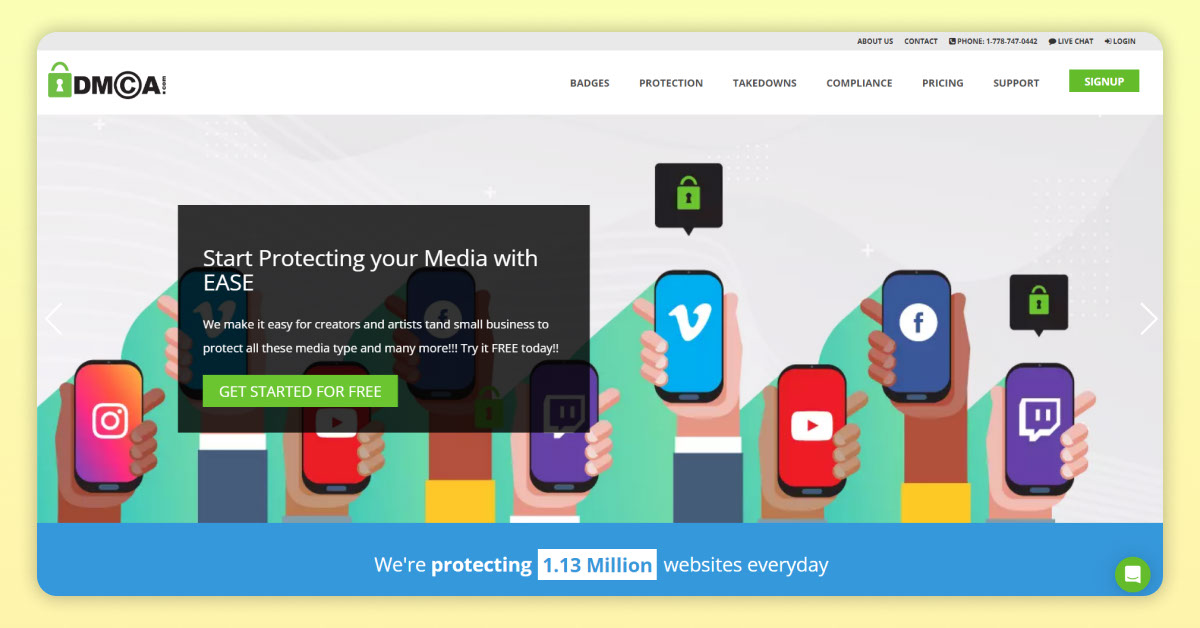
From the main DMCA menu, locate the “TAKEDOWNS” section. Then choose “Create Managed Takedown.” If your interface has changed and you can’t find the “Create Managed Takedown” button, you can go directly to this link:
https://www.dmca.com/signup/createtakedown.aspx
3. Fill Out the Report Form
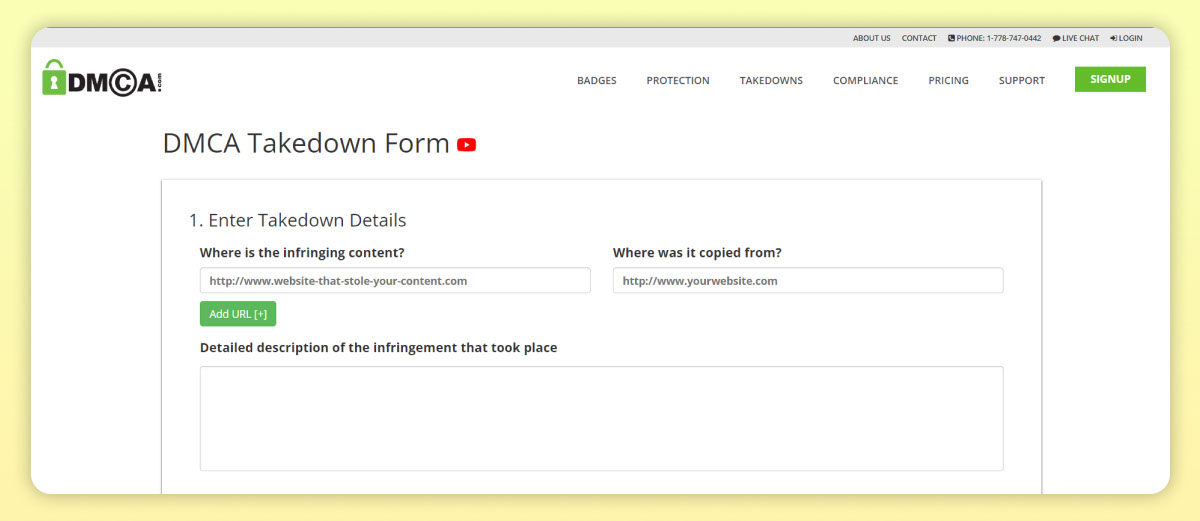
After accessing the DMCA Takedown Form, fill in the required details:
-
Where is the infringing material?
Enter the URL of the website that has copied your content. -
Where is it copied from?
Enter the URL of your original content. -
Describe the violation:
Briefly describe the copied content to help DMCA understand the infringement. -
Certification:
Tick the checkbox to confirm that all the information provided is accurate.
4. Enter Your Personal Information
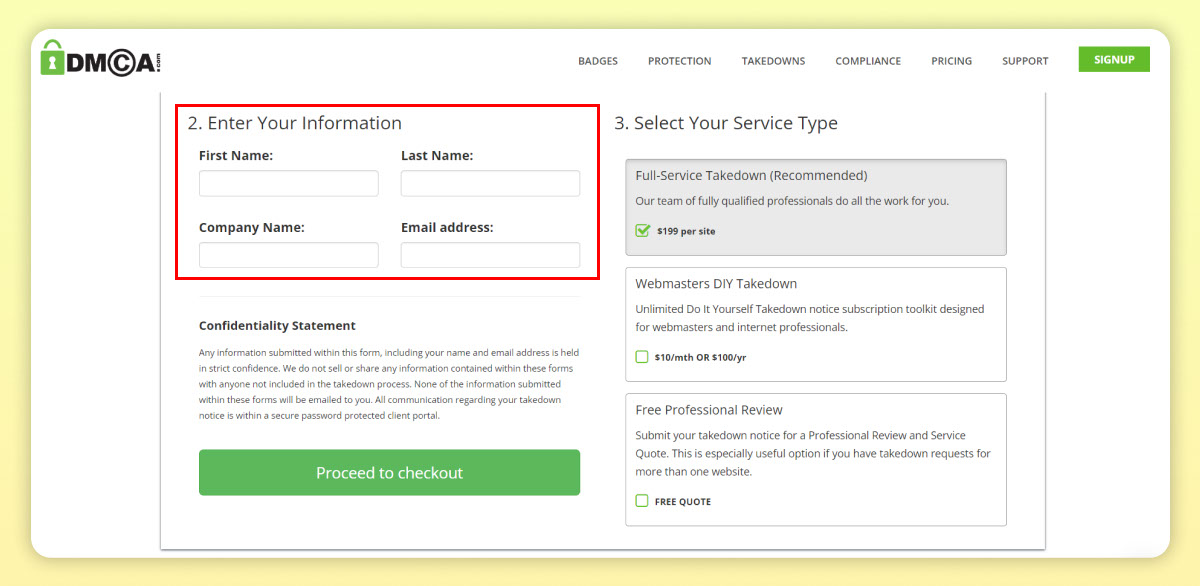
Next, submit your personal details so the report sender can be identified:
-
First Name: Your first name
-
Last Name: Your last name
-
Company Name: Your company’s name
-
Email Address: The email used to receive notifications
5. Choose a Report Service Plan
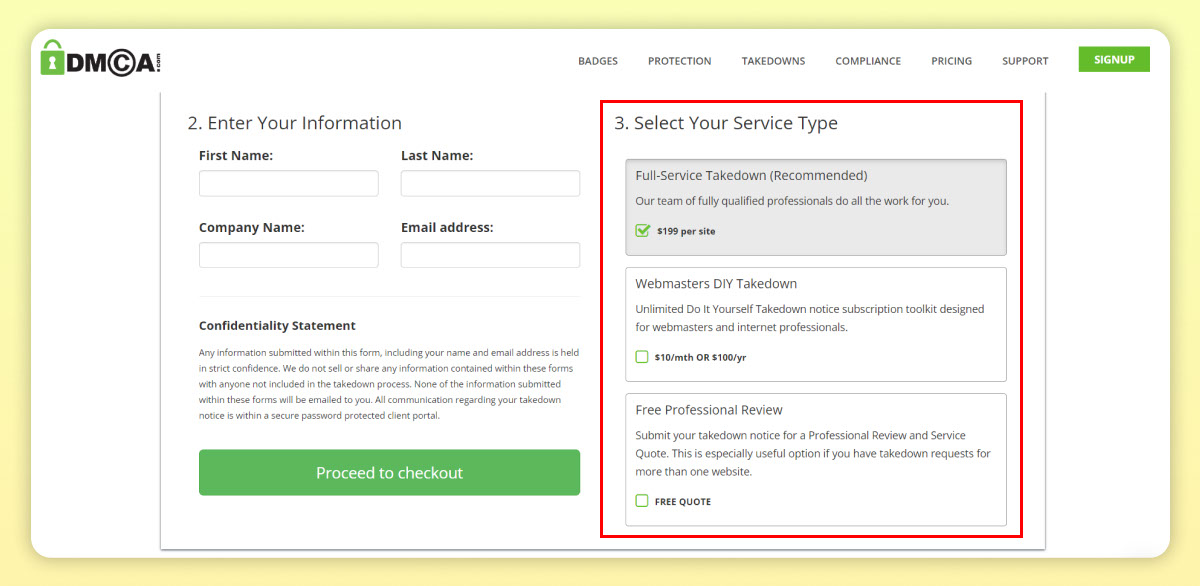
At this step, select one of the service packages:
-
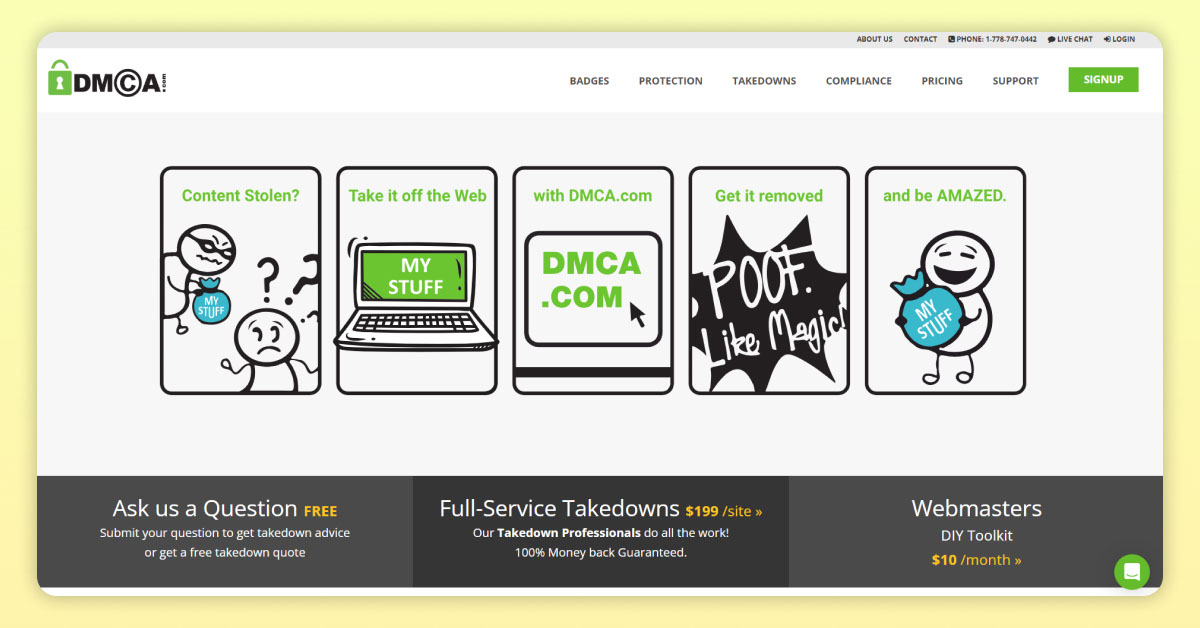
Full-Service Takedown: The DMCA team handles everything for you — $199 per website.
-
DIY Takedown for Webmasters: Do it yourself — $10/month or $100/year, with unlimited reports.
-
Free Professional Review: DMCA will review your case and offer a custom quote.
6. Review and Submit
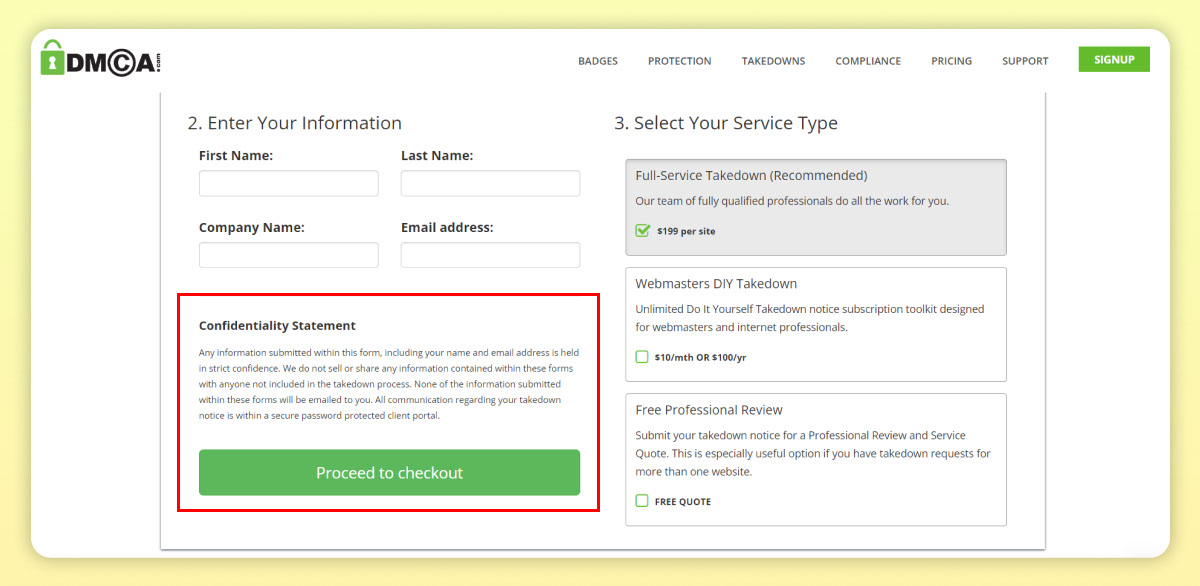
Finally, double-check all the details. If everything is correct, click “Proceed to Payment” to complete your DMCA report submission.
V. How to Report Copyright Infringement Content to Google (Free Option)
Google offers a fast and straightforward tool to report websites that have copied your content.
1. Access Google’s Copyright Complaint Form
Go to this link to file a copyright complaint: https://www.google.com/webmasters/tools/dmca-notice?hl=vi
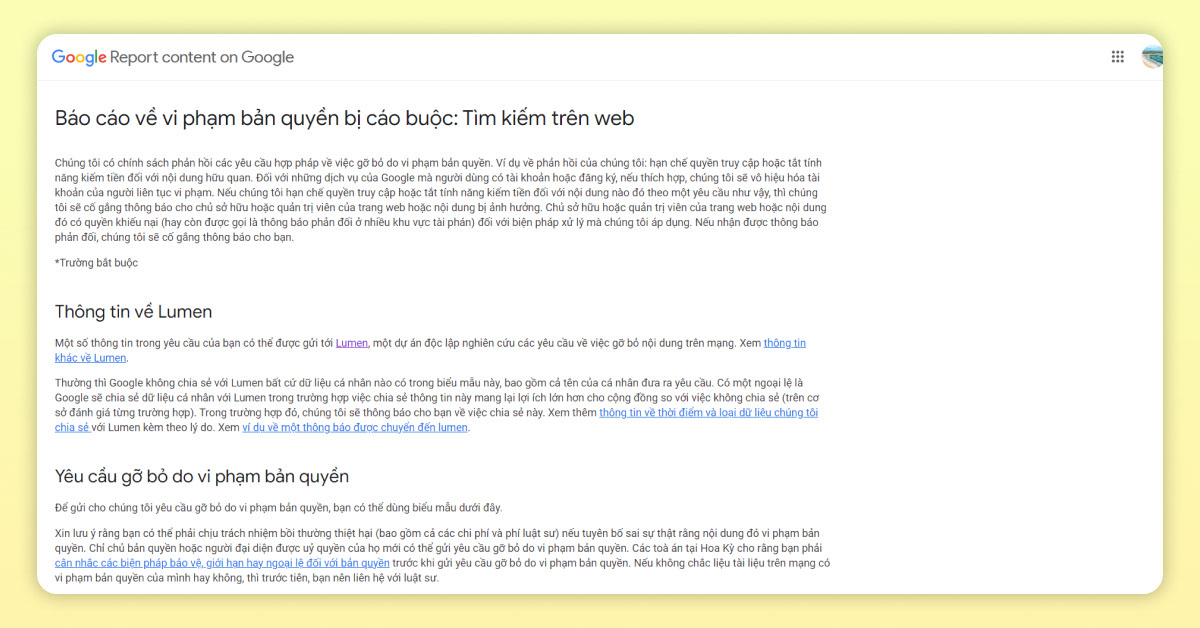
2. Enter Contact Information
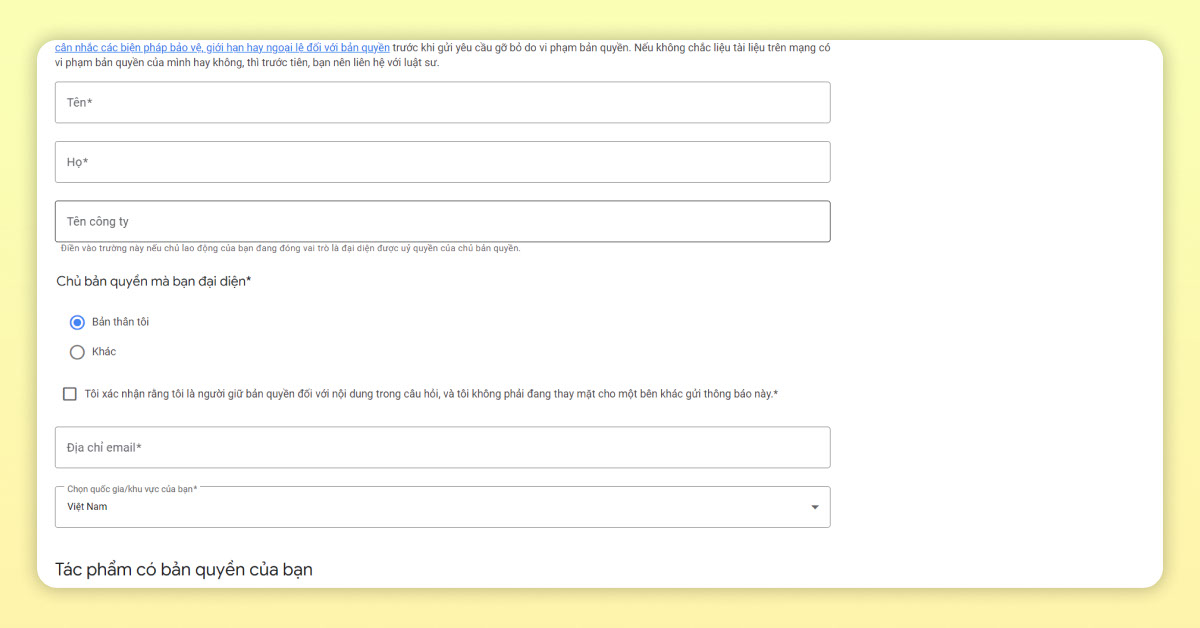
Google will ask you to verify your identity by entering your contact details:
-
First Name: Required
-
Last Name: Required, without special characters or accents
-
Company Name: Optional
-
Who do you represent?: Choose “Myself”
-
Email Address: Enter the correct email to track progress via this dashboard: https://www.google.com/webmasters/tools/dmca-dashboard?hl=vi
-
Country: Select Vietnam
-
Live event infringement question: Choose “Yes” only if the content involves a live event; otherwise, choose “No.”
See more products: Buy advertising accounts
3. Identify and Describe the Copyrighted Work
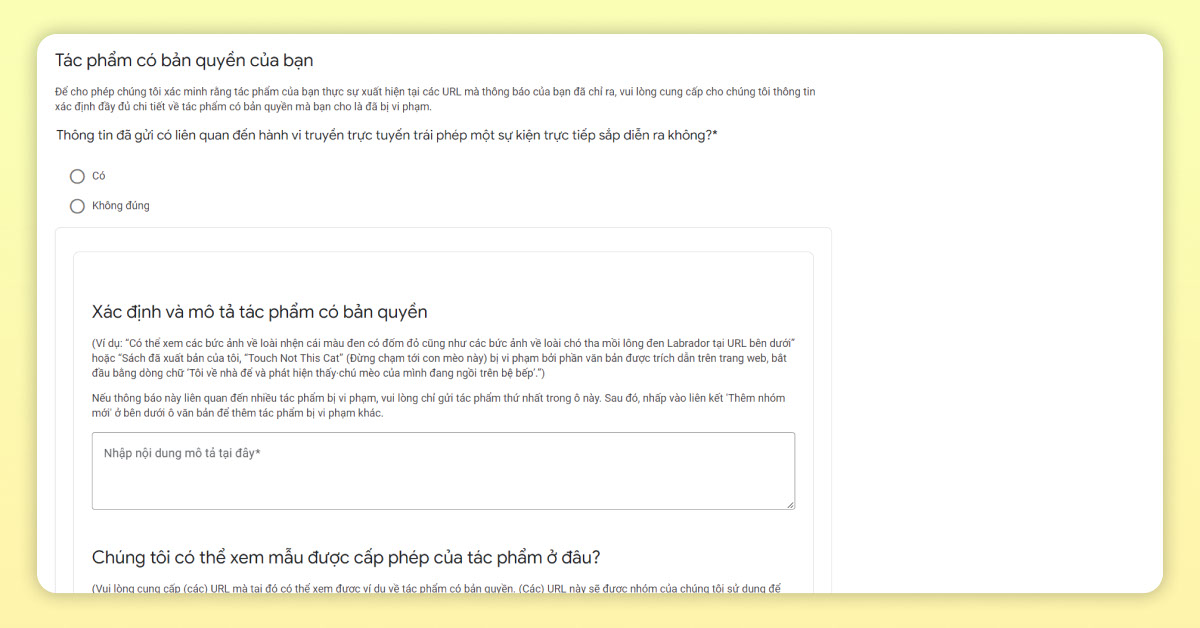
This is the most important step. Provide detailed information on how another website copied your content so Google can assess the claim accurately:
-
Where can we view a licensed example of the content?
Enter the original URL of your content. -
Where is the infringing content located?
Enter the URL of the infringing content (not just the domain).
4. Affirm Your Claim Under Oath
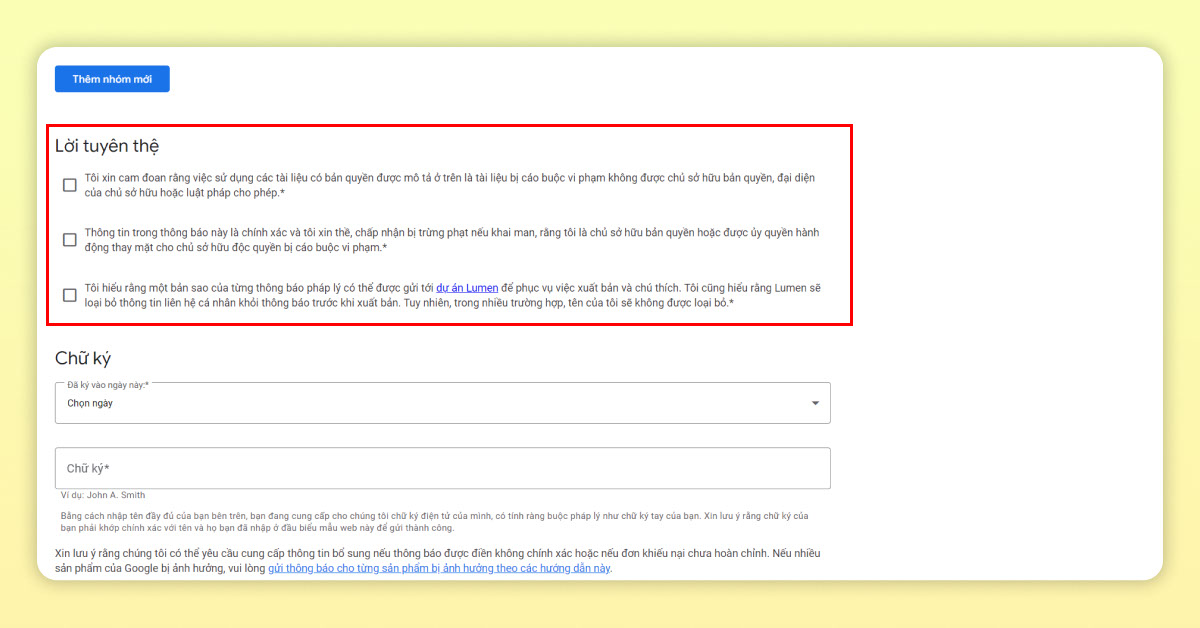
Confirm that your content is original and the URLs you provided are accurate. Do not provide misleading or spammy information.
5. Sign the Report

First, enter the date of the report using the format day/month/year, then sign your name.
6. Review Everything and Submit
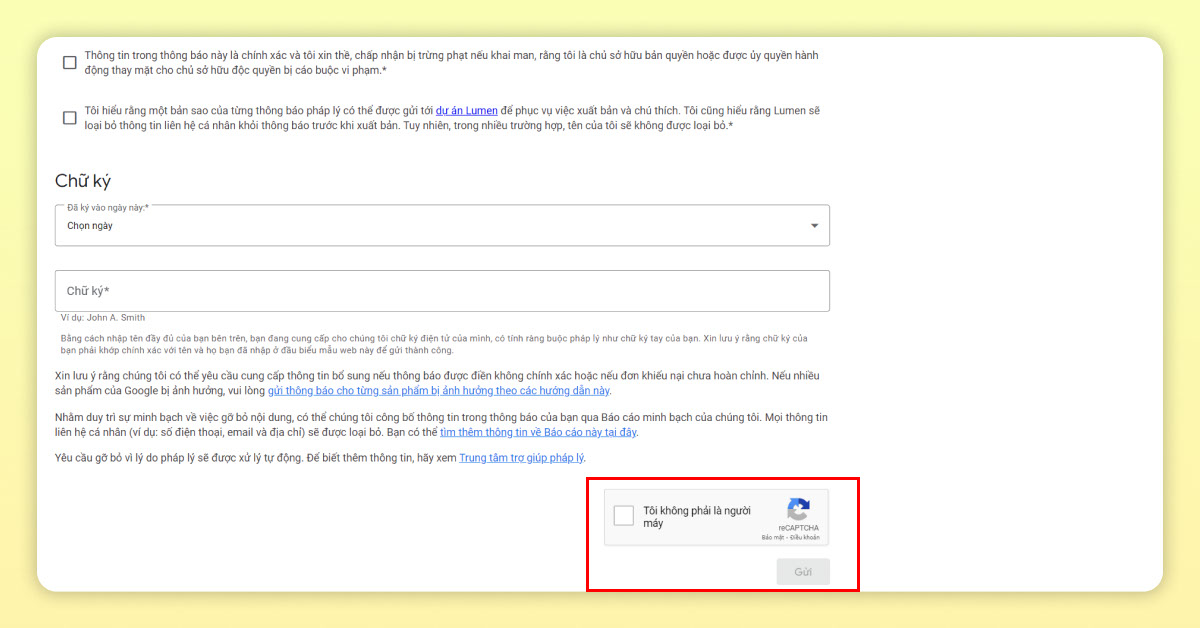
Double-check all your information. If everything is correct, check the box to confirm you’re not a robot, then click “Submit.”
Through this article on “What is DMCA?” we hope you’ve gained valuable information about protecting your website and reporting infringements. Thank you for reading.
If you need the most reputable payment method and advertising account provider, you can message the fanpage buybm365.com-Ads to receive advice from HT Media. In addition, you can follow the articles. Latest articles related to our Digital Marketing.





