


What is a Google account? How to create a Google account
Most internet users rely on Google as a powerful assistant for searching information and supporting daily tasks. Due to its high utility, many people have signed up for a Google account. So, what is a Google account? How do you register for a Google account? Let’s explore in the following article.
1. What is a Google Account?
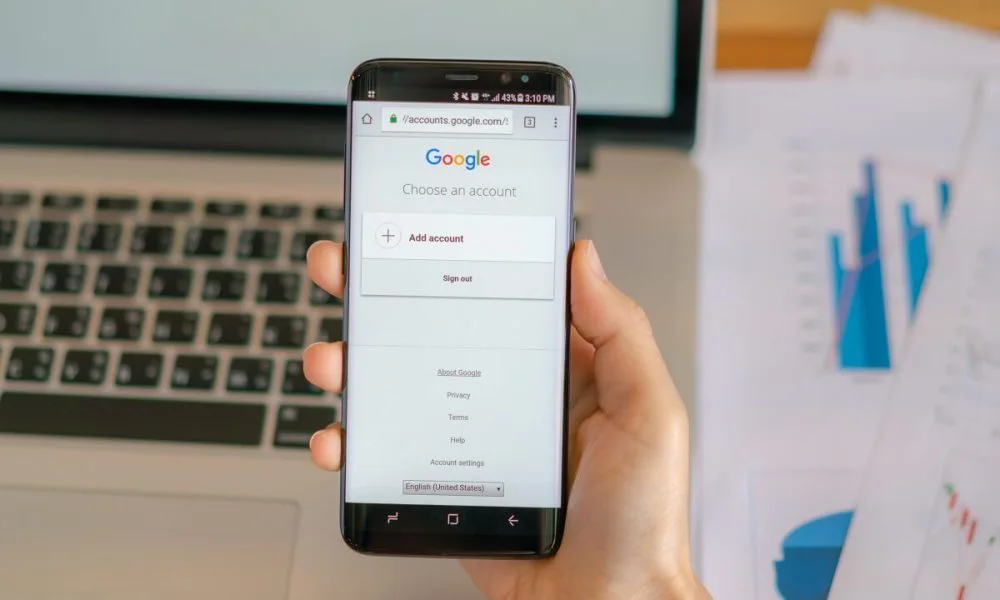
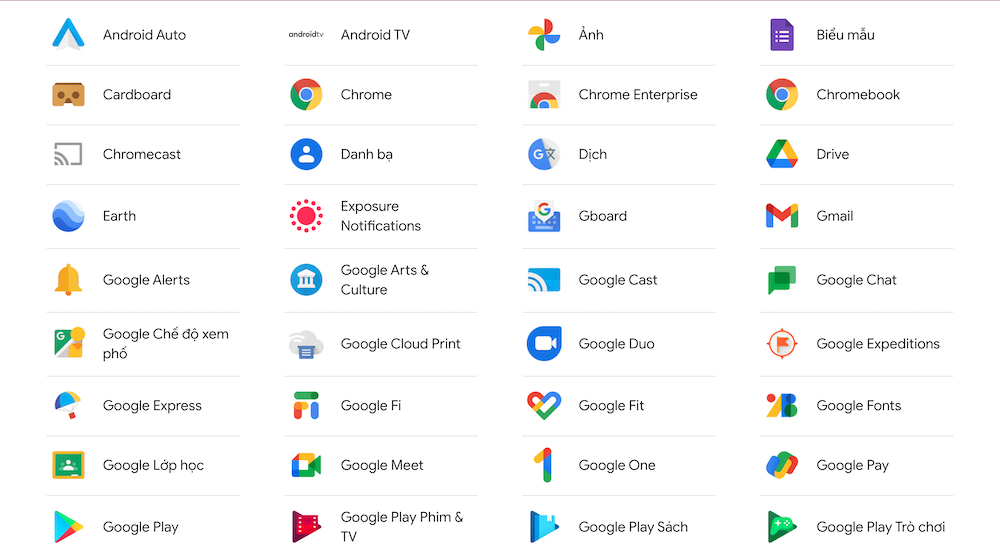
A Google account is a personal account on Google’s platform. This account can be used for all Google tools such as Gmail, Google Docs, Google Sheets, Google Drive, Google Ads, and more.
However, there are specific services like Google Search and YouTube where users don’t need to create an account and can use them for free without logging in.
See more products: Buy advertising accounts
2. What are the benefits of a Google account?
When asked about the benefits of creating a Google account, 9 out of 10 people would say it’s Gmail. Indeed, with Gmail, you can communicate for work, register for accounts on various apps, and share personal documents with others.
Because of this, many people mistakenly believe that Gmail is the Google account, and by extension, the benefits Gmail offers are the same as the benefits of a Google account.
But this is not entirely correct. The accurate answer to the question of what the benefits of a Google account are includes the following points:
2.1 For Google Search and Google Chrome browser
-
Users can check their browser history on Google.
-
It’s easy to save important pages as bookmarks, allowing quick access later.
-
Users can save passwords and login credentials for websites. If they forget their password, they can retrieve it in settings.
2.2 For YouTube
-
Users can review their search history, videos they’ve watched, and save them.
-
You can use your Google account to subscribe, comment, and like channels on YouTube.
-
You can create your own YouTube channel, upload content, and make money from it.
2.3 For Google Ads
-
A Google account allows you to run various types of ads and increase your website’s reach.
-
It enables you to set up ads and earn money from your website.
3. Other Benefits of a Google Account
-
By creating a Google account, users get 15MB of storage for Google Drive, Google Photos, etc.
-
Users can participate in meetings on Google Meet for free.
-
You can use Google Hangouts to contact other users, completely free of charge.
-
You get free access to Google tools like Google Docs, Google Sheets, etc. You can easily share and assign permissions for these documents.
-
You can design and have your own personal website using Google Sites.
-
You can verify your business and locate your company, store, or home on Google My Business and Google Maps.
-
Stay up to date with the latest news through Google News.
Not only that, by creating a Google account, you’ll also be able to use the best optimization tools available today, such as Google Analytics and Google Search Console (if granted access). These two tools will help you determine the direction of development for your online channel.
ợc sử dụng những công cụ đo lường tối ưu nhất hiện nay là Google Analytics, Google Console (nếu được share quyền). Hai công cụ này sẽ giúp bạn tìm ra định hướng phát triển cho kênh online của bạn.
4. How to Register for a Google Account
To register for a Google account, you can follow one of the two methods below:
4.1 Register for a Google Account via Gmail
This is the simplest and most widely used method for creating a Google account. Here are the detailed steps to create a Google account using Gmail:
Step 1: Go to the following link: https://accounts.google.com/signup
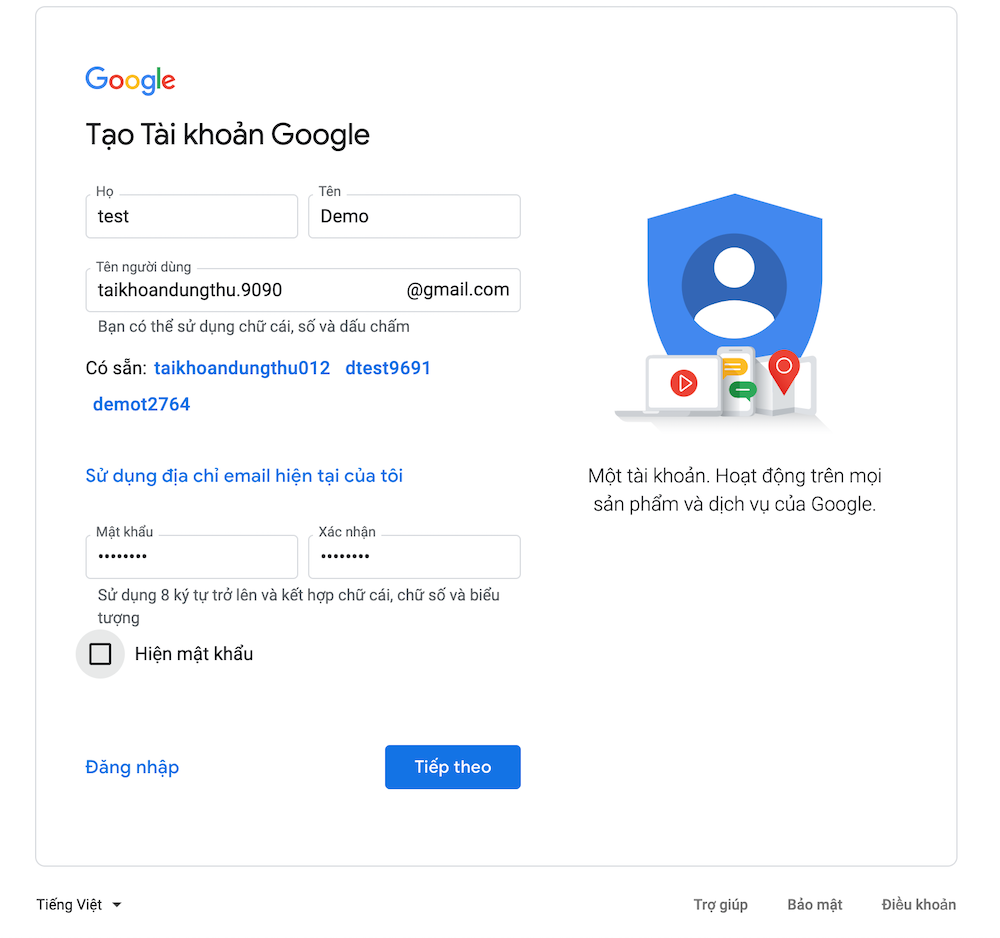
Step 2: Fill in the required information such as your first name, last name, Gmail username, password, and confirmation — then click “Next.”
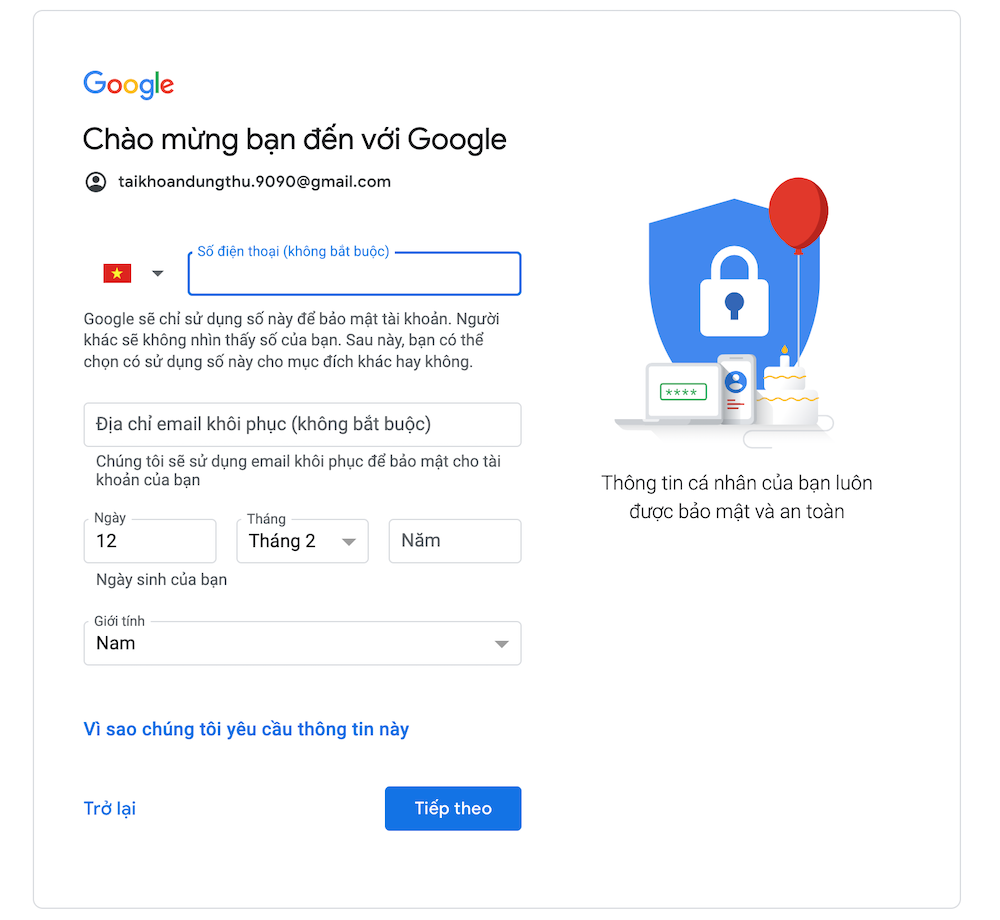
Step 3: In this step, continue to fill in your phone number (optional), recovery email address (optional), your birthdate, and gender. Then click “Next.”
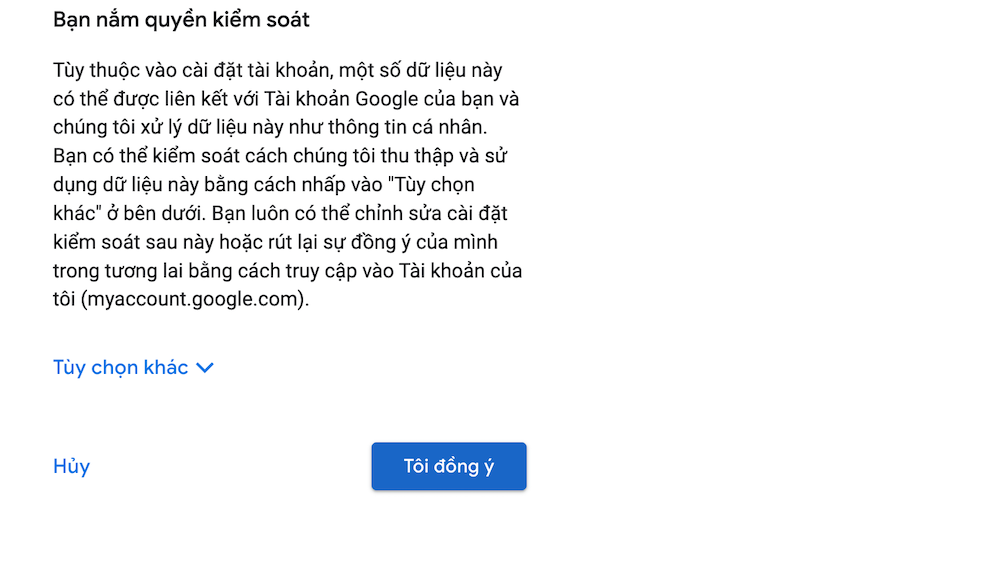
Step 4: In this step, you can choose to save your Gmail password. After that, read all the terms and click “I agree.”
Step 5: After completing all the above steps, you can edit your profile on your Google account. With this account, you can use all the tools and services that Google offers.
See more products: Buy advertising accounts
4.2 Registering a Google Account via a Business Gmail
Step 1: For this method, you still access the link: https://accounts.google.com/signup
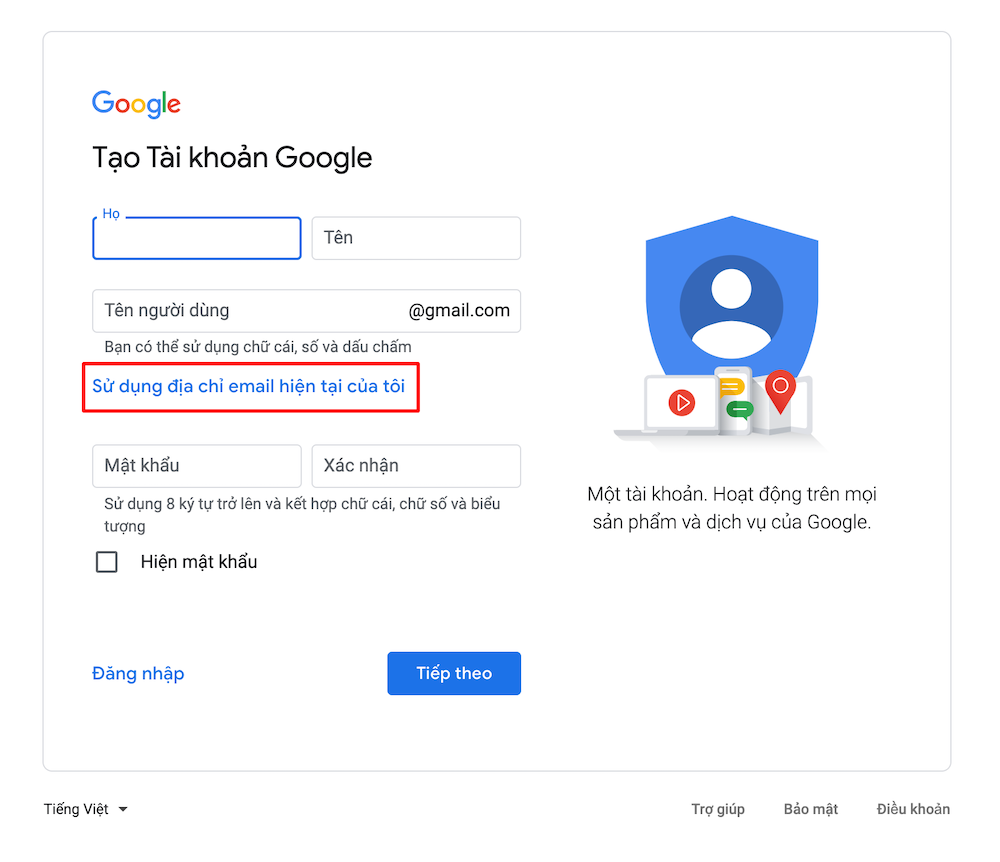
Step 2: Click on “Use my current email address instead” → Enter your business email address → Click “Next.”
Step 3: You will be asked to enter the verification code sent to your business email. Simply enter the code correctly and click “Next.”
Step 4: In this step, follow the prompts as in method 1 to complete the Google account creation.
Conclusion
We hope the information we’ve provided in this article has helped you better understand Google accounts, the benefits of creating a Google account, and the two simple methods for creating a Google account.
If you need the most reputable payment method and advertising account provider, you can message the fanpage buybm365.com-Ads to receive advice from HT Media. In addition, you can follow the articles. Latest articles related to our Digital Marketing.





