


What are ad extensions? 6 most popular types of ad extensions
1. What are Ad Extensions in Advertising?
Before we delve deeper into the common types of ad extensions, many of us might still be unfamiliar with the term “ad extensions.” So, what exactly are ad extensions?
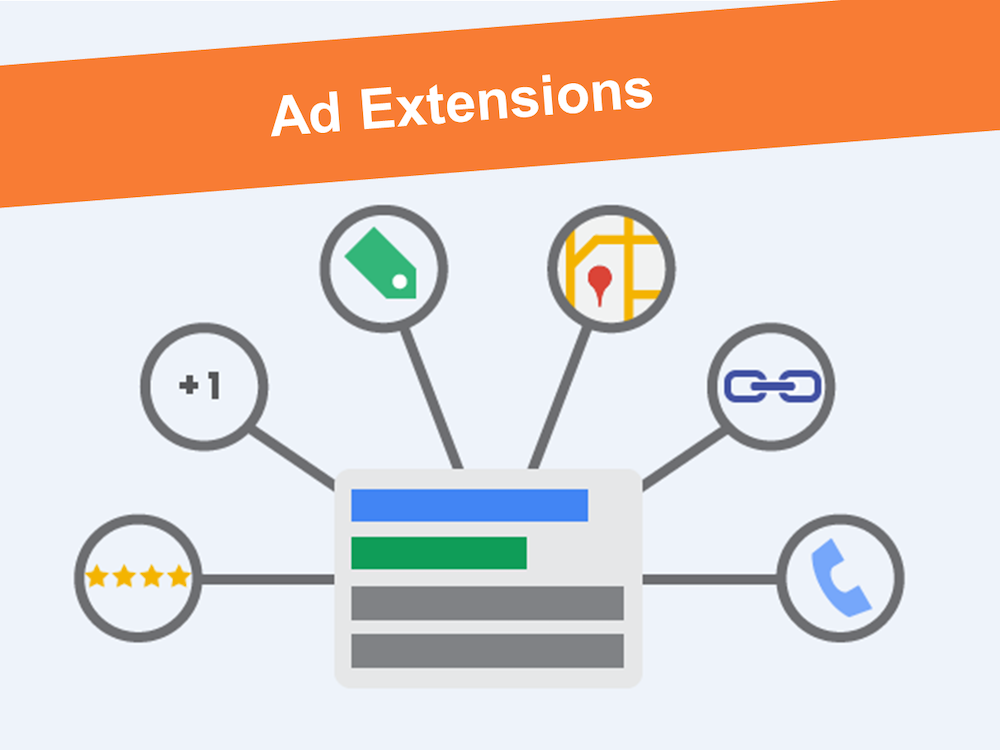
Ad extensions are Google Ads features where advertisers add important information related to the product, business, or other relevant content associated with the ad.
With all of this, ad extensions provide customers with more information than a simple ad would. This can also be seen as an important element in guiding customers to click on the ad.
Currently, many businesses choose ad extensions as a “key” to compete with their competitors. The more attractive and engaging the ad extensions are, the better the quality score of the ad will be.
The impact of ad extensions on the quality score alone is a determining factor in the CPC cost of the ad. A high-quality score results in a lower CPC, and bidding for the ad becomes much more affordable compared to having a low-quality score. This means that if you don’t use ad extensions, your quality score will drop, and your ad costs will increase significantly.
See more products: Buy advertising accounts
2. The Most Common Types of Ad Extensions
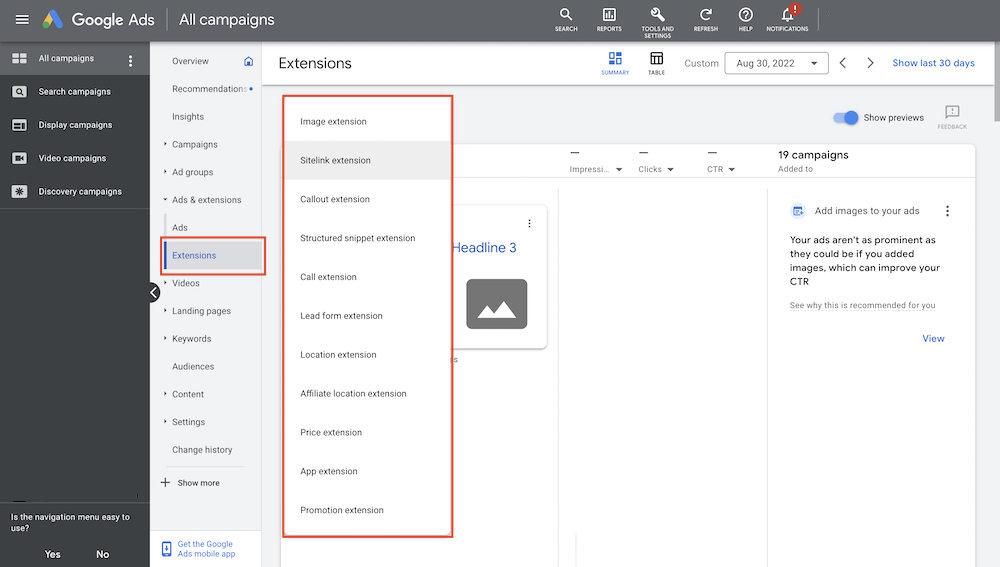
There are six types of ad extensions in advertising: call-out extension, sitelink extension, location extension, app extension, call extension, and promotion extension. Here are the specifics:
2.1 Google Ads Call Extension
You will encounter this type of ad extension quite often in current ad formats. The key feature of call extensions is that users can see or call the business phone number directly in the display outside of Google.
The call feature is for mobile device users. For other devices like laptops, PCs, or certain tablets, the call-out extension will display the full phone number.
Call extensions help you reach a “hot” customer base that has a direct need. When they search and come across your ad, if they don’t really need it, they will typically click just to see and leave information.
2.2 Google Ads Sitelink Extension
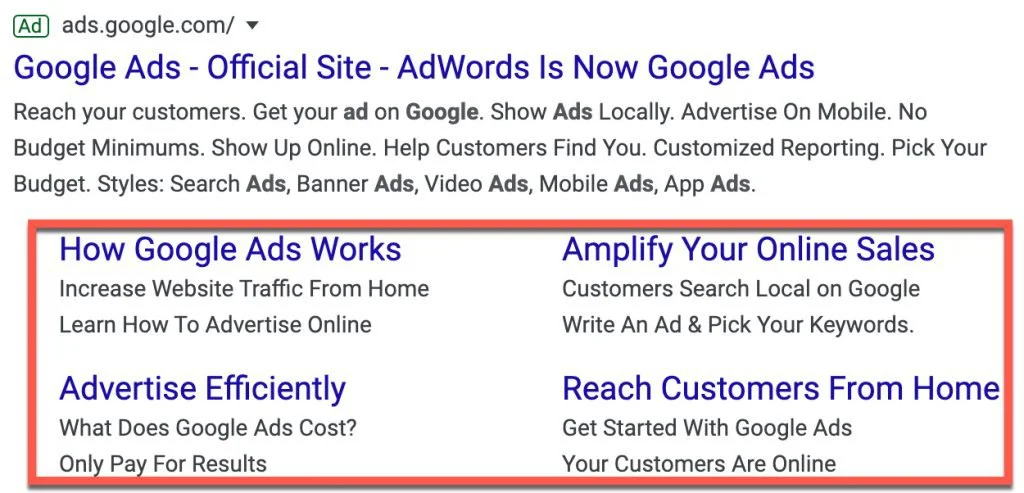
The sitelink extension allows advertisers to add related content about their products or services to enrich the display information on Google.
These pieces of content will appear as a title + a brief text introduction. Each item will have a link, so when customers click, they are directed to a corresponding landing page.
Google’s rules for these additional content items allow up to 25 characters per display. You can take advantage of this to make your ad more appealing. Also, if customers click on these content items, it still counts as one click for the main ad.
2.3 Google Ads Call-out Extension
The call-out extension allows you to add notes to the display. For example, if your ad is about “import sales,” you can add notes to clarify the details of your products, such as: Specializing in European goods, order products by request, etc. These are called call-out extensions.
Advertisers typically use this feature to add product characteristics, purchasing policies, services, etc. It not only helps customers understand the business better but also attracts a large number of clicks if the information matches the customer’s interest.
2.4 Google Ads Location Extension
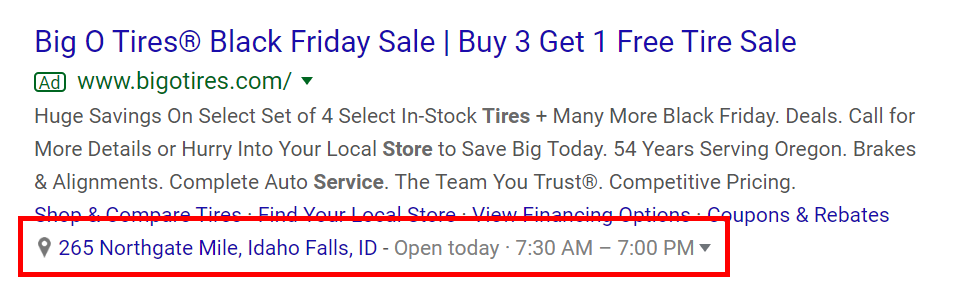
One way to attract customers in the area you’re targeting to click on your ad is to use the location extension. Google allows you to add your business address to the display. Customers can use this to verify if your company truly exists or is just a “ghost” company.
To increase the chances of reaching more customers, you can add the addresses of your branches or facilities. When customers search, Google will display the nearest address based on their location.
 2.5 Google Ads Apps Extension
The Apps extension is a suitable ad extension for businesses that have their own dedicated mobile applications. You’ll often see this type of extension when searching for e-commerce platforms (like Shopee, Lazada, Tiki, Sendo…) or well-known brands such as Traveloka, Booking, or Agoda.
If your business has its own app and you want to increase awareness and downloads, using the Apps extension is an ideal and effective solution you should consider
2.6 Promotion Extension
To help increase conversion rates into revenue, Google has introduced the Promotion extension, which allows businesses to showcase their promotional offers directly in the ad.
Taking advantage of this ad extension helps your ad become more attractive and stand out—at least in the eyes of your potential customers. You can also include promotional messages within the extension. For example: “September 2nd promotion on all items – 100% genuine products – Lifetime warranty…”
See also: What is Google AMP? How to check AMP status for your website
3. Steps to Add Ad Extensions to Your Ads
Using ad extensions in your ad campaigns is considered highly essential, contributing significantly to improving both ad rank and quality score. To take advantage of ad extensions today, you can follow these steps:
Step 1: Go to Google Ads → Select your campaign
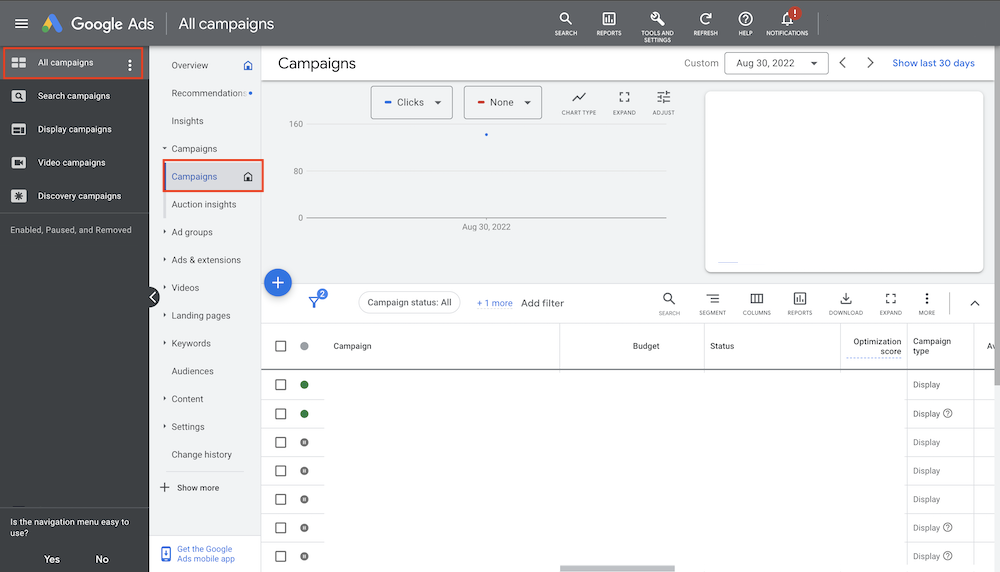
Step 2: Click on “Ad Group” → Then select “Ads”
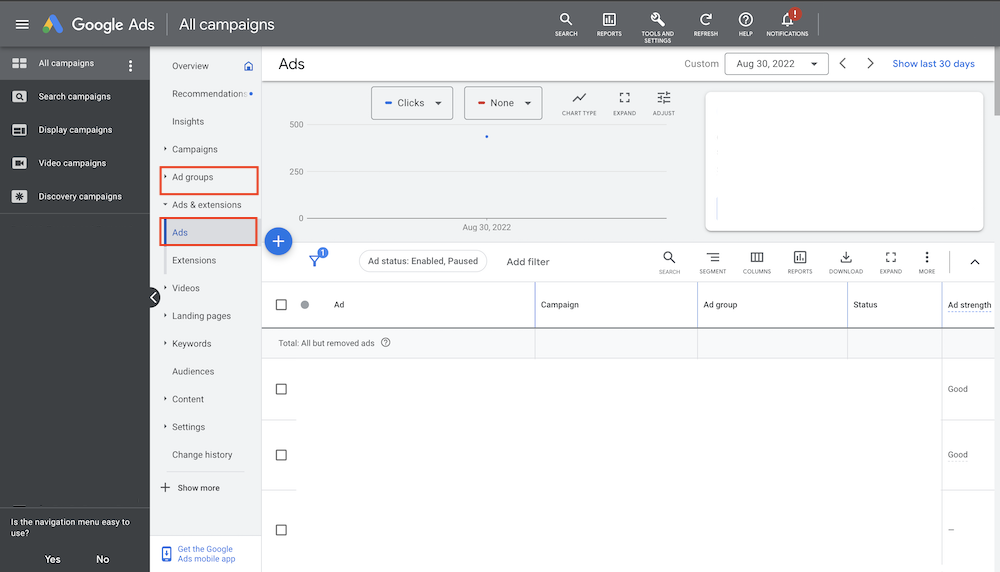
Step 3: Choose “Extensions” → You will see many options including: call-out extension, sitelink extension, location extension, apps extension, call extension…
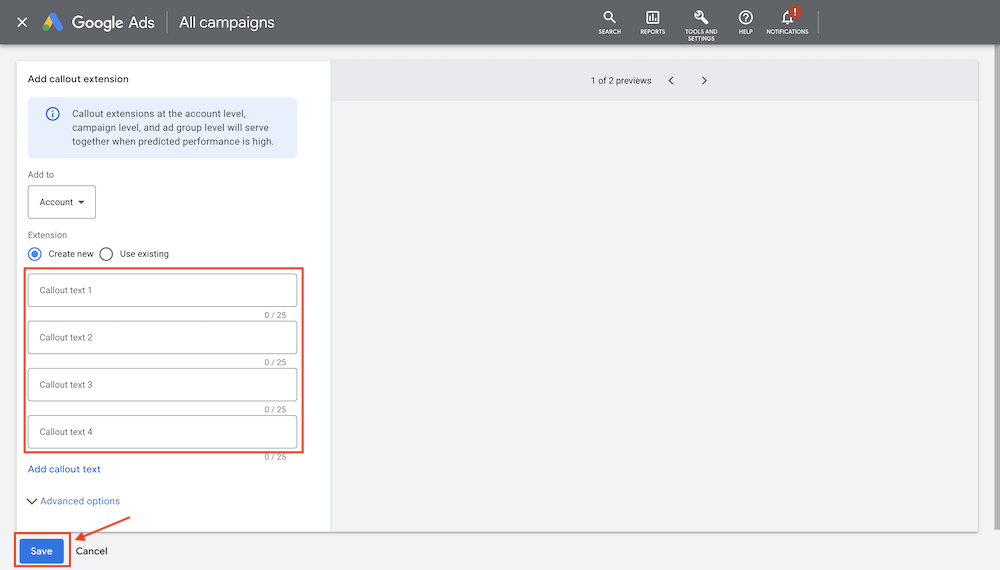
Step 4: Select the type of ad extension you need, fill in the required information → Click “Save” to complete.
Conclusion
As you can see, ad extensions are one of the key elements in making your ads more appealing to potential customers. So, what are you waiting for? Try using ad extensions in your campaigns today. Good luck!
If you need the most reputable payment method and advertising account provider, you can message the fanpage buybm365.com-Ads to receive advice from HT Media. In addition, you can follow the articles. Latest articles related to our Digital Marketing.





