


Top 7 most used Google fonts
What is Google Fonts?
According to Wikipedia, Google Fonts (formerly known as Google Web Fonts) is a computer font and web font service owned by Google. This includes open-source and free font families, an interactive web directory to browse the library, and APIs to use the fonts through CSS and Android. Some of the popular fonts in the Google Fonts library include Roboto, Open Sans, Lato, Oswald, Montserrat, Source Sans Pro, and Raleway.
Benefits of Using Google Fonts
Google Fonts is a tool that allows you to combine different font styles for your typed text. At the same time, Google Fonts also helps with brand recognition by using specific fonts.
According to freelancervietnam.vn, web fonts are completely free, allowing you to use different fonts without having to pay for new font licenses. Therefore, the number of fonts you use on a website doesn’t matter. You can also insert Google Fonts into as many websites as you like, all for free, without spending any money on fonts.
Previously, if you wanted to customize fonts, you had to include the fonts on your hosting or upload them to a server before getting a link to embed. But now, these steps are no longer necessary with the introduction of Google Fonts.
See more products: Buy advertising accounts
With Google Fonts, unless you need very special fonts, you only need to use fonts available from the Google Fonts library. With an unlimited number of fonts, you can choose the one that best fits your brand and website.
Moreover, Google Fonts provides fast loading times. Since all fonts are stored on Google’s servers, everything has been compressed and optimized for the fastest loading speed possible. Additionally, Google Fonts is very easy to integrate. In simple terms, you only need to search for a suitable font for your website, copy, and paste to complete the process. A unique feature is that all fonts in Google Fonts are categorized to fit everyone’s preferences and content. Another noteworthy feature is that Google Fonts also supports filters, allowing users to quickly and easily search for fonts.
How to Install Google Fonts
Step 1: Visit the Google Fonts website and choose the font you want to use.
Step 2: After accessing the homepage of Google Fonts, you’ll see the website interface. You can view and select from the list of available fonts, and when you find one that suits your needs, use Google Chrome’s tool to find the font name. It’s highly likely that the font will appear in the Google Fonts library.
Step 3: To check if the font is available in the Google Fonts library, simply type the font name into the “Search fonts” box.
Step 4: The system will automatically show you a pre-set content, but you can change it to your own text to see if it matches. Click on “Type something” and the sample text will change to your own, making it easier and faster to find a font suitable for your website’s theme.
Step 5: If you want to adjust the font size, you can do so by using the slider or selecting a pre-set size from the drop-down menu. This flexibility ensures that you can easily find a font size suitable for headings on your website. You can also switch the website’s theme to a black background with white text (instead of Google Fonts’ default white background with black text) to suit your needs better.
Beautiful Google Fonts
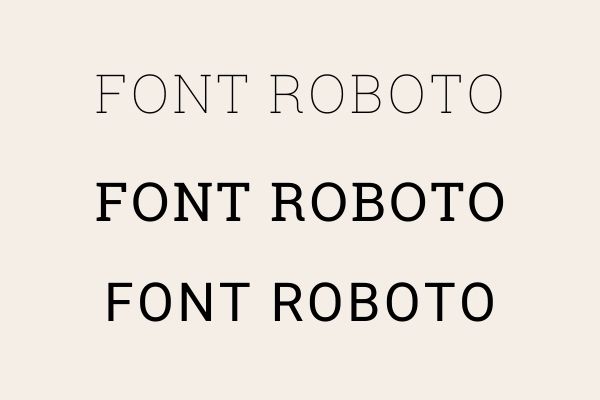
Font Roboto
In its regular state, Roboto has somewhat thin character spacing. In our opinion, this is the only drawback, and increasing the font size or using bold will make it sturdier. The recommended font size for body text is between 15px and 18px.
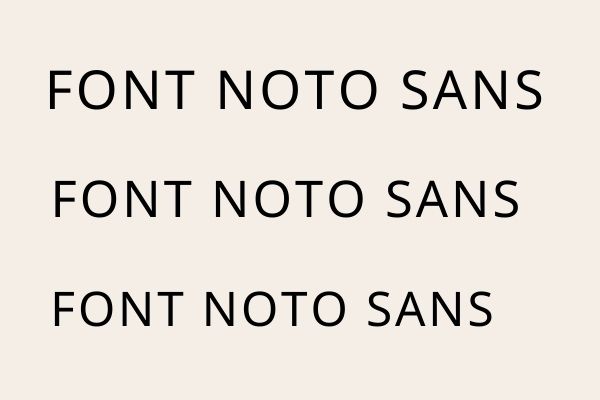
Font Noto Sans
Noto Sans, while not as popular as Roboto, with around 1.8 million websites using it, is quite beautiful and compatible with over 30 languages (including Vietnamese) and various platforms.
Font Open Sans
If you don’t pay close attention, you may think Open Sans looks very similar to Noto Sans, with a few minor differences like a thinner design and a connected “g.” In terms of popularity, Open Sans far outshines Noto Sans, with 22 million websites using it.
Font Arima Madurai
With its delicate rounded edges, Arima Madurai gives the reader a soft, gentle feel. The font resembles someone’s neat and tidy handwriting, making it suitable for paragraphs or large titles/headers on a website.
Font IBM Plex Serif
This font is part of the IBM Plex family, designed to connect the brand’s spirit and history to reflect the relationship between humans and computers. Although only 7,900 websites use it globally (mainly in English, French, and Vietnamese), it’s highly readable and perfect for academic texts, making it ideal for journalism websites.
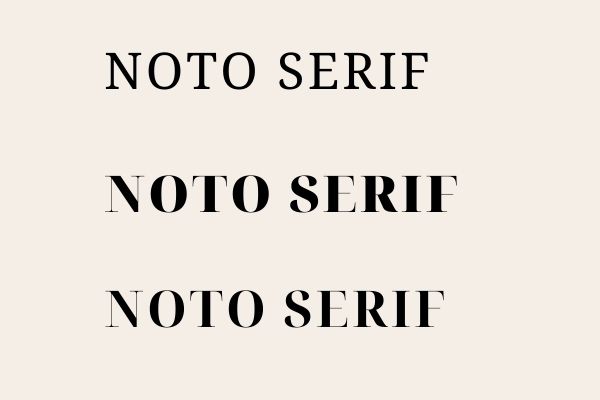
Font Noto Serif
If you’re looking to apply a font for a news website, Noto Serif is another excellent choice. With some similarities to Open Sans, Noto Serif has narrower character spacing and more hooks, and its size is slightly smaller than Open Sans when compared at the default size.
See more products: Buy advertising accounts
Font Muli
Muli is a minimalist sans-serif font designed for displaying text across web browsers, desktops, laptops, and mobile devices. It has a more mechanical feel due to the designer’s removal of curves and hooks.
Conclusion
Google Fonts has received positive feedback due to the variety of choices and ease of application. It provides web designers with a way to diversify the fonts on their websites, helping them attract more attention from customers.
If you need the most reputable payment method and advertising account provider, you can message the fanpage buybm365.com-Ads to receive advice from HT Media. In addition, you can follow the articles. Latest articles related to our Digital Marketing.





