Running VIDEO ads on FACEBOOK effectively applies to all industries
Running video ads on Facebook means running ad campaigns to promote products, services, and even your brand through high-quality videos with content designed to attract viewers.
Now, how can you make this effective? Let’s take a closer look at it!
I. Concept of running video ads on Facebook
Running video ads on Facebook refers to creating ad campaigns aimed at introducing your products, services, or brand through engaging videos. These videos are crafted with attention to quality and content that captivates and engages viewers.
See more products: Buy advertising accounts
If you want to run video ads on Facebook, businesses can implement this type of ad within the Facebook Ads Manager or start by creating a post with the video you want to advertise on your fanpage, then follow the steps to ensure the video reaches a wider audience.
II. Effectiveness of Facebook video ads
Currently, this type of ad provides high effectiveness for businesses. Specifically:
- Running video ads on Facebook can reach and engage customers not only on Facebook but also on other connected platforms like Instagram and Messenger.
- Facebook video ads capture the attention of customers towards the products and services you are promoting.
- They effectively convey the full message of the product or service in a smooth manner, allowing customers to easily grasp and understand the sales messages you want to convey.

III. Ad placement for video ads
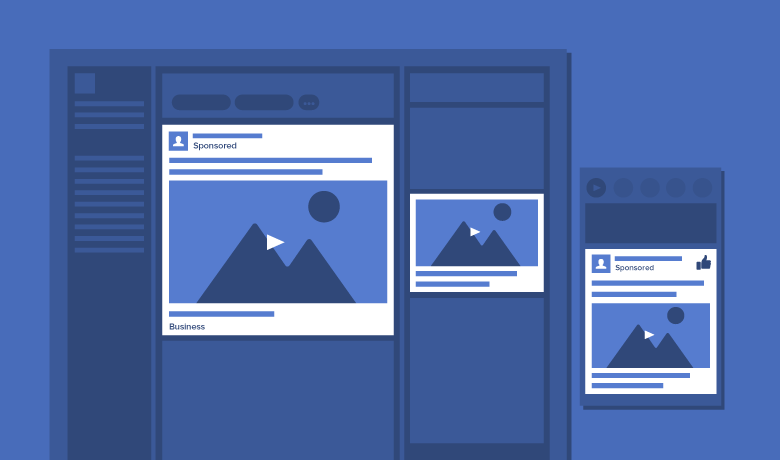
Video ads on Facebook can be displayed across multiple platforms.
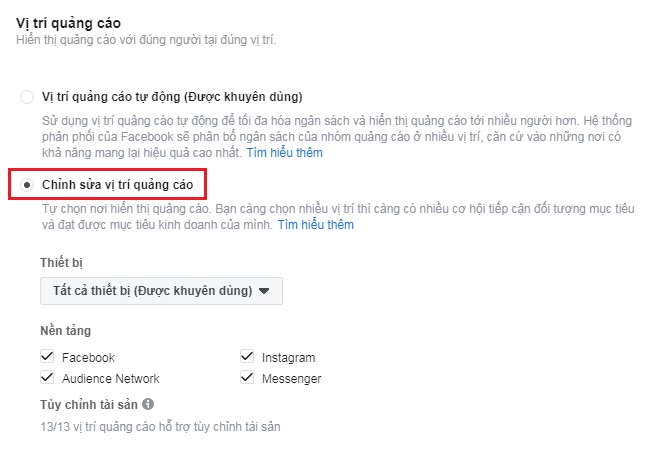
Currently, when running video ads on Facebook, you can choose the placement for your video ads across the following 4 platforms:
- Audience Network
- Messenger ads
IV. How to Run Facebook Video Ads from A to Z
1. Access Ads Manager
Log in using your personal Facebook account that manages the fan page you want to run ads for.
Click on the “Create Ad” button.
2. Create advertising campaigns

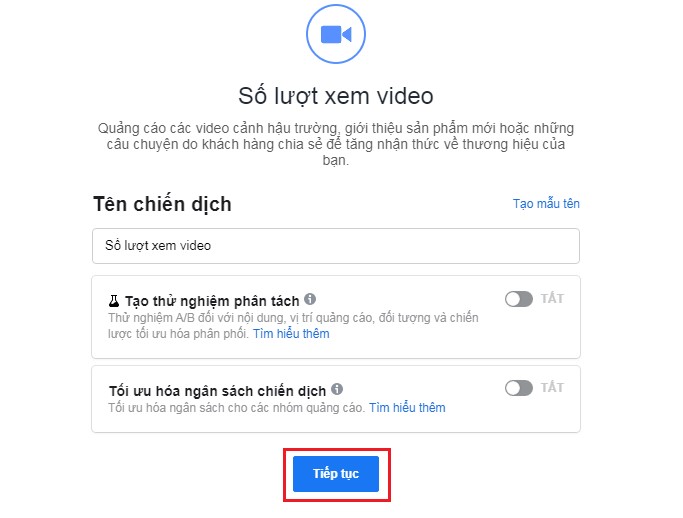
- Choose Campaign Objective: Set the Video Views Objective
- Name Your Video Ad Campaignk: Give your campaign a name (e.g., “Better Every Day,” “Product Launch,” etc.).
- If you’re new to running ads, you can leave the default settings below as they are, and then click “Continue” to proceed to the next step.
3. Create an ad group
- Ad group name: set according to your advertising campaign

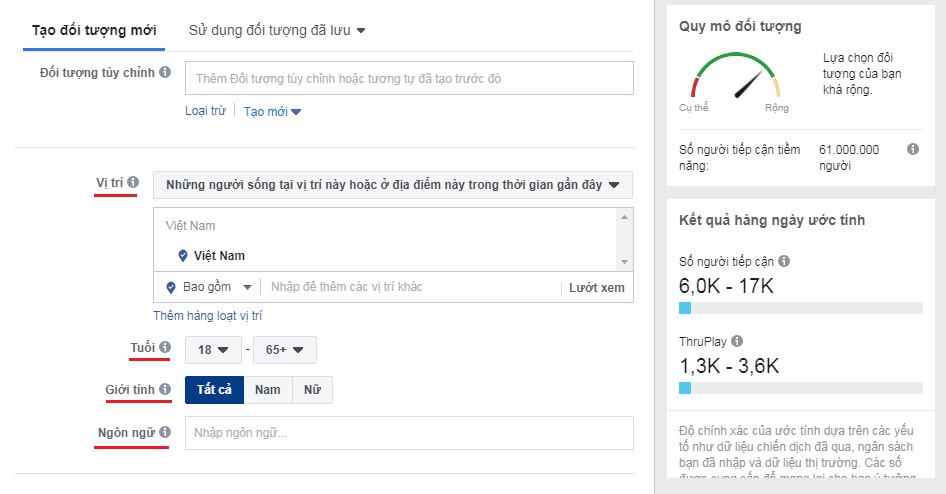
- Select your ad audience
- For each Facebook video ad campaign, you will have your target audience, the people you want your ad to reach. You can make selections based on demographic factors such as: location, age, gender, and language.

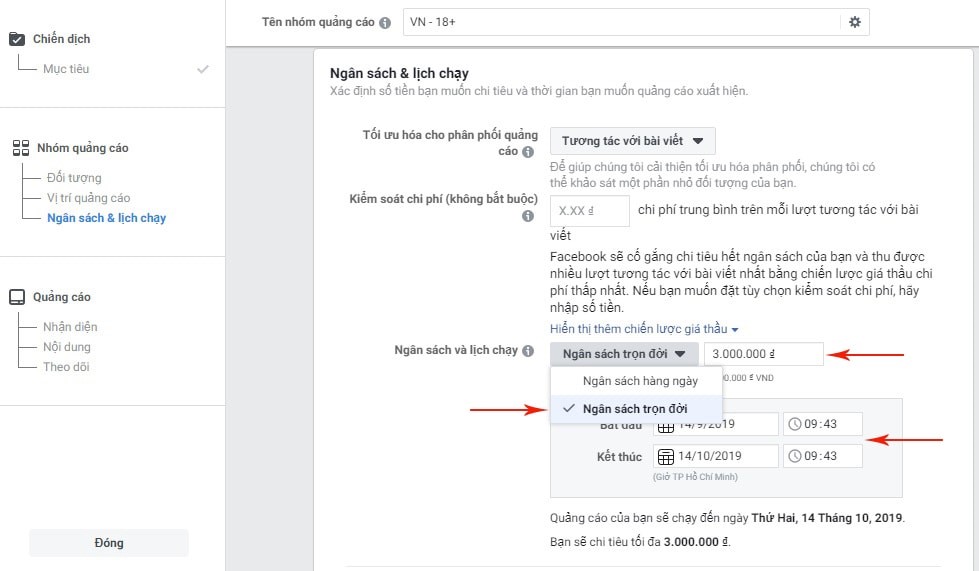
4. Set the budget and schedule for the Facebook video ad campaign
- Choose budget: Here, you can choose a daily budget or set a budget for the entire ad campaign.
- Set schedule: You can select the start and end times for your ad campaign.
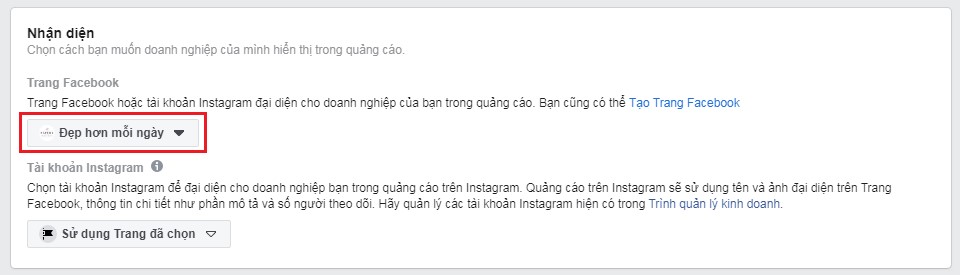
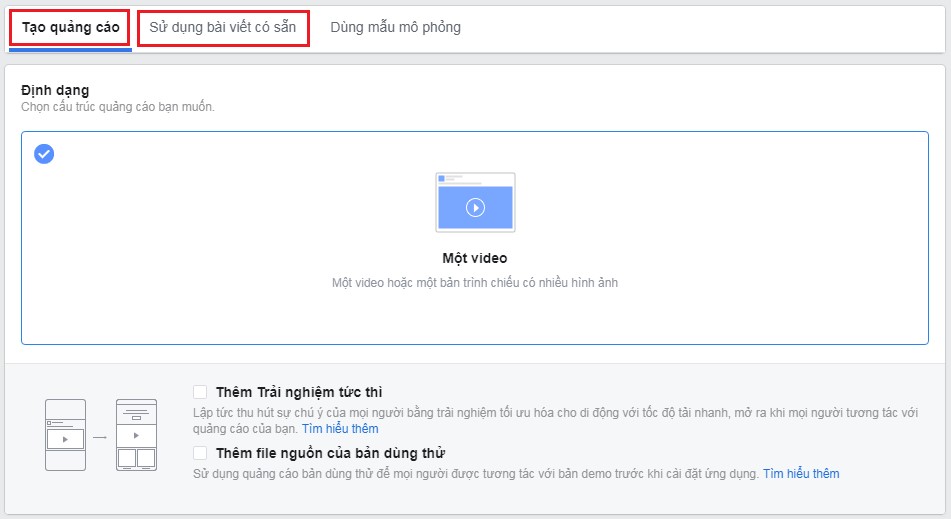
5. Create Ad
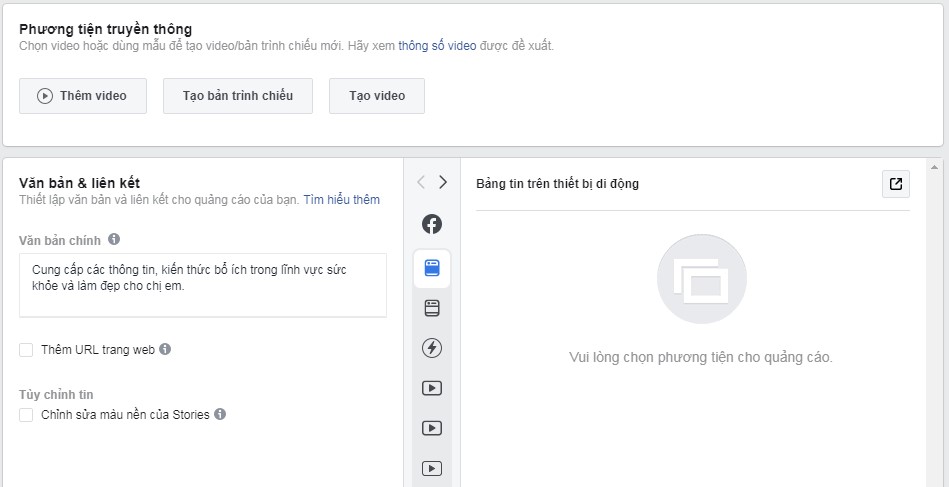
V. Video Ad Requirements on Facebook
Here are the video size guidelines for Facebook ads in 2021:
- Optimal duration for ads: A maximum of 15 seconds
- Best aspect ratio for video: 4:5
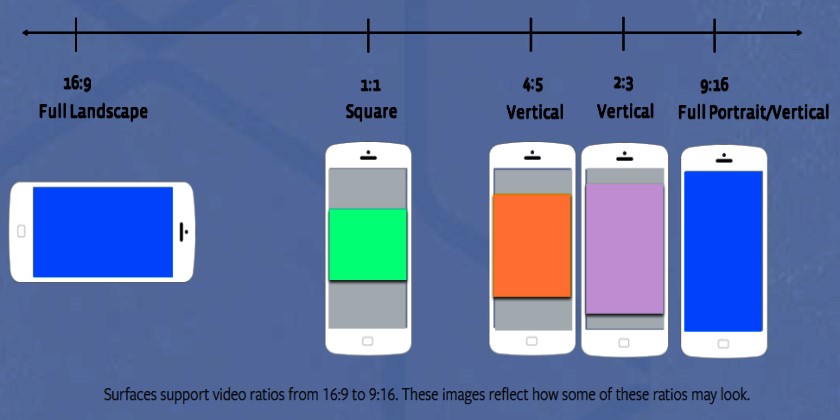
-
Sound used in Facebook video ads: Clear sound (Subtitles can be added)
VI. How much budget is required for video ads?

The current cost per video view is approximately 30 – 150 VND per view. However, the cost of Facebook video ads depends on several factors, including:
- The target audience you are aiming for
- The level of engagement your video ad generates from users
Therefore, when using video ads, it is crucial to invest in video quality and carefully select the target audience for your campaign.
VII. Suitable topics for running Facebook Video Ads
Here are a few ideas for video content that are often highly effective on Facebook:
- Product demo or feature introduction video: Focus on showcasing the product’s value, quality, and price to your target customers.
- Business introduction video: This is a common theme on Facebook. For such content, it’s important to grab attention within the first 5 seconds with compelling storytelling.
- Brand awareness campaign: This theme may not be suitable for the bottom of the funnel audience, but it’s great for expanding brand visibility.
- Customer testimonials or product/service reviews: This type of content is highly effective at motivating purchases. If using this content type, consider targeting users who have visited your product page but haven’t completed the checkout process.

- Product Manufacturing Process Video to Increase Product Credibility.
VIII. Optimizing Facebook Video Ads
1. Create an Impact in the First Few Seconds
You can apply the 5-second rule to make your video stand out by:
- Introducing dramatic content or a compelling hook within the first 5 seconds to grab attention immediately.
- Displaying the product or the brand’s message clearly in the first 5 seconds. The clearer the message, the more effective it will be.
- Creating a memorable impression with engaging visuals, effects, and eye-catching graphics. When conveying information, you can use visuals, animations, and images instead of relying solely on text or voice.
2. Choose the Right Format for Facebook Video Ads.
See more products: Buy advertising accounts
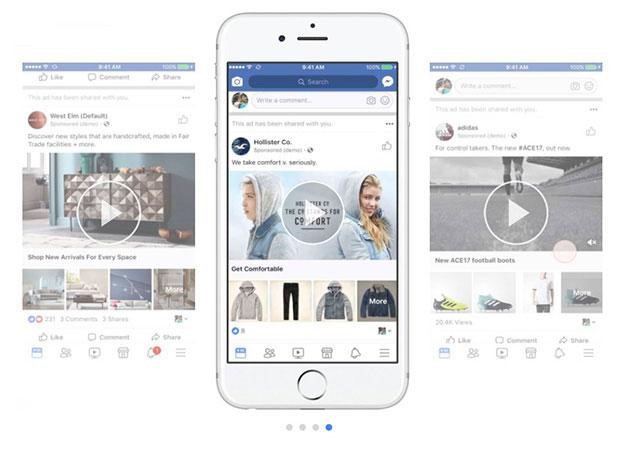
- Carousel Video Ad Format: This format allows you to display multiple videos, images, and key information in a rotating manner on a single, continuous scroll. You can showcase up to 10 images or videos in a single campaign, and each image/video can have its own unique link.The Carousel format is ideal for highlighting various aspects of a product, telling a story in parts, or showcasing different products in a single ad.
- Canvas Ad Format : This format enables the video to open up and expand to fill the entire screen of the viewer’s device.It offers an immersive and interactive experience, letting users engage with the content in a more engaging and dynamic way without leaving Facebook’s interface.This is especially useful for providing a more comprehensive, multimedia-rich experience (such as a combination of video, images, and text) for users.
- Vertical or Square Video Format: These formats allow your video to take up more screen space, especially on mobile devices, where the majority of Facebook users interact..
3. Enable the feature to automatically play ads

4. Creating multiple target audience groups for better reach
5. Encourage users to share your video ad
6. Facebook video ads should be concise
7. Use an engaging thumbnail image for your video