


Instructions for creating a personal blog on Google for free
for every Google account you register, you can create multiple personal and professional blogs quickly. What do you need to prepare when creating a blog on the Blogspot platform? You need to have an active Gmail account. If you don’t have one, make sure to create one!
This article aims to answer the question in detail and provide guidance on quickly setting up a personal blog. Let’s dive in and learn more!
What is Blogspot?
Blogspot, also known as Blogger, is a website system provided by Google that allows you to create free blogs with various themes for different purposes.
With Blogspot, you don’t need to worry about hosting to store your website or the hosting capacity. Everything is supported by Google. After creating the blog, the domain name will have the suffix .blogspot.com, or you can link a custom domain to your Blogspot. To register a custom domain, the first thing you need to do is check if the domain has already been registered. If it hasn’t been taken, why not register your own domain?
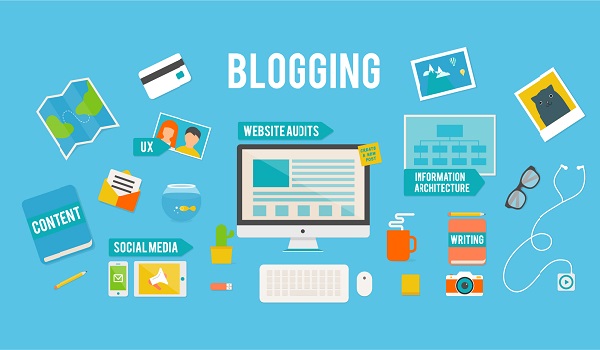
What is Blogging?
Who is a Blogger?
What is a Blog Used For?
Just like a website, a blog is created for the personal goals of the creator. The original purpose of a blog was as a journal of the blogger’s life, work, feelings, etc. Nowadays, a blog can also be an academic site where bloggers share their knowledge and passions. Additionally, blogs can be used to promote business campaigns to boost revenue and sales. Blogs are also used for political purposes or non-profit causes like charity.
Currently, some businesses use blogs to share knowledge related to their services. They can share tips, necessary knowledge, or information related to their services. The purpose is to attract traffic, increase service recognition, and enhance brand awareness. This strategy is also very effective in building backlinks. Should you build backlinks from blogs? With off-page SEO, building backlinks from blogs is highly valued.
See more products: Buy advertising accounts
What are the Benefits of a Blog?
Creating a blog provides a place to share information, stories, and creative ideas. Owning a blog sets you apart. With a series of posts on your blog, I believe you’ll improve your writing and presentation skills. Additionally, it will help you gain more experience in online sales. Moreover, you can expand your business and promote your products and brand effectively. Professional and academic posts on your blog also help establish your voice in your field.
Advantages of Creating a Personal Blog Using Blogspot
Blogspot is Google’s blog creation platform and is the most popular and oldest. This platform, now called Blogger.com, allows you to create blogs for free and easily.
Blogspot offers a minimalistic and user-friendly interface, and it allows you to customize the theme and widgets. However, you need to know a little about coding. When you create a personal blog on Blogspot, you’ll gain several benefits:
-
You can create a blog quickly using just a Gmail account.
-
It saves you costs because the platform is completely free.
-
You can use the default Blogspot subdomain or buy and link a custom domain.
-
Blogger.com is easy to use, allowing you to add tracking codes.
-
The platform supports all basic text formats.
-
You can freely choose from many beautiful, free Blogspot themes.
-
You can easily customize and update the information displayed on your blog.
-
The interface is responsive and mobile-friendly. Additionally, your blog will display beautifully on all screen sizes.
-
A great advantage is that Blogspot is very search engine-friendly. Using it, you can easily get your site to the top of Google.
What is the Structure of a Blog?
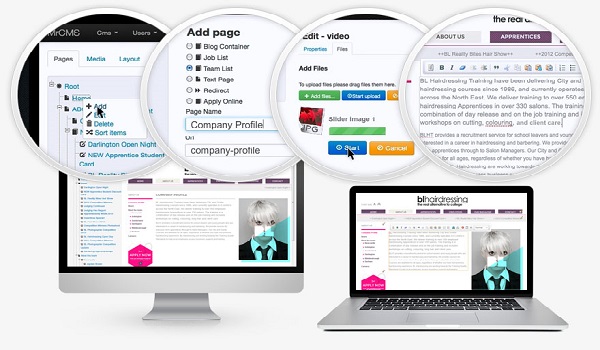
Like regular websites, blogs typically have a structure that includes header bars containing the main categories. The blog’s homepage usually contains all the posts, arranged from the latest to older ones. The sides of the blog typically contain menu sections, often displaying social media links, popular posts, or other highlights. The footer usually contains contact information, terms, and blog policies.
History of Blogs and Blogging
The term “weblog” was coined on December 17, 1997 by Jorn Barger. A few years later, the term “blog” began to replace “weblog.” So, “weblog” is the predecessor of blogs.
By around 2002, the term “blogging” started to be widely used as blogging became more popular and various methods of managing and operating blogs began to emerge. It started with Heather B. Armstrong’s blog site dooce.com, where she wrote about her coworkers, and the issue of internet privacy became more widely discussed. From then on, new blog management methods gained more attention.
In 2003, WordPress was launched, marking an important milestone in the development of programming and website design. With this platform, creating blogs and websites became much easier.
Guide to Creating a Personal Blog on the Blogspot Platform
Step 1:
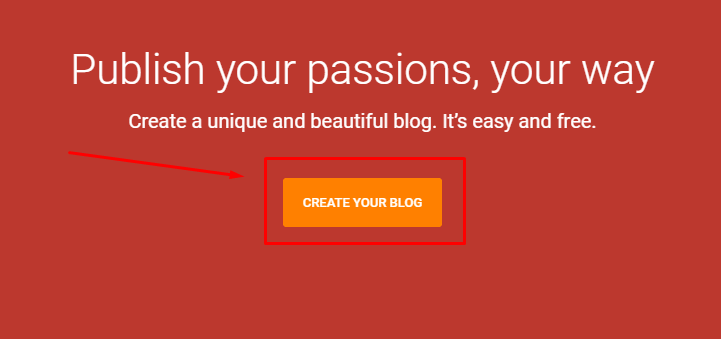
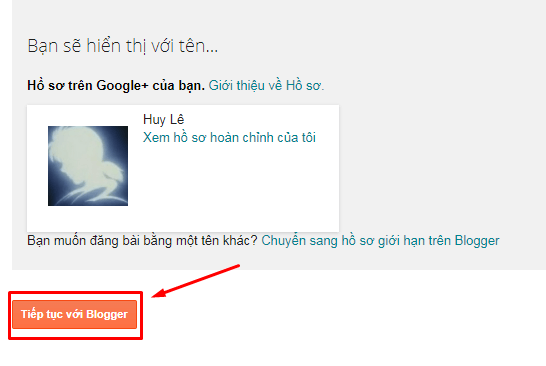
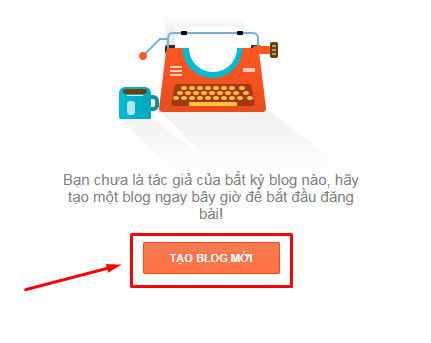
Visit the website blogger.com, click on “CREATE YOUR BLOG,” and then sign in with your existing Google account (Gmail account). After logging in, you will need to verify your profile. Here, I select “Create profile on Google+.” Once you have created your Google+ profile, click on “Continue with Blogger.” On the Blogger homepage, click on “CREATE A NEW BLOG” (one account can be used to create and manage multiple blogs). Fill in the information for your blog as instructed: Note:
Visit the website blogger.com, click on “CREATE YOUR BLOG,” and then sign in with your existing Google account (Gmail account).
Here, I choose to create a profile on Google+.

After creating your Google+ profile, click Continue with Blogger.
On the Blogger homepage, click Create a New Blog (one account can be used to create and manage multiple blogs).
Fill in the information for your blog as instructed:
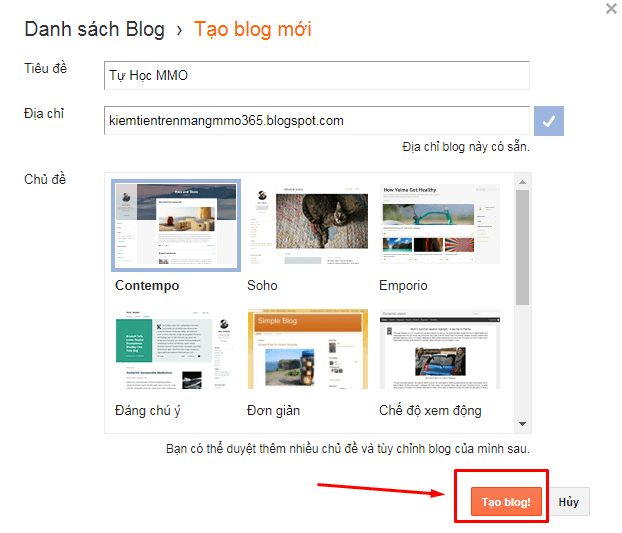
Note:
-
The blog title can be changed later.
-
You should create a blog address with a name and title that includes the keywords you want to write about or target. For example, if I want to write about football, I would choose an address like: bongdatintuc.blogspot.com or bongdathethao.blogspot.com.
-
You can edit/change the template later.
However, by default, your domain will be in the format: domain.blogspot.com.
If you want to use a custom domain for your blog (e.g., thethao.net…), refer to the tutorial on setting up a custom domain here.
Then, click on “Create blog!”
See more products: Buy advertising accounts
Step 2:
You will be redirected to the Administrator page, where everything about your blog will be available. Pay attention to the main sections on the left side.
The functions of each section:

-
Overview: Contains basic information about views, updates, and Blogger news.
-
New Post: Where you create and write new blog posts.
-
Posts: A list of existing posts on your blog. This is where you can manage your posts: write, edit, etc.
-
Pages: Create menus for your blog, creating pages similar to posts, but mostly used to create pages like “Contact,” “Sitemap,” “About,” etc. Each blog can have up to 20 pages. I will explain the difference between pages and posts in more detail later.
-
Comments: Manage comments from readers on posts. You can delete/approve any comments.
-
Google+: Link your blog to your Google+ profile or add the Google+ comment section to your posts.
-
Stats: View statistics on blog traffic (number of visitors over time, most visited posts, traffic sources, etc.).
-
Campaigns: Create advertising campaigns for your blog using Google AdWords to increase traffic to your site.
-
Layout: Adjust the position of sections, menus on your blog. Add, remove, or edit widgets on your blog.
-
Template: Customize your blog’s layout. This is where you can manipulate the source code of your blog’s page.
-
Settings: Set basic features for your blog (mainly for SEO – important for those concerned with the blog’s/website’s ranking).
Click on “View blog” to go to your blog’s interface page.
Note: Some pages may display in English, as shown in the image below. You can simply change the language to Vietnamese.
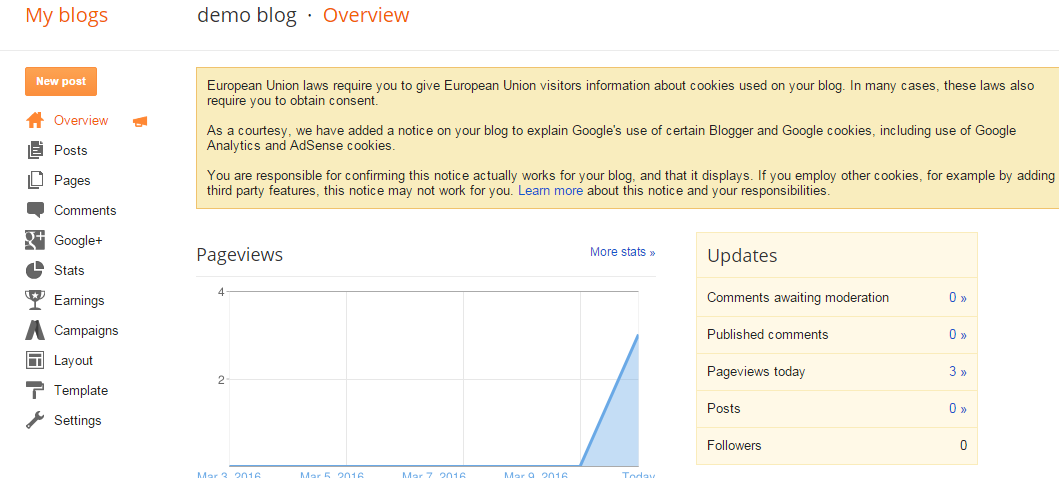
To switch to the Vietnamese interface, just select the language change option on the Blogger homepage.
Now you know how to create a Blogspot blog using Blogger from Google.
Step 3:
To change the theme for your blog, visit the “Theme” section and choose from the following options:
-
Use Blogger’s default templates. There are many templates for you to choose from. You just need to click on one to apply it.

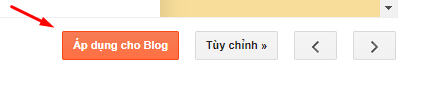
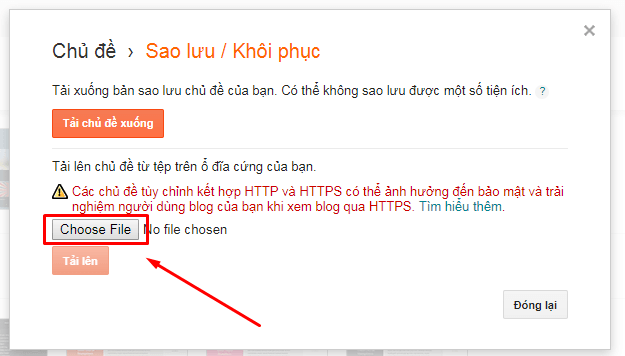
- Edit HTML template: If you have an existing template file (with a .xml extension), you can upload it.
Select “Backup/Restore” in the top-right corner. Then choose the file and click “Upload” to finish.
If you need the most reputable payment method and advertising account provider, you can message the fanpage buybm365.com-Ads to receive advice from HT Media. In addition, you can follow the articles. Latest articles related to our Digital Marketing.





