


How to remove 1 star reviews on Google that not everyone knows
One-star reviews and negative feedback on Google Maps can be like pebbles in your shoe – uncomfortable and slowing down your progress. They can create significant obstacles for your business, from attracting new customers to retaining existing ones.
So, how can you remove these unwanted reviews? Here’s a guide on how to deal with and remove one-star reviews on Google Maps, as suggested by ATP Software. Let’s take a look.
Can Reviews on Google Be Deleted?
Have you ever wondered if you can delete reviews on Google? This is an interesting question and one that many of us have encountered. Reviews on Google do not need to go through any verification or approval process before being published. This means that anyone can share their experience, whether it is positive or negative.
However, it is important to note that Google does not provide a direct option for you to delete these reviews. Why is this the case? Because Google is committed to providing accurate and transparent information to its users. Deleting a review without the consent of the writer goes against this principle.
The closest action you can take is flagging reviews from your account and reporting the issue to Google’s support team. However, remember that you cannot delete them yourself.
Additionally, Google has automated systems in place to check and detect inappropriate content, such as spam or fake reviews. If a review is flagged for violating Google’s policies, it may be removed.
But don’t worry! There are still ways for you to remove reviews that you’ve posted. Let’s explore the effective methods in the next section.
See more products: Buy advertising accounts
How to Remove One-Star Reviews on Google
1. Remove Negative Reviews by Reporting Them
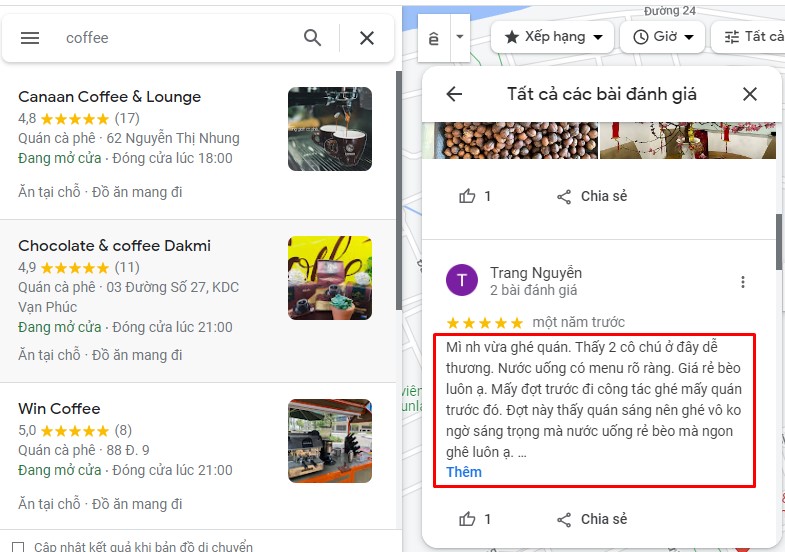
The first step in this process is to log into your Google account. Then, search for your location on Google Maps and select it. Once you are on the location page, click on “See All Reviews.” Here, you’ll see a list of reviews, including the negative ones you want to remove.
Next, select the negative review you want to address and click on “Report a Problem.” Google will ask you to choose a reason for the report.

After submitting the request, be patient and wait. Google will review the situation and determine whether the review violates their policies. Sometimes, this process may take some time.
What to Do While Waiting for Google to Process the Request?
Never ignore negative reviews! Instead, face them head-on. Respond to these reviews sincerely and explain your services or products more clearly to the customers. If the dissatisfaction stems from a mistake on your part, don’t hesitate to apologize and find a way to fix it.
This action will not only show your professionalism but also demonstrate that you truly care about your customers. Who knows? After seeing your dedication, they might update their negative review and leave a more positive one on Google Maps!
2. Increase 5-Star Reviews to Drown Out Negative Feedback
After reporting negative reviews, you should also think about creating a positive “campaign” to highlight the good reviews.
Encourage your customers to leave reviews on Google Maps after they experience your service. A small tip is to offer discount codes to customers who are willing to share their experiences. This will not only increase the number of 5-star reviews but also reduce the weight of negative reviews.
Additionally, consider building a website or an online community where customers can share their opinions and reviews about your service. This not only helps you control the review content but also creates a positive space for customers to engage.
3. Use a Review Removal Service for One-Star Google Reviews
If you feel too busy or don’t have enough time to effectively handle negative reviews, a quick solution is to hire a professional service.
There are many companies that offer services to remove bad reviews and boost 5-star reviews. Yes, you will have to invest a certain amount of money, but in return, you’ll get valuable results.
By investing a small amount, these companies will handle everything from A to Z for you: from planning reviews, handling negative feedback, to reputation seeding for your brand. If you haven’t found a suitable service provider yet, don’t hesitate to contact ATP Software!

See more products: Buy advertising accounts
Remember, there’s no way to completely erase all bad reviews, but by applying the steps above and developing a reasonable strategy, you can minimize their impact and maintain your business’s image!
Ways to Reduce Negative Reviews on Google
There are several ways you can increase the number of 5-star reviews and reduce the presence of bad reviews on Google Maps. Here are some suggestions:
-
Update your business information accurately, helping customers easily contact you.
-
Create a dedicated community where customers can share reviews and feedback about your service.
-
Respond to reviews professionally, showing that you genuinely care and are willing to resolve issues.
-
Implement a “seeding” strategy to encourage customers to leave positive reviews.
-
If there are reviews that violate guidelines, don’t hesitate to report them to Google for review.
Remember, reducing negative reviews is not an overnight process. It is a long-term journey that takes time to see results.
These are the suggestions we would like to share with you on how to remove one-star reviews on Google. We hope this information will be useful to you in improving your business’s image.
If you need the most reputable payment method and advertising account provider, you can message the fanpage buybm365.com-Ads to receive advice from HT Media. In addition, you can follow the articles. Latest articles related to our Digital Marketing.





