


How to handle Google Adsense not displaying ads effectively
If your Google AdSense account suddenly stops showing ads, even though it was functioning normally before, don’t worry. The guide below will help you effectively resolve the issue of Google AdSense not displaying ads.
What is Google AdSense?
Google AdSense is an advertising platform developed by Google. On one side, you have advertisers—businesses and individuals—who want to run ad campaigns on the AdSense network.
On the other side, you have publishers—those who build sources of web traffic to generate additional income. These are typically website owners with high traffic or creators of videos with significant views.
In the middle is Google, playing a key role in ensuring ad performance and quality. Google AdSense provides opportunities for publishers (website or video owners) to place ads and generate revenue from them.
The main ad formats on Google AdSense are image banners, though there are other variations, such as text-based ads that appear in search results.
 See more products: Buy advertising accounts
Requirements to Register for Google AdSense
To register for Google AdSense, you must have a website with a certain amount of traffic. Once you meet this requirement, you can apply for an AdSense account and wait for approval. If you don’t have a website, you won’t be eligible to join the program.
Types of Websites That Can Earn with Google AdSense
There are three types of websites that are typically approved and perform well with AdSense:
-
News websites: These require fresh and engaging content related to current events and trending topics, attracting users who want the latest information.
-
Knowledge-sharing blogs: These can be more personalized and cover a range of topics based on what readers are searching for. Proper keyword research is essential here to attract traffic.
-
Download-related blogs: These focus on offering downloadable content that many users are searching for.
You can also create a general information blog, but it’s crucial to identify a specific niche and conduct keyword research to develop appealing content that engages your audience.
 See more products: Buy advertising accounts
Reasons Why Google AdSense Ads Are Not Displaying
Reasons Why Google AdSense Ads Are Not Displaying
Usually, Google will send a detailed email explaining why your Google AdSense ads are not being displayed. Here are two common issues you should be aware of:
-
Your account has not been used for a long period, and you haven’t placed any ad codes on any website during that time.
-
You’ve placed ad codes on low-quality websites with little traffic and no significant revenue generation.
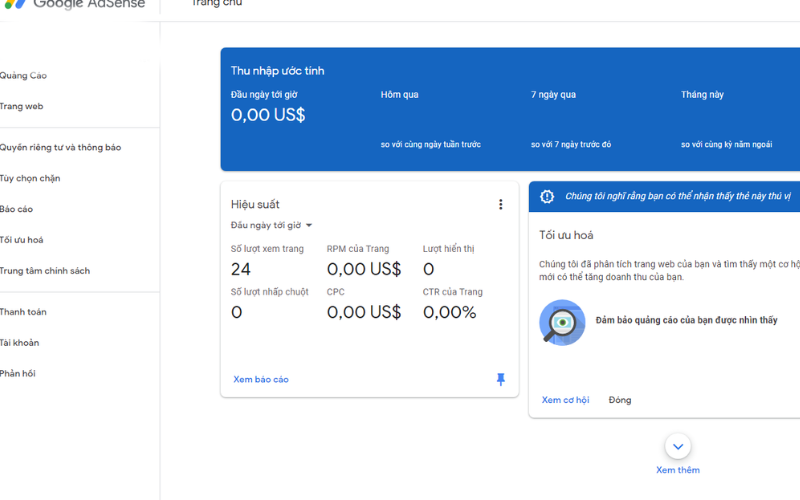
To easily identify the issue with your Google AdSense ads not showing, simply log into your AdSense account, go to “Settings” and then “Account Information.” Check the list of active products. If you see “68% publisher revenue share” displayed, it means your account is still active. If not, your account may be experiencing one of the two issues mentioned above.
There are also several common issues related to your Google AdSense code. To identify them, compare the code from your AdSense account with the code placed on your website. Some common indicators when ads are not showing include:
-
The AdSense code wasn’t copied completely.
-
The AdSense code appears as a single line only.
-
The AdSense code includes HTML tags.
Other potential reasons include:
-
You registered your AdSense account through an AdSense hosting partner instead of directly through Google.
-
Ads may not display if you’ve requested a PIN and entered incorrect information three times.
-
You’ve placed multiple ads in the same position on your webpage.
-
You’re using a browser that’s not compatible.
See more products: Buy advertising accounts
How to Fix Google AdSense Ads Not Displaying
Google will notify you via Gmail with the only way to resolve the issue: you need to reinsert the ad code on your website and then wait for the review process. This review process is similar to when you first registered your AdSense account. If your website does not meet the required standards, your application may be rejected during the review.
=>>>Read more: Top 12 Most Effective Ways to Optimize Google Ads Campaigns
If you need the most reputable payment method and advertising account provider, you can message the fanpage buybm365.com-Ads to receive advice from HT Media. In addition, you can follow the articles. Latest articles related to our Digital Marketing.





