


How to declare a domain name on Google simply in 5 minutes
Declaring a Website to Google means submitting all the URLs of the pages on your website to Google, requesting that Google index your website. This is a basic task that website administrators should be familiar with, especially when you own a new website.
Today, we will guide you through the process of declaring a domain to Google in a very simple way.
What is domain verification?
Verification is the process of proving that you are the owner of a product (Website, App, etc.). This is mandatory if you are using any Google services. Verifying ownership gives you access to the service’s data and can influence the presence of your website on Google Search. Every website in Google Search Console must have at least one verified owner.
How to declare a domain to Google
How to declare a domain to Google
Proceed to verify the domain ownership with Google Search Console in just 5 steps:
Step 1: Go to Google Search Console → Search products → Add a website
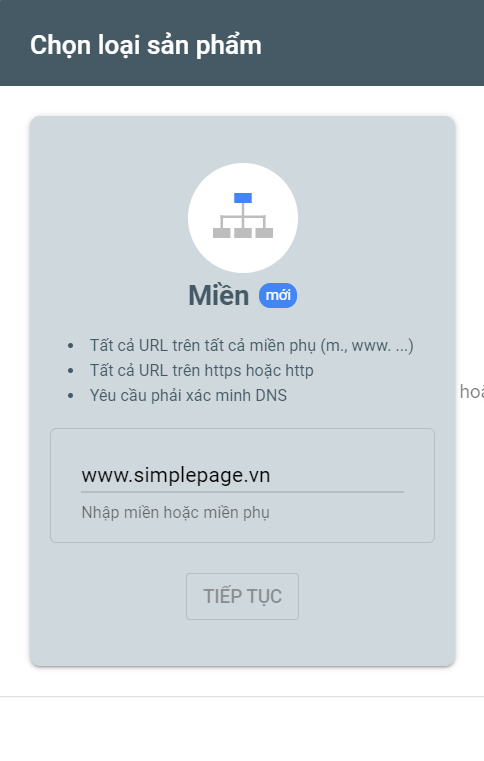
Step 2: Enter the domain name in the Domain field → Continue
See more products: Buy advertising accounts
Step 3: Copy the TXT value
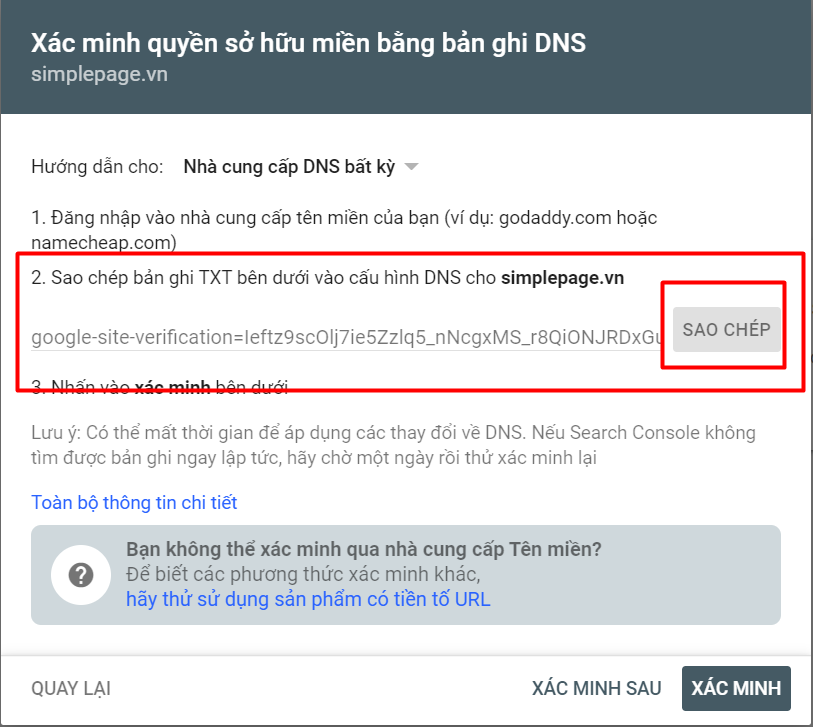
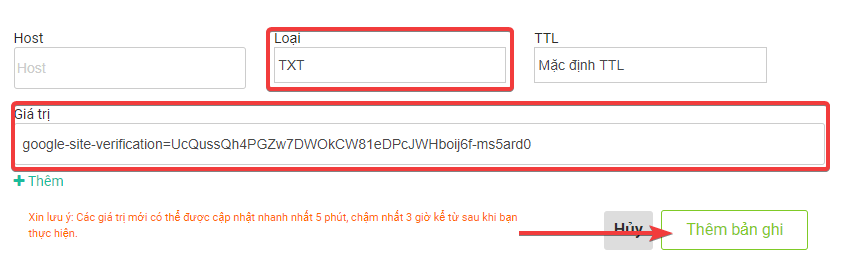
Step 4: Go to your domain provider → Manage domains → Choose your domain → Manage DNS → Add domain record
-
Note: Enter the record values as follows:
-
Type: TXT
-
Value: TXT Value (Copied in Step 3)
-
Click Add Record to complete.
-
Step 5: Verify the domain with Google Search Console
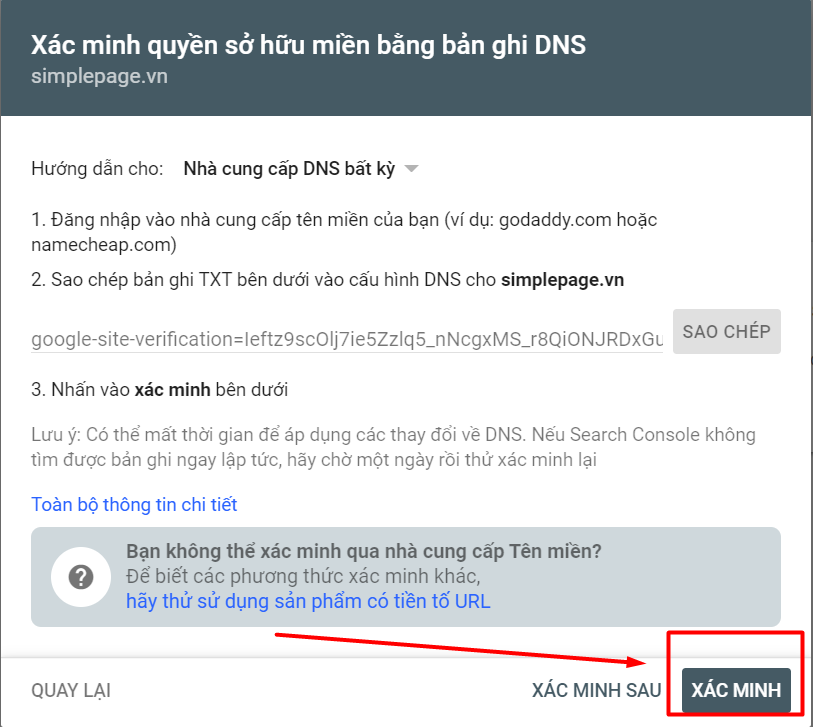
Once you complete the above steps, click VERIFY.
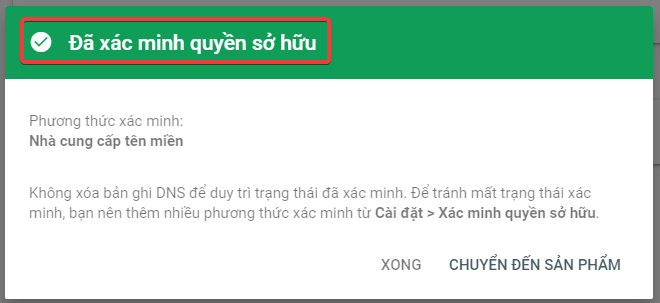
Declaring a domain to Google Shopping Ads
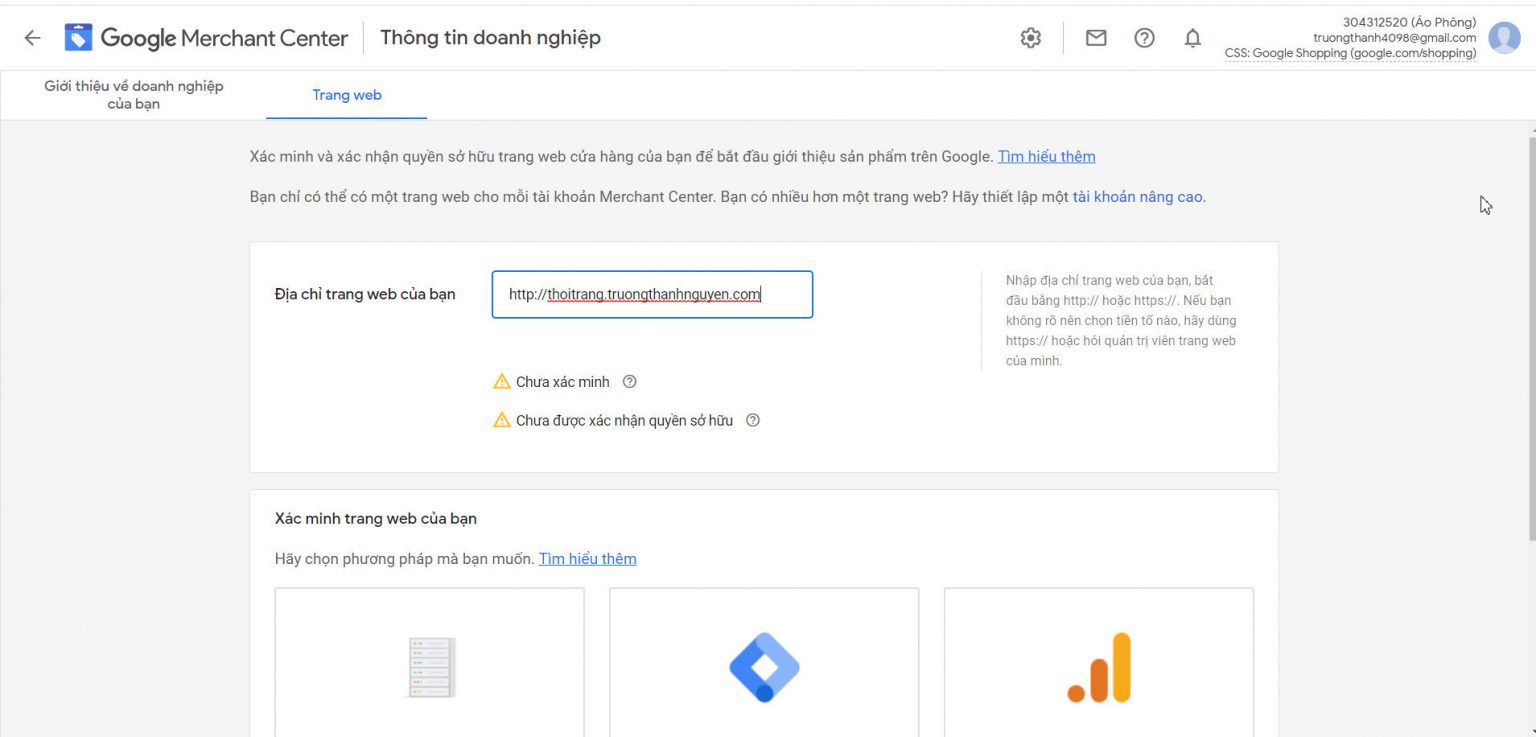
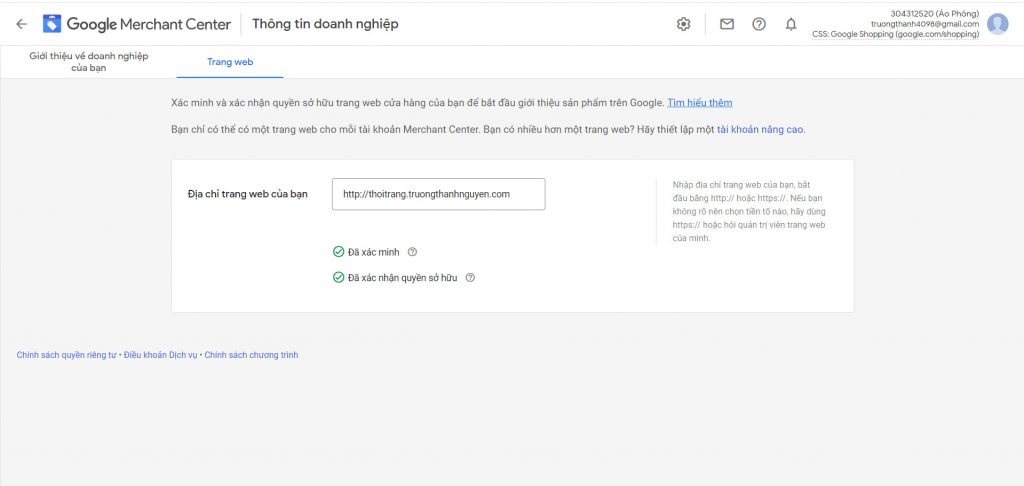
For verification with Google Shopping, after verifying with Google Search Console, simply go to Google Shopping, and it will automatically approve your domain.
See more products: Buy advertising accounts
Thus, you have successfully completed the process of verifying your domain with Google services.
Wishing you success and hope this guide is helpful!
If you need the most reputable payment method and advertising account provider, you can message the fanpage buybm365.com-Ads to receive advice from HT Media. In addition, you can follow the articles. Latest articles related to our Digital Marketing.





