


How to Create Google Web Stories Professionally
What is Google Web Stories?
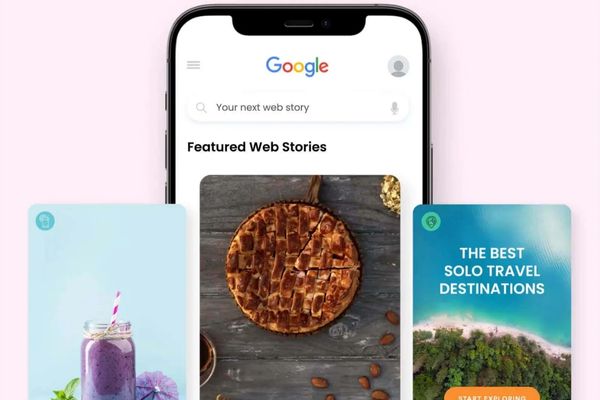
Google Web Stories is a new method designed to increase traffic, with Google recently releasing a beta WordPress plugin for content publishers to take advantage of Web Stories to attract consumers. This is a great method and a new step forward that allows you to claim a top position on Google Search, Google Images, Discover, and the Google App.
See more products: Buy advertising accounts
Google Web Stories is a new advancement of AMP (Accelerated Mobile Pages) – a Google project that enhances website speed and performance on mobile devices. The content of the application consists of a collection of short pages, each containing up to 10 words. The recommended length for a Web Story is from 4 to 30 pages. Google Web Stories can be visualized similarly to the Stories feature on social media platforms like Facebook or Instagram.
How to Create Google Web Stories
Step 1: Open Stories to start working
Click on “Create New Story” from Web Stories in the Dashboard. You can also go to the WordPress menu => Select “Stories” => Choose “Add New.”
Step 2: Access Google My Web Stories interface
On the right side, you’ll see the most recent images uploaded to the website. The “T” tag lets you choose text, and the triangular block allows you to create your desired layout.
Step 3: Upload Images to Google Web Story
Click on the Upload button, then select an image. You’ll notice that the right-hand frame begins to transform. Here, you’ll find many tools to adjust the images inserted into your Stories.
Step 4: Customize Your Web Stories
If you’re familiar with image editing apps or often post to Instagram or Facebook Stories, I think you’ll find this process straightforward.
Features of Google Web Stories
h Story on the Web
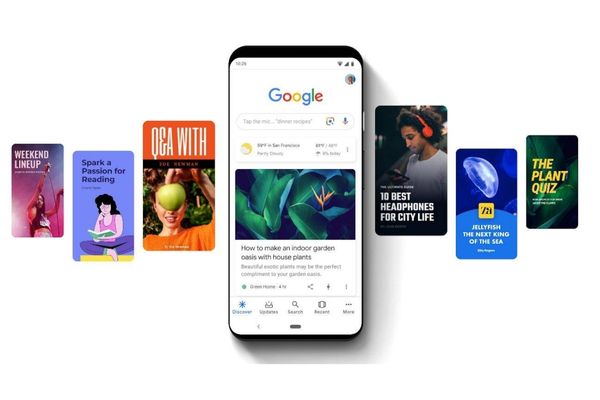
Web Stories provide an experience similar to what you see on social media platforms like Facebook or Instagram, including a collection of images, videos, and text.
Web Stories are Easily Found on Google
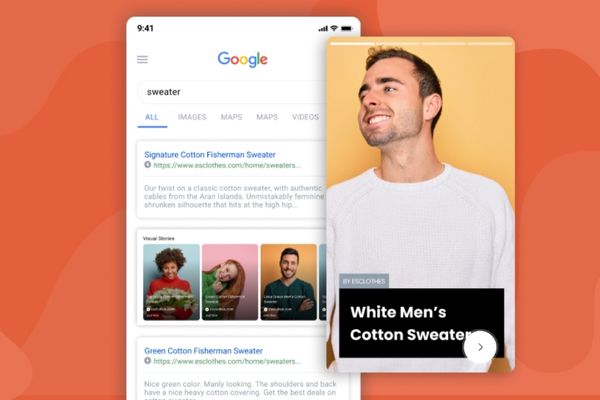
When you search on Google, you’ll come across several Google Web Stories. In particular, you’ll also find ads on your desktop under a section called “Top Stories.”
See more products: Buy advertising accounts
Fullscreen Mode
The fullscreen view is one of the standout features of Google Web Stories. A significant difference when comparing Google Web Stories to other platforms is that it can be used on your computer with a multi-screen mode.
Call to Action (CTA)
You can add a call to action on any page in your Story to direct users to a website or product you’re selling. Notably, you have the freedom to customize your page as you wish.
Google Web Stories WordPress Plugin
Google has launched a WordPress Plugin to help publishers access Web Stories. Both the WordPress Plugin and the Web Story program are still in development. The final version of the Google Web Stories WordPress Plugin is expected to be released by the end of the summer of 2020.
The current version lacks features such as animated image displays and page attachments. However, the final version will be fully equipped with enhanced features and better display capabilities. This once again shows that WordPress remains a leading platform for SEO with its ability to keep up with the latest technologies. This is good news for the WordPress community and WordPress hosting.
What Are the Benefits of Google Web Stories?
Google Web Stories is an online storytelling content format with unique features such as:
-
Shareable and Embedable Anywhere: They can be shared and embedded anywhere, even on websites that don’t have a fixed connection.
-
Various Content Formats: In a Google Web Story, you can include almost any type of content like images, music, video, or interactive elements.
-
Mobile Search Visibility: Google’s mobile search engine displays them in the search results for top stories when users search for related news.
-
Responsive Customization: Web Stories are customizable, meaning they adapt to the screen size of the device the user is viewing.
-
Call to Action and Links: You can add links and call-to-action phrases anywhere on a page, guiding users to start their journey on your website.
-
Social Media and Additional Links: You can include a final “bookend” page, where you can add social media links and other related links.
The Impact of AMP on Google Web Stories
It is undeniable that AMP has driven a significant amount of traffic to content publishers. Therefore, Web Stories, which are built on AMP, are sure to generate massive success in attracting users. AMP Stories, designed with these features, have been used to create AMP articles. AMP Stories will load even faster, especially since they are cached on your device as soon as you click to view them.
To develop AMP Stories content, Google has worked and paid many publishers. While the exact amount of money is unknown, Google sees it as a development fund rather than an investment. This is similar to what Facebook has done with Live Videos. Ultimately, as Google has done for a long time, the platforms they use will always benefit the customer.
What is Snackable Content?
Snackable Content, or video content, is a highlight of Google Web Stories. Videos are recommended not to exceed 15 seconds in length. Google also mandates that videos be filmed in portrait mode rather than landscape.
This ensures that the content will display correctly on mobile devices. Additionally, videos should have subtitles so users can enjoy the video while reading the content. This is particularly helpful in situations where users cannot hear the video but still want to read the content, such as in noisy or crowded places or when they are distracted.
I hope the useful information provided in this article helps you understand Google Web Stories better. This feature, with its fully functional capabilities, is designed to attract more users, and you should definitely give it a try.
If you need the most reputable payment method and advertising account provider, you can message the fanpage buybm365.com-Ads to receive advice from HT Media. In addition, you can follow the articles. Latest articles related to our Digital Marketing.





