


How to create a fan page on Facebook to help achieve the best business results

I – What is a Facebook Fanpage? Reasons to Create a Fanpage
A Facebook fanpage is a page created by an individual, organization, or business with the purpose of sharing information with the community or selling products/services.
A fanpage displays public information, allowing users to like and follow the page to stay updated. Additionally, fanpages provide tools to help businesses manage and track user engagement with their brand.

See more products: Buy advertising accounts
Advantages of a Professional Facebook Fanpage for Selling:
- No initial financial investment required: You don’t need to spend money to get started.
- Direct targeting of specific groups: It allows you to reach your target audience effectively.
- Unlimited reach: You can connect with an unlimited number of people.
- Spreading the business message: It’s a platform to broadcast your business’s message and values.
- Building trust: A fanpage helps build credibility with your audience.
- High visibility: The fanpage offers broad exposure, locally and globally.
- Direct feedback from the target audience: You receive real-time feedback on developments and updates.
- Website, blog, or online store traffic: It can drive more traffic to your online presence.
- Comprehensive analytics and options: You get detailed insights and statistics to analyze performance.
- Increase brand awareness: It helps enhance the visibility of your brand.
- Quick response time to public events: Enables swift reactions to trending topics and public events.
- Additional growth through apps: Integration with apps for extended functionality.
- High level of personalization: A Facebook fanpage allows for tailored content to better engage with your audience.
II – Difference Between Facebook Fanpage and Facebook Group
Here are the key differences between a Facebook Fanpage and a Facebook Group:
- Facebook Fanpage: This is a public page where all users can access the content. Particularly, people who follow the page can see updates from the fanpage in their newsfeed. Users have the ability to like, comment, and interact with posts, videos, and content published by the business or organization on the fanpage.
- Facebook Group: This is a private or public community where all members can share content (such as photos, posts, or videos) and engage with each other. Members have the ability to send direct messages to other group members. Additionally, groups have admins who approve requests to join, meaning users must wait for admin approval to become a member of the group.

See more products: Buy advertising accounts
III – Optimizing Facebook Fanpage for Effective Sales
Creating a Shop on Your Fanpage
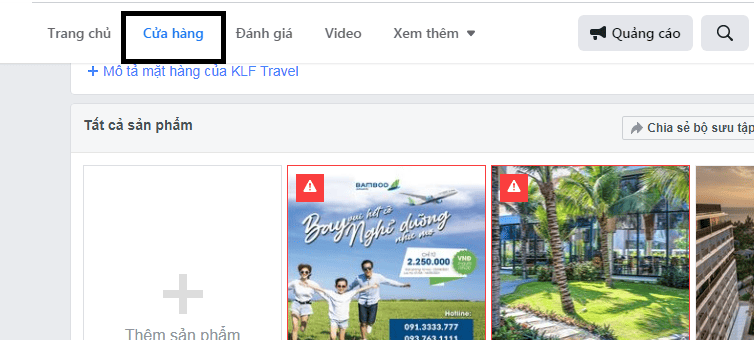
- Add Product and Service Information:
Ensure that you add detailed information about your products or services, including descriptions, prices, and high-quality images. This helps users easily browse and choose items that suit their needs. - Include Relevant Links:
Add links to your website, Instagram, or online store on platforms like Shopee, Lazada, etc., to guide potential customers to explore more about your business. This provides easy access for them to make purchases or learn more about what you offer. - Create a Custom URL:
Before you can create a custom URL (e.g., facebook.com/yourbusinessname), your page needs to have at least 25 likes. Once you hit that milestone, you can set a memorable and branded URL for your page, making it easier to share and access. - Update Content Regularly:
To create an engaging and attractive Fanpage, you should regularly update your content. Posting weekly, or even daily, keeps your audience engaged. Use short, catchy messages, vibrant images, and timely updates to keep your potential customers interested and coming back for more. Always try to post content that adds value and resonates with your target audience.
By ensuring that your Facebook Fanpage is active, informative, and updated regularly, you can better engage your audience and increase the chances of conversion. Regular content updates also help build trust and keep your brand in the minds of your followers.
In particular, you should also stay updated with trends or emerging movements to refresh your content delivery. Creating humorous posts can help customers engage with your fanpage in a more fun and relaxed manner. Make sure you use trends appropriately and at the right time.
Post Content at the Right Time
You should post on your fanpage during peak hours when most people are online, such as 8-9 AM, 11-12 PM, 4-5 PM, and 8-10 PM.
If you don’t post every day of the week, focus on posting on Thursdays and Fridays — these days are generally considered to have the best reach and engagement on Facebook.
You can schedule posts in advance using Facebook Business Suite — Facebook’s posting tool.
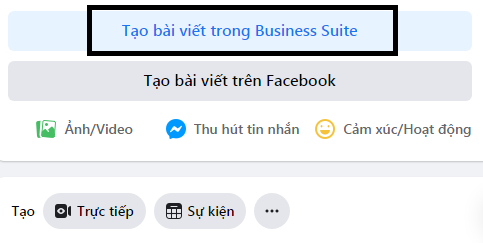
See more products: Buy advertising accounts
IV – How to Create a Facebook Fanpage
Preparation Before Creating a Professional Business Fanpage
- Read Facebook’s Terms of Service
- Ensure Your Products/Services Align with Facebook’s Policies
- Available Bank Account
- Personal Facebook Account
- Facebook Business Page
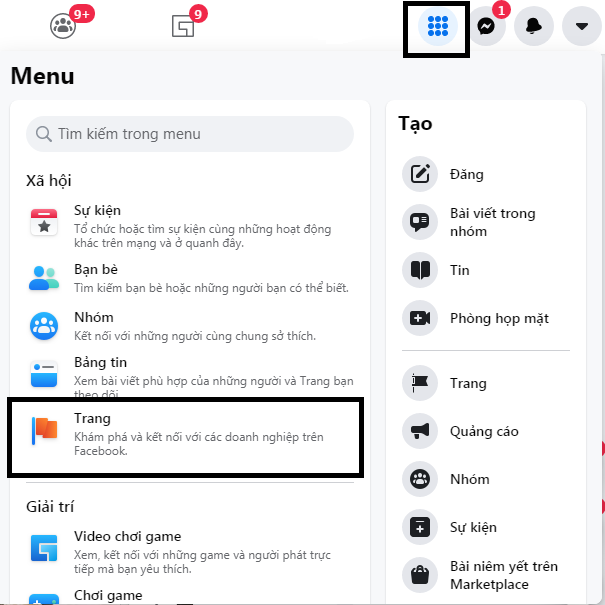
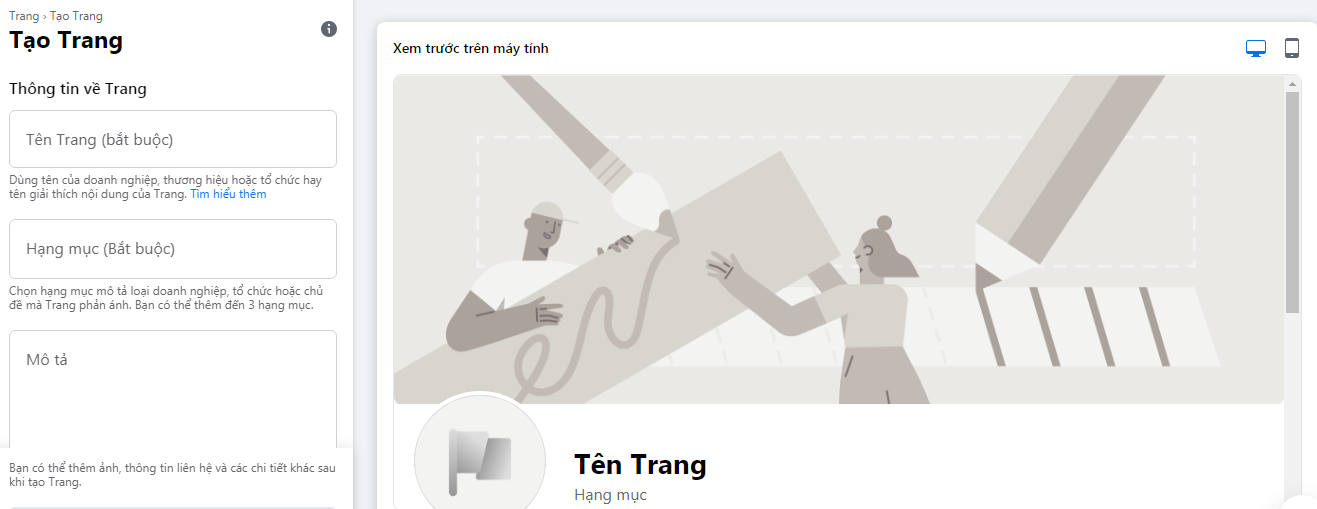
Step 3: Fill in the required information.
- Page Name: Avoid using all caps for the page name. You can follow the formula: Product Keyword + Qualifier (cheap, beautiful, premium, etc.) + Brand Name.
- Categories: Choose up to 3 categories that best match your business type.
- Short Description: Provide a brief description of the products or services you offer, limited to 255 characters.
Step 4: Click Create Page. Then, upload a profile picture and cover photo, and click Save.
Note:
- The recommended size for the profile picture is 180 x 180 px, and for the cover photo, it is 820 x 462 px.
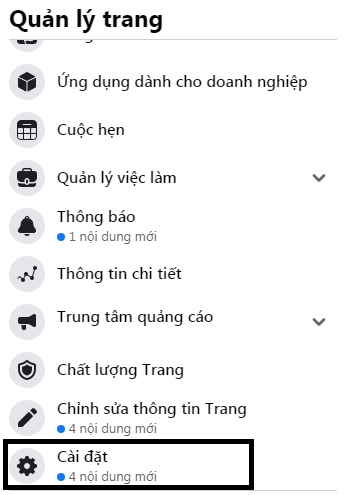
Step 5: Complete the page setup.
Now, your fanpage will be ready for you to start managing, adding content, and engaging with your audience!

Fill in the missing details. These will appear in the About section on the left-hand side of your Fanpage interface. The fields to fill in are:
- Username: This will create a custom URL for your page (e.g.,
facebook.com/yourbusinessname). - Phone number: Add a contact phone number for customers to reach you.
- Email: Provide an email address where customers can contact you.
- Website: If you have a business website, add the link here.
- Location: If you have a physical address, enter your business location.
- Service area: Define the regions or areas where your business operates.
- Operating hours: Add your business hours so customers know when you’re available.
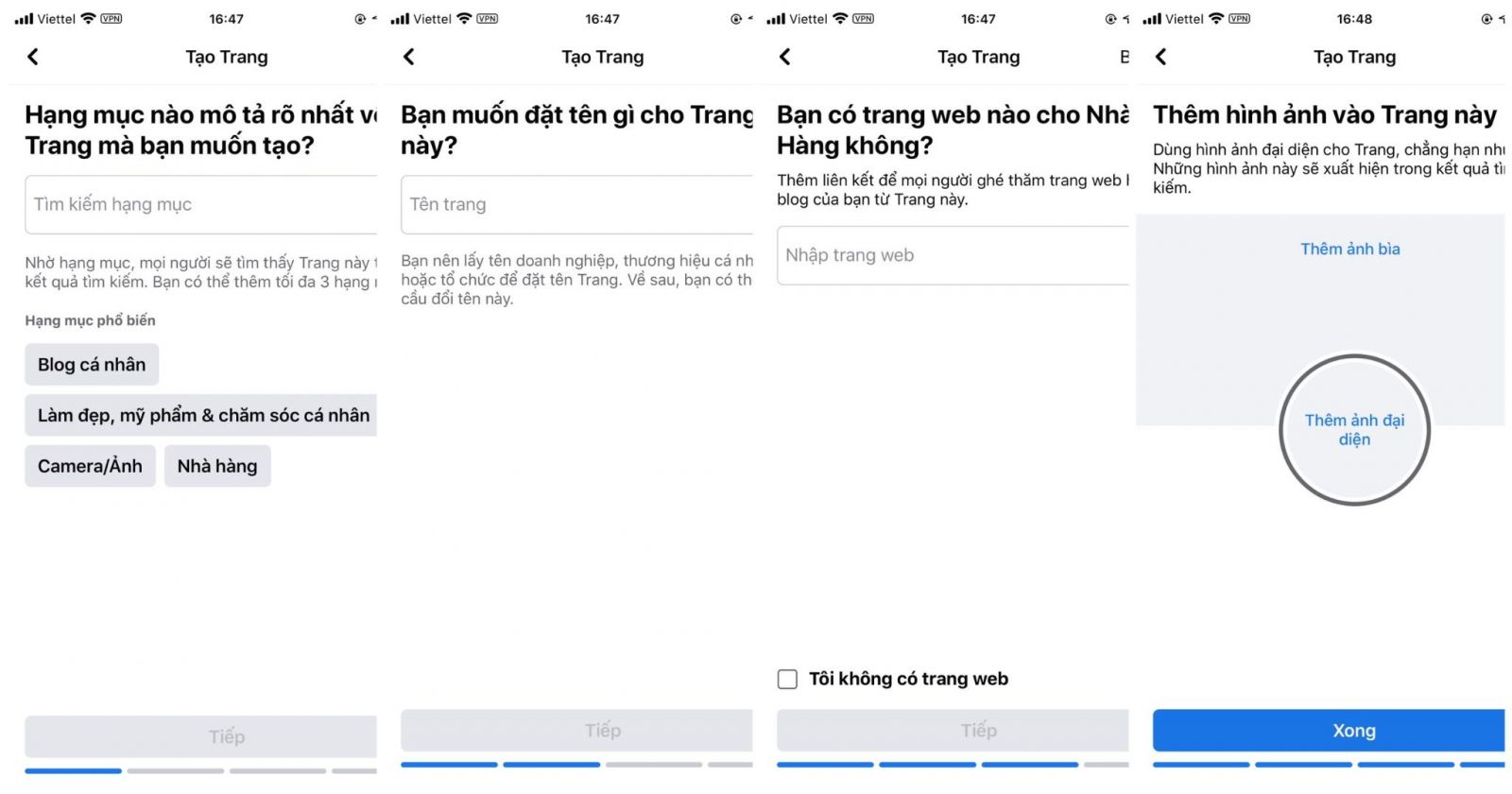
How to set up a Facebook Fanpage on your phone
Bước 1: Cach tao fanpage tren facebook bang dien thoai:
Chọn Menu -> Trang -> Tạo -> Bắt đầu
Bước 2: Hoàn tất các thông tin theo hướng dẫn
V – How to get more people to know your Facebook Fanpage
Invite friends to like your Fanpage
To get more likes on your fanpage, you can invite your friends directly by selecting “Invite friends to like the page” on your fanpage interface. Alternatively, you can post an introduction about the page on your personal profile.
Be cautious when inviting people to like the page, as it can sometimes be annoying. Ensure that anyone you invite is genuinely interested in the content your fanpage offers.
Share in groups
To increase the reach of your fanpage, business name, products, and services, you should join and share posts in relevant Facebook groups. This is one of the most effective free advertising methods.
Additionally, you can build your own community group—where users interested in your products or services can connect and interact.
Run ads to reach new customers
Running Facebook ads will help you reach more potential customers. However, before running ads, you should update posts on your fanpage and plan your objectives and target audience based on the customer journey.
In the early stages after setting up your Facebook fanpage, you should run brand awareness ads or posts about promotions, depending on the scale and sector of your business.
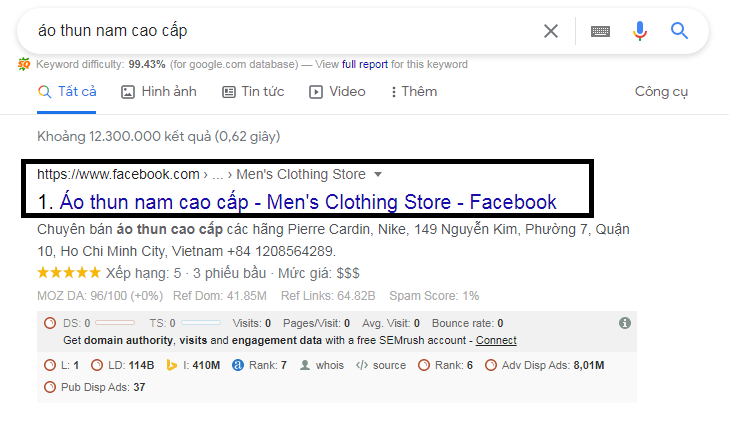
SEO Your Facebook Fanpage to Rank on Facebook and Google
Optimizing your Facebook Fanpage for SEO will help your page appear in search results on Google.
If you need the most reputable payment method and advertising account provider, you can message the fanpage buybm365.com-Ads to receive advice from HT Media. In addition, you can follow the articles. Latest articles related to our Digital Marketing.





