


4 simple and quick steps to use Visa card to run Facebook ads
Facebook has become an essential marketing channel for any business. The platform boasts a massive user base that makes it easy to reach potential customers and boost sales. Among Facebook’s payment methods, Visa is one of the most popular options due to its convenience. Let’s explore how to use a Visa card for Facebook ads!
Which Visa Cards are Accepted by Facebook?
Currently, advertisers can pay for ads on Meta (Facebook and Instagram) through three main methods: credit/debit cards (Mastercard or Visa), PayPal, and digital wallets (Momo or VNPay). Among these options, many advertisers choose Visa cards to run Facebook ads due to their convenience, speed, high security, and ease of tracking expenses.
As per the latest updates, Facebook accepts payments via three types of Visa cards, including Visa Debit, Visa Credit, and Visa Prepaid cards.
 See more products: Buy advertising accounts
1. Visa Debit (International Debit Card)
A Visa Debit card, also known as an international debit card, is a payment card issued by Visa that is directly linked to the cardholder’s bank account. You need to deposit funds into your account to make transactions, such as withdrawing money, shopping online, or making payments at Visa-accepting locations worldwide.
Currently, most banks in Vietnam support issuing Visa Debit cards. You can apply for one at reputable banks like ACB, Techcombank, Vietcombank, etc.
Pros and Cons of Using a Visa Debit Card:
| Pros | Cons |
|---|---|
| Easy to apply, no income verification required. | Spending limit depends on the bank account balance. |
| Safe to use since spending is limited to the available balance. | Some banks may restrict international transactions or online payments. |
| Less likely to be blocked by Facebook compared to credit cards. |
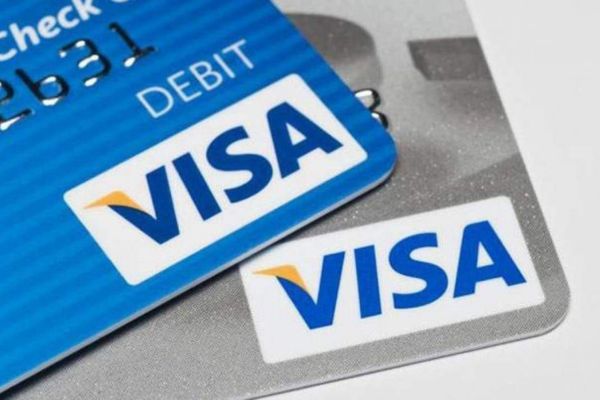
2. Visa Credit (International Credit Card)
A Visa Credit card, also known as a Visa credit card, allows cardholders to “spend now, pay later.” Users can spend within a set limit granted by the bank and must repay the borrowed amount before the due date to avoid interest charges. This requires cardholders to prove their income and repayment capability when applying for a Visa Credit card.
Most banks in Vietnam offer Visa Credit cards. Some reliable banks where you can apply include HSBC, Techcombank, and VIB. However, applying for a Visa Credit card often requires more paperwork and documentation.
| Pros | Cons |
|---|---|
| Spend first, pay later—flexible financial management. | Complex registration process, requiring proof of income and assets. |
| Enjoy many bank and service provider promotions. | Risk of high-interest rates if payments are missed. |
| Earn rewards points and redeem prizes. | Easily blocked by Facebook as many people misuse credit cards for ads. |
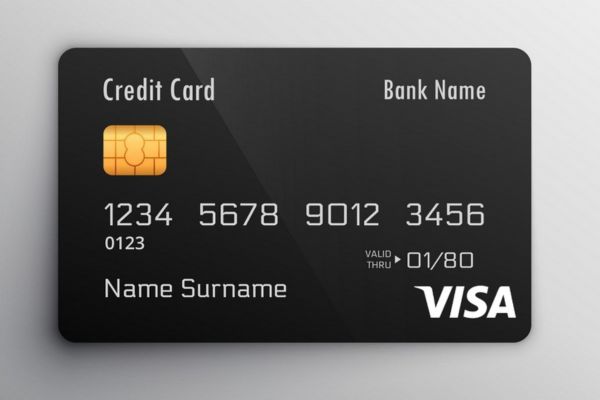
3. Visa Prepaid (Prepaid Visa Card)
A Visa Prepaid card is a type of prepaid card where you load money onto the card before use, similar to a Visa Debit card. The key difference is that Visa Prepaid cards are not linked to a bank account. These cards are quite popular abroad but are less commonly supported in Vietnam, with banks like BIDV and ACB offering them.
| Pros | Cons |
|---|---|
| Better control over spending, as money must be loaded onto the card first. | Must deposit funds before use. |
| Safe to use, reducing the risk of losing money. | Some cards may restrict international transactions or online payments. |
| Some Visa Prepaid cards offer cashback or benefits. |
Among these three types of cards, the Visa Debit card is the most widely used and recommended for running Facebook ads due to its convenience, ease of issuance, and cost control.
This card can be directly linked to a personal bank account, making it easy to deposit and withdraw money. Additionally, the preloaded feature of the Visa Debit card allows advertisers to easily track their spending and avoid exceeding the set budget.
How to Use a Visa Card for Facebook Ads
To run ads on Facebook, you must add a payment method before setting up the ad campaign. This ensures that the ad costs are paid promptly when the campaign is active.
Here’s how to use a Visa card for Facebook ads:
Adding a Visa Card to Your Business Ad Account
How to Use a Visa Card for Facebook Ads
Step 1: Go to Facebook Ads Manager.
Step 2: Navigate to Business Settings.
Step 3: Select Payments and click Add. Enter your Visa card payment details, including:
-
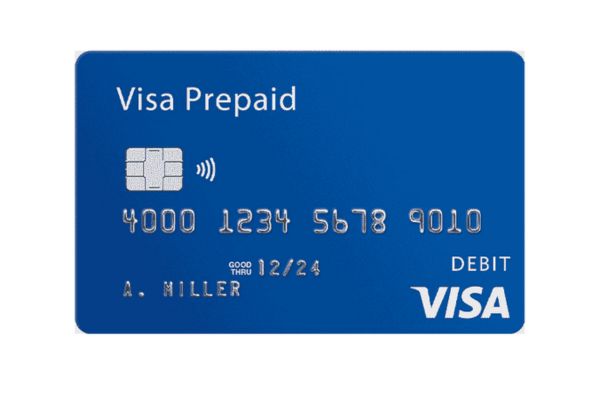
Card Number: The series of numbers on the front of your card (not the account number).
-
Expiration Date: The month and year the card expires, usually located under the card number.
-
CVV Code: The 3-digit security code on the back of the card (usually next to the signature).
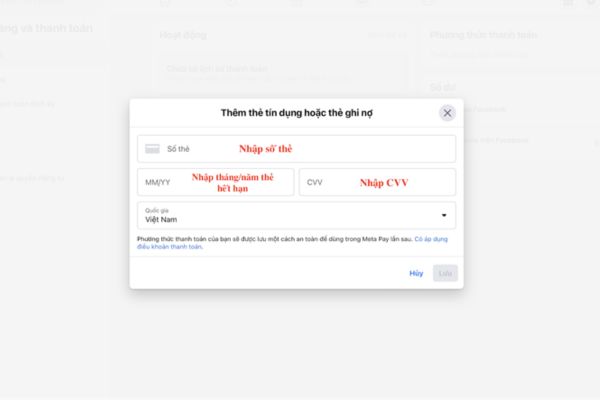
Step 4: Click Save to store the information. Now, you have successfully added your Visa card to the ad account.
How to Use a Visa Card to Run Facebook Ads with a Personal Account
If you want to add a Visa card to your personal Facebook account, you can go to Settings > Menu > Payments > Account Settings > Payment Methods.
Then, select payment via Visa card and enter the required information such as card number, expiration date, security code, and country.
Note: After successfully adding the Visa card to your account, you should wait for 2–3 days before running ads to allow Facebook’s system to update the card information and minimize the chance of account suspension.
Additionally, to prevent Facebook’s algorithms from flagging your account as fake or fraudulent, during this period, it is recommended to run ads under 100,000 VND and then gradually increase the ad budget.

How to Remove a Visa Card from Your Ads Account
To remove a Visa card from your ads account, follow these steps:
-
Go to Facebook Ads Manager.
-
Navigate to Business Settings.
-
Select Payment Methods and locate the Visa card you want to remove.
-
Click on the three-dot icon next to the Visa card and select Remove.
-
Confirm the removal by clicking Remove again.
Note: You can only remove a Visa card if all payments for your ads campaigns have been fully settled. If you have active campaigns, you need to pause or end them before removing the Visa card.
Common Issues When Using a Visa Card to Run Facebook Ads
When using a Visa card for Facebook ads, users may encounter several issues, such as incompatible cards, exceeding card limits, or account suspensions when adding the card.
1. Account Suspended After Adding a Visa Card
A common issue when adding a Visa card to a Facebook ads account is the account being suspended afterward. Possible reasons include:
-
Low account credibility: using fake accounts; logging in from multiple devices in different locations; new accounts with little interaction; logging in from the same device as an account with overdue ad payments.
-
Account reported by others: for fraud, impersonation, or false information.
-
Insufficient balance on the Visa card to cover ad costs.
To resolve this, use an account with good standing that has been active for over 6 months, with complete information and stable interaction.
You should log in on a maximum of two devices and use them frequently. Also, avoid changing your IP address or using a VPN to prevent suspicious login activity.
Before adding the Visa card to your ads account, check if the card balance is sufficient to cover your ad expenses. For Visa Credit cards, ensure the payment limit is higher than the amount you need to pay for Facebook ads.
 See more products: Buy advertising accounts
2. Visa Card Not Supported Error
This issue may occur if you are using a card type that is not supported. If your card is a Visa Debit or Visa Credit, check if the information is accurate and if international payment features have been activated.
3. Unable to Charge Ads Account
If you see a message saying “We are unable to charge your ads account,” it means that Facebook attempted a payment, but the card declined. In this case, check your card balance, payment limits for the day or month.
4. Exceeded Card Limit
After entering card details, if you get the message “You’ve exceeded your card’s limit. Please try a different card or contact your bank,” this indicates you’ve reached the usual limit for running ads. Check if there are enough funds on the card or if there’s an outstanding balance.
5. Payment Method Error
When adding a Visa card to the ads account, you may receive a message saying, “It seems like you’re trying to add a payment method that has been suspended.” This means the payment method is faulty or the card is suspected to be stolen. In this case, you must submit a request to Facebook for review and resolution.
Frequently Asked Questions About Using a Visa Card for Facebook Ads
1. How many ad accounts can a Visa card be added to?
According to Facebook, a Visa card can be added to up to 10 ad accounts. This helps Facebook better control transactions and reduce fraud risks. However, professional advertisers report that the Visa card may get blocked after running ads on around 3 accounts. Therefore, it’s best to run only one ad account per card.
2. How many Visa cards can be added to an ad account?
Currently, Facebook doesn’t limit the number of Visa cards you can add to your ad account. You can use multiple Visa cards for different ad campaigns. However, it is still advisable to use the cards responsibly and follow Facebook’s guidelines to avoid restrictions on the number of cards added.
3. Is it mandatory to add a Visa card to run Facebook ads?
Adding a Visa card to run Facebook ads is not mandatory. Besides Visa cards, you can use other payment methods supported by Facebook, such as PayPal or local debit cards.
4. When does Facebook charge for ads?
Facebook charges for ads at two points: when the ads reach the payment threshold, and on the last day of the month. When you reach the payment threshold, Facebook will automatically charge your account. If your total ad costs for the month don’t reach the payment threshold, Facebook will charge you on the last day of the month.
Conclusion
In this article, we have introduced how to use a Visa card to run Facebook ads. We hope our insights will help you manage your Facebook ad payments more effectively.
If you need the most reputable payment method and advertising account provider, you can message the fanpage buybm365.com-Ads to receive advice from HT Media. In addition, you can follow the articles. Latest articles related to our Digital Marketing.





